You clicked the avatar in the corner of Pocket Option, opened Settings, and there it was: a switch labelled AI Trading. No tooltip, no preview, no explanation of what happens when it turns green — just a toggle sitting quietly between your account details and everything else.
Hesitating is the right instinct. On a trading platform, a switch with "AI" on it could mean anything from a mild chart-reading helper to something that opens positions while you sleep. Before you flip it, you deserve four straight answers: what the thing actually does, how you turn it on, whether it trades without you, and how far its suggestions can be trusted.
Here they are — with the limits given the same weight as the benefits, which is not how the marketing copy usually reads.
Key Takeaways
The built-in AI Trading feature is a native platform setting, not installed software: it returns a suggested direction and expiry for the asset you are watching, on request.
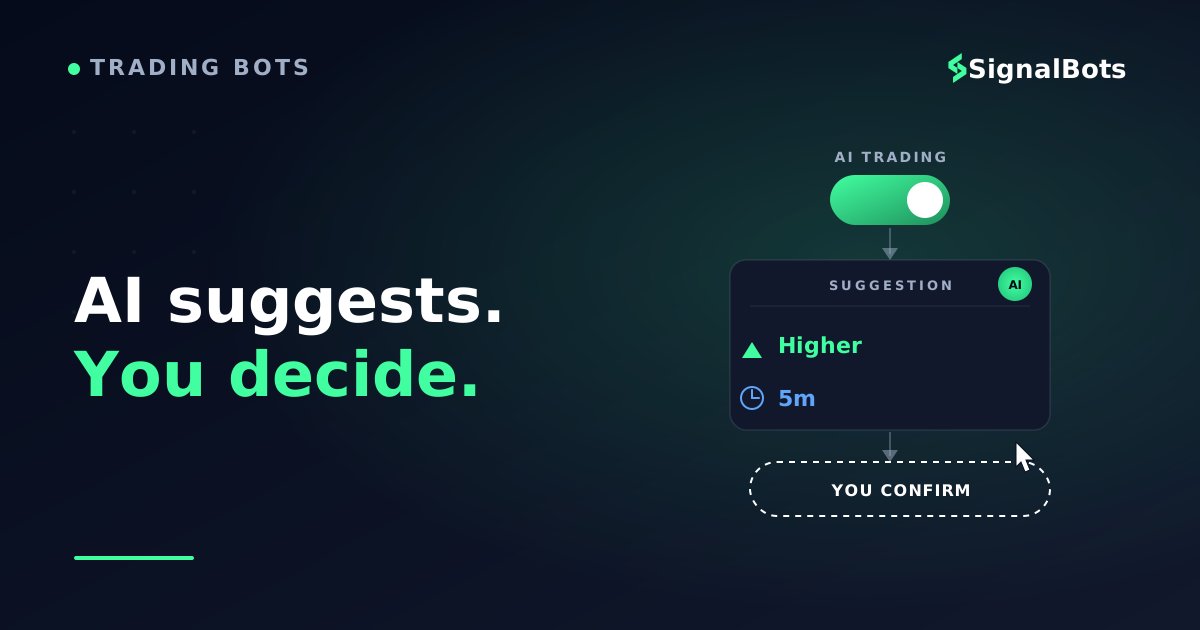
It never executes anything — every suggestion stops at your screen until you set a stake and confirm the trade yourself, which is the line between decision support and auto-trading.
Its accuracy is not fixed, and four blind spots are structural: news events, genuinely new market regimes, your position sizing, and the payout maths behind your break-even win rate.
Treat it as a second read on a chart you are already watching; if you need something that acts while you are away or can be tuned, that is a different class of tool.
Table of Contents (28 min read)Contents
What Is Pocket Option's Built-In AI Trading Feature?
The built-in feature is part of the platform surface itself — there is nothing to download, connect or keep running. Pocket Option's built-in AI trading feature — labelled AI Trading inside the platform — is a native account setting, not software you install. Nothing to download, no licence key, no API keys, no second account, no server to keep running. It lives in your settings, and when it is on, it draws a button onto your trading screen. Turn it off and it disappears.
That one fact separates it from nearly everything else sold as an AI tool for this platform. A third-party binary options bot is a separate program that has to reach into the platform from outside — through a browser extension, a Telegram relay, or an automation layer — and it keeps working whether or not you are looking. The built-in feature is the platform's own analysis, surfaced inside the platform's own interface, only when you ask for it.
Its output is deliberately narrow. Press the button on the asset you are watching, and it returns a suggested direction (higher or lower) and a suggested expiry time. That is the whole product: the two fields a binary ticket needs, filled in as an opinion. It is a recommendation printed on your screen — not an instruction sent to the market.
So when people search for pocket option ai trading features, plural, expecting a suite of dashboards and strategy settings, the honest answer is that there is one feature with one output and one switch. Whether that is a weakness depends entirely on what you wanted it for.
How the AI Trading Mode Actually Works
Once the setting is on, an AI Trading button appears on the trading screen. Press it while an asset is open and the platform runs its read of that asset right then, and returns its suggestion for that moment. It is a request-response tool, not a monitor humming in the background.
Four kinds of input feed that read:
Live technical indicators — moving averages, RSI and similar oscillators, evaluated at the current candle rather than over a long horizon.
Recent price action and trend — where the asset has moved over the last stretch of candles and which shapes it has just printed.
Volatility — how violently the asset is moving right now, which is the main thing shaping the expiry it proposes. A jumpy asset gets a different recommended duration than a quiet one.
Aggregate behaviour on the platform — how the broader body of traders is positioned, plus your own trading history on the account.
What that combination amounts to is pattern recognition, and calling it that is not a criticism — it is the accurate description. The system looks at what the chart is doing now, matches it against how comparable conditions resolved before, and reports the side that historically came out ahead. It is not reasoning about the euro, forming a view on tomorrow, or reading anything written in words. It is scoring a shape.
What the suggestion looks like on screen
You will not get an essay. You get the direction and the duration, attached to the asset you already have open, with the trade ticket still sitting there waiting for you to accept or ignore it. The chart below is an illustration of that moment — not a real trade, and not a claim about what the feature would suggest on any given day.
Illustration
Where an AI Trading suggestion lands (illustration)EUR/USD1m
The feature fills in two fields — a direction and an expiry — at the moment you ask. Everything after that is still your click. Illustrative chart, not a real or predicted trade.
Notice what is missing from that picture: a reason. The feature does not explain which indicator tipped the call or how strongly, so you cannot audit its logic the way you could audit your own setup. You are being handed a conclusion, not an argument — which is exactly why the accuracy question later in this article matters so much.
Turning On AI Trading, Step by Step
Activation is genuinely a one-minute job, and the same switch reverses it.
Click the avatar icon in the upper-right corner of the platform.
2
Go to Settings
Choose Settings from the menu that opens.
3
Switch on AI Trading
Find the AI Trading option and toggle it on. The same toggle turns it off again whenever you want.
4
Use it on the trading screen
An AI Trading button now sits on the trade screen. Press it on any open asset to get a direction and an expiry.
Four clicks, no install, fully reversible — the low cost of trying it is the strongest argument in its favour.
Two practical notes before you use it with real money.
First, switch your account to the demo account and spend a session there. Ask the feature for a suggestion on assets you already have an opinion about, and see how often its read matches yours, how it behaves in quiet ranges versus fast moves, and whether the expiries it picks suit how you actually trade. That is a free, zero-consequence way to build a sample of its behaviour instead of forming a judgement from three live trades.
Second, treat the button as something you press on your own timing. Because the analysis runs at the instant you ask, hammering it repeatedly through a choppy stretch produces a stream of conflicting reads — and the temptation to act on each one is a far bigger risk to an account than the quality of any single suggestion.
Does It Place Trades for You?
No. This is the point most worth being precise about, because the phrase "AI Trading" naturally sounds like it means the platform trades for you.
Every suggestion the feature produces stops at your screen. Nothing is submitted until you set your stake and confirm the trade yourself, the same way you would on any manual entry. If you ask for a suggestion and then close the tab, nothing happens to your balance.
That places it firmly outside what the industry means by auto-trading — a system that receives or generates a signal and executes it without a human in the loop. The built-in feature is decision support that stops one step short of the button. In practice this cuts both ways:
In your favour: it cannot run away with your account. No overnight sequence of losses while you sleep, no bot stuck in a loop, no stake-doubling recovery logic firing after a bad run.
Against you: it does nothing while you are away. No suggestion is acted on unless you are at the screen, so the feature has no answer at all for the trader whose real problem is not being able to watch charts during the session they want to trade.
Knowledge check
You switch on AI Trading, press the button on EUR/USD, then step away from your screen for an hour. What has the feature done by the time you get back?
Why
The built-in feature only ever suggests a direction and an expiry. Submitting the trade, choosing the stake, and deciding not to bother are all still yours. That is the exact line between decision support and auto-trading — and it is why walking away from the screen means nothing happens at all.
The single most common misreading of the feature's name, in one question.
Accuracy, and the Four Things the AI Cannot See
Pocket Option is unusually direct about this in its own material: the feature's accuracy is not fixed. It shifts with volatility, with the asset, with the time of day, and with which conditions the current chart happens to resemble. There is no published, stable historical win rate you can plan around, and any number you see quoted for it in a review or a video was measured over someone else's small sample, on their assets, at their hours. Chart data is the whole input — which is why a scheduled release or a surprise headline is invisible to the suggestion you are looking at.
More useful than chasing a number is knowing the four blind spots that are structural — they come from how the tool is built, so no amount of good conditions removes them.
It cannot see the news. The read is built from chart data. A rate decision, a surprise headline, a geopolitical shock — the AI has no channel for any of it and will keep scoring shapes straight through an event that has just changed why the market is moving.
It cannot see the future in the past. Pattern recognition is, by construction, an argument that what happened before will happen again. That works while conditions rhyme with the past and degrades when a market shifts into a genuinely new regime — the same limitation that makes any backtest a starting point rather than a promise.
It cannot see your risk. The suggestion contains no stake, no daily limit, no view on how much of your balance is already committed. Position sizing stays entirely on you, and it is the variable that decides whether a run of losing trades is an annoyance or an account.
It cannot see your payout. This one is specific to binaries and gets overlooked constantly. Because a loss costs your full stake while a win returns only the payout percentage, the win rate you need just to break even rises as the payout falls. A suggestion stream that is right slightly more often than not can still lose money on a low-payout asset. Run your own numbers on the binary options break-even win rate calculator before you decide any tool is "accurate enough".
None of this makes the feature bad. It makes it a second opinion with known gaps — which is a genuinely useful thing to have on screen, as long as you know which gaps you are covering yourself.
Built-In AI vs a Dedicated Bot or Signal Alert
Almost everyone who finds this feature ends up asking the same follow-up: is this enough on its own, or do I need something else? The short answer is that the three routes solve different problems, and the built-in tool is the narrowest of them by design.
There is also a middle path that costs nothing to try. If what you want is a second read rather than a second piece of software, that is roughly the job our free live binary options signals feed does: it publishes real-time buy and sell signals with their reward-to-risk context, so you can glance at an independent read on the same asset before you confirm what the platform's AI just suggested. To be clear about what it is not — it is an external feed you check yourself, not a Pocket Option account feature, and not a replacement for the platform's own toggle. If you want something that acts while you are away from the screen, a manual feed is the wrong tool and a dedicated bot is the conversation to have.
Bottom Line: Should You Turn It On?
Turn it on. The cost of trying it is a toggle you can reverse in the same four clicks, it cannot trade without you, and an extra read on an asset you are already watching is worth having even when you disagree with it — sometimes especially then.
What you should not do is treat it as the reason to take a trade. The honest way to use the built-in feature is as one voice in a decision you still own: your own read of the chart first, the AI's direction and expiry as a check on it, your own position sizing regardless of what either says, and your own rule about how many trades a session gets. Used that way, a suggestion you disagree with is as useful as one you agree with, because it makes you say out loud why.
And if, after a week of that, you find your real complaint is that it never acts while you are away, that it cannot be tuned, or that it goes quiet exactly when the news moves — those are not flaws you can configure out of it. They are the boundary of what a one-switch, in-platform tool was ever built to be, and the signal that the route you actually want is a different one.
It is part of the platform's own toolset rather than a separately sold product, so there is no licence to buy or subscription to start — you switch it on in Settings. What it costs you is the same thing every trade costs: the stake you risk when you decide to confirm a suggestion.
Does the AI trading feature work on OTC assets?
The feature reads whatever chart you have open, including the synthetic OTC market instruments the platform runs at weekends. Be aware that those instruments are generated by the broker rather than traded on an outside exchange, so the "history" the pattern recognition is matching against is history of that synthetic series — a different, narrower thing than the price record behind a live currency pair.
Can I adjust how aggressive the AI is, or which indicators it uses?
No. Beyond turning it on and off and choosing when to press the button, there are no strategy parameters, no indicator selection, no risk settings and no filters. Configurability is precisely the axis on which a dedicated bot is a different class of tool.
How is this different from the Telegram signal bot Pocket Option promotes?
They are separate tools that happen to share the word "bot". The built-in AI feature lives on the trading screen and answers when you press it; Pocket Option's free Telegram bot pushes signals to your chat app on its own schedule and carries its own settings for things like trade amount and asset preferences. One is a chart read on demand, the other is a delivery channel.
Will it stop me from taking a bad trade?
It has no ability to block anything. It offers a direction and an expiry when asked; if you confirm a trade it disagrees with, the trade goes through exactly as normal. Guarding against a false signal — its own or your own — is still a job for your rules, not the platform's.
Sources & Further Reading
Want to go deeper? These independent, authoritative sources shaped this guide — each one is worth reading in full:
The Binary Options Desk is the SignalBots editorial team for fixed-time and OTC trading coverage. We research and write the guides that explain expiry timing, payout structure and disciplined entry across the major brokers.



Discussions 0
Leave a comment