Binary · VIP access

Binary Options Signals Provider M1-H4

Confirmed CALL / PUT calls, not predictions

Generates binary signals from order blocks, Fair Value Gaps and imbalances, but only after a candlestick pattern confirms the reaction at a supply or demand zone.

View on TradingView

165 community boosts · $48.88/mo on TradingView, free or discounted for SignalBots members.

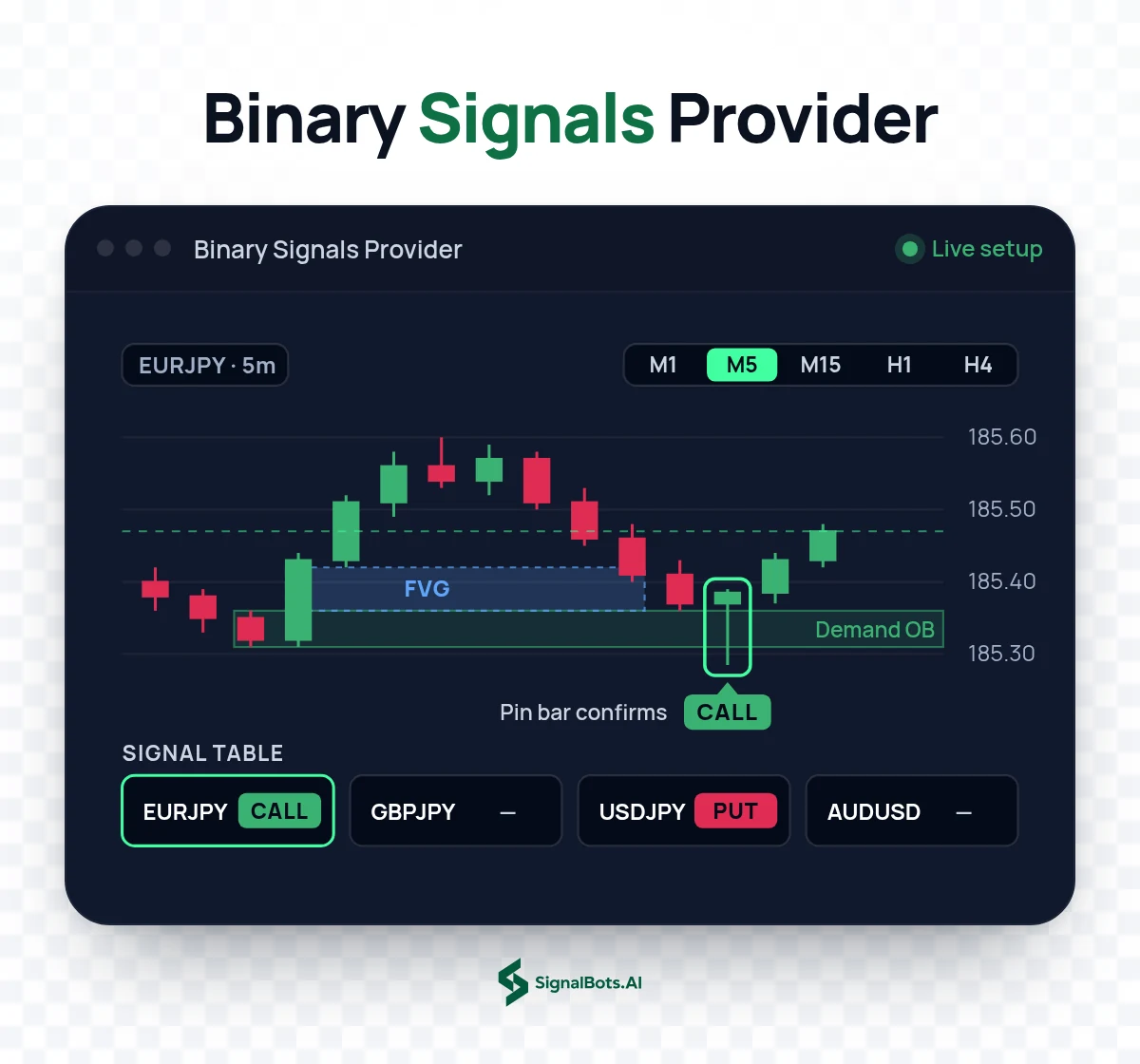
Binary Options Signals Provider M1-H4 on a EURJPY 5m chart: price returns into a demand order block below a Fair Value Gap, a pin bar confirms the reaction and a CALL label prints, with the M1 to H4 timeframe switch above and a four-symbol CALL/PUT signal table below.
Step-by-Step Setup

Unlock Binary Signals Provider free in 3 steps

Follow the steps in order. Open an eligible partner account the right way, get your free VIP license, then learn how to read and trade the indicator on TradingView.

Step 1 of 3

IQ Option Sign Up

Which describes you?

Already have an account? Reset it first

Withdraw your balance, close your current IQ Option account, then reopen it through our link so it qualifies for free VIP access to Binary Signals Provider. The guide shows the safe, no-data-lost way.
Confirmed CALL and PUT

Binary Options Signals That Wait for a Confirmation Candle

These binary options signals are confirmed CALL and PUT calls, not predictions. The indicator draws validated supply and demand zones on your TradingView chart, then issues a CALL or PUT only when a candlestick pattern confirms the reaction at one of those zones. It runs on the M1 to H4 charts built for short-duration binary expiries, across the currency pairs you already trade, and it suits price-action traders who want confirmed entries. It is the exact invite-only script from our TradingFinder space, with 165 community boosts, and it flags the moment without ever placing the trade for you.

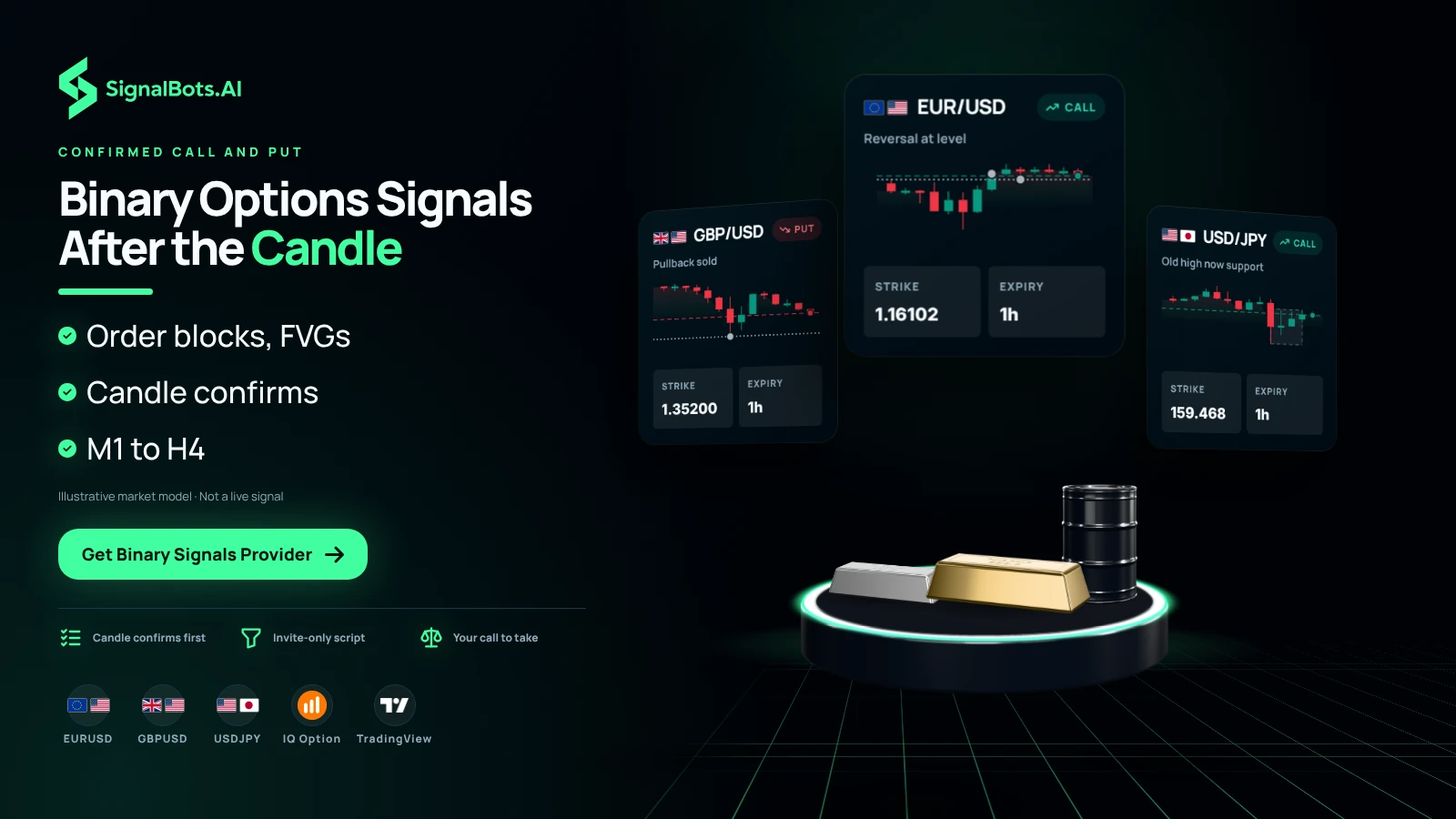
Three binary tickets fanned over three stage props, EURUSD CALL, GBPUSD PUT and USDJPY CALL, each with a strike and an expiry, with a coverage strip naming the pairs, IQ Option and TradingView.
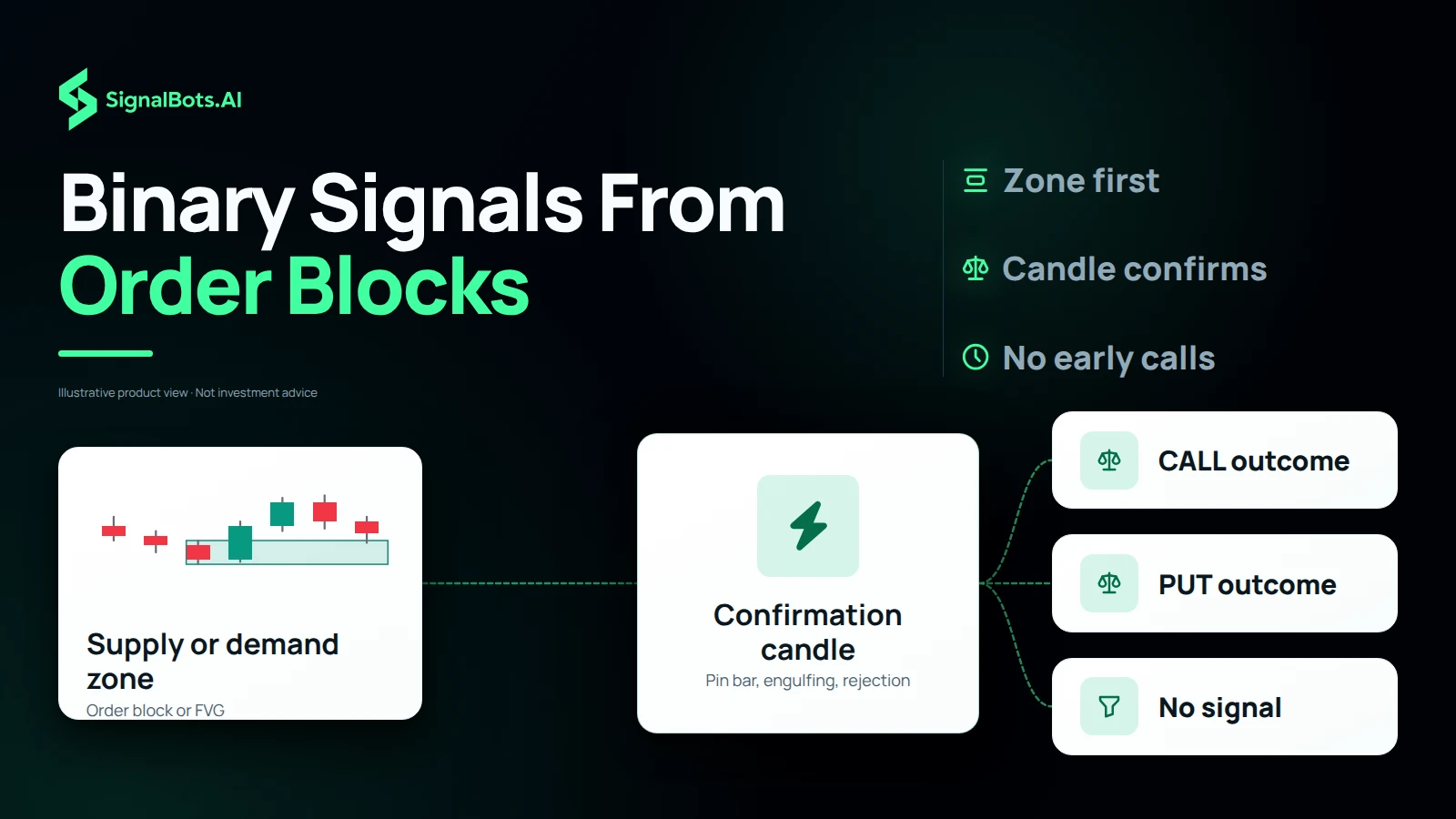
A flow from a supply or demand zone (order block or FVG), through a confirmation candle hub (pin bar, engulfing, rejection), to three outcomes: CALL, PUT or no signal yet.

How a call forms

Binary Option Signals Built From Order Blocks and FVGs

Every call follows the same order. First, price reaches a validated supply or demand zone, marked on the chart as an order block or FVG and built from real order flow. Second, a confirmation candle has to form at that zone: a pin bar, an engulfing candle, a rejection or a false break. Until that candle prints, there is no signal, however close price gets to the zone. Once it does, the indicator issues its CALL or PUT, and whether the setup fits your expiry and your stake remains your decision.

Confirmation over prediction

Binary Options No Indicator Guessing Versus Confirmed Calls

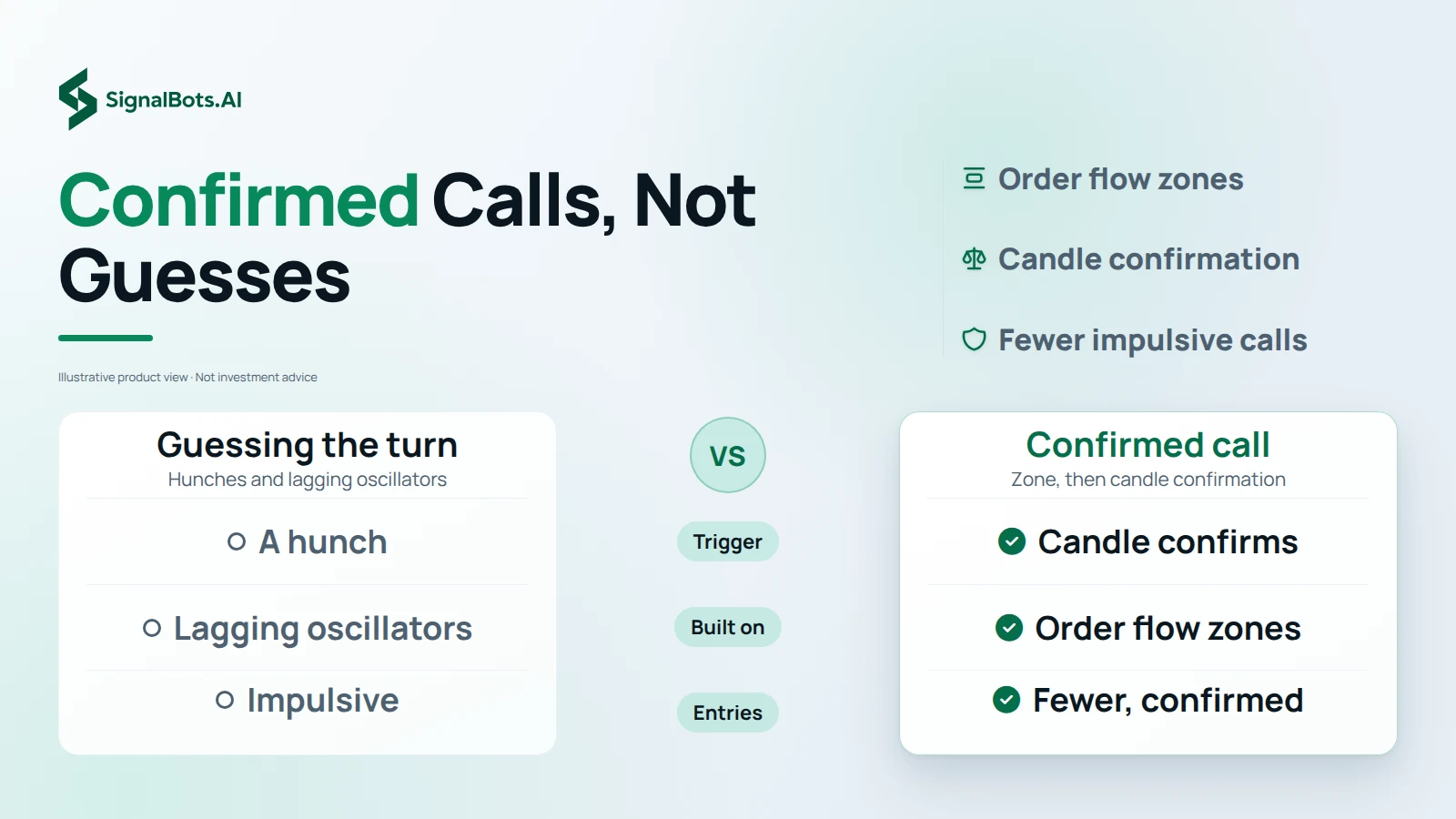
People who search for binary options with no indicator usually want to read price itself, because a lagging oscillator reports a turn after it has already happened. This tool reads price where it matters: zones built from order blocks, FVGs and imbalances, not lagging oscillators. And where many binary signals are guesses about the next candle, it stays silent until a candle confirms the reaction, so you trade confirmation instead of prediction and take fewer impulsive entries. That gives each call a visible reason, not a promise, because trading binary options carries risk of loss.

Two columns set guessing the turn against a confirmed call, row by row: what triggers the call, what it is built on, and how impulsive the entries are.
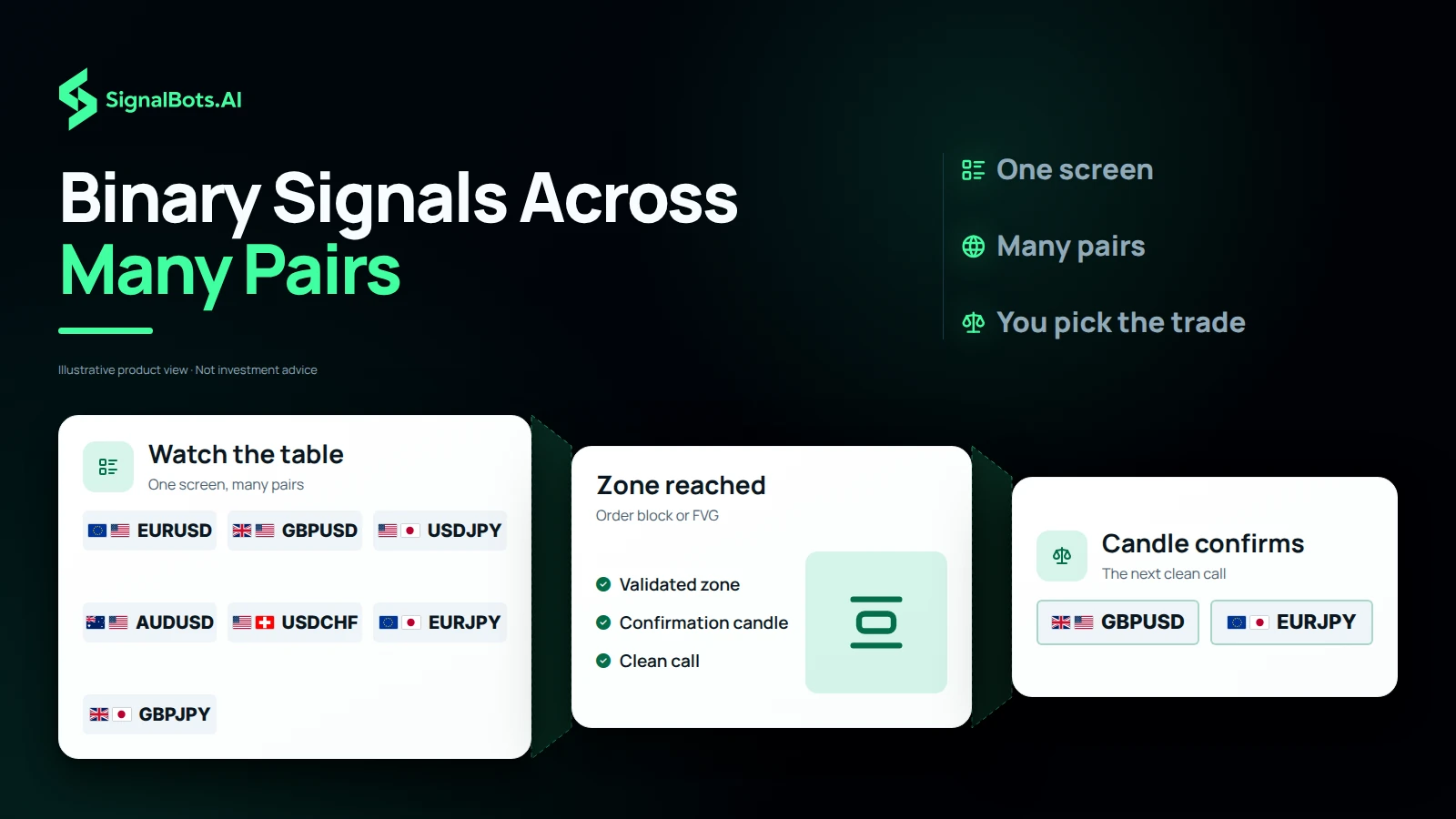
A funnel from seven currency pairs on the multi-symbol table, through a zone reached and a candle that confirms, down to two pairs with a clean call to check.

Many pairs, one screen

Free Binary Options Signals Across Many Pairs on One Screen

Free binary options signals here come with one condition, and one screen does the watching. An optional multi-symbol table watches several currency pairs at once for the next clean call, so you stop flipping between charts hunting for a setup. The indicator and its table cost nothing once you trade as a SignalBots VIP member through our IQ Option partnership; the other route is a discounted subscription against the $48.88 monthly TradingView listing. Either way, a pair showing on the table is a chart to check, not a trade you must take, and trading carries risk of loss.

Access through IQ Option

Binary Option Indicator TradingView Access Through IQ Option

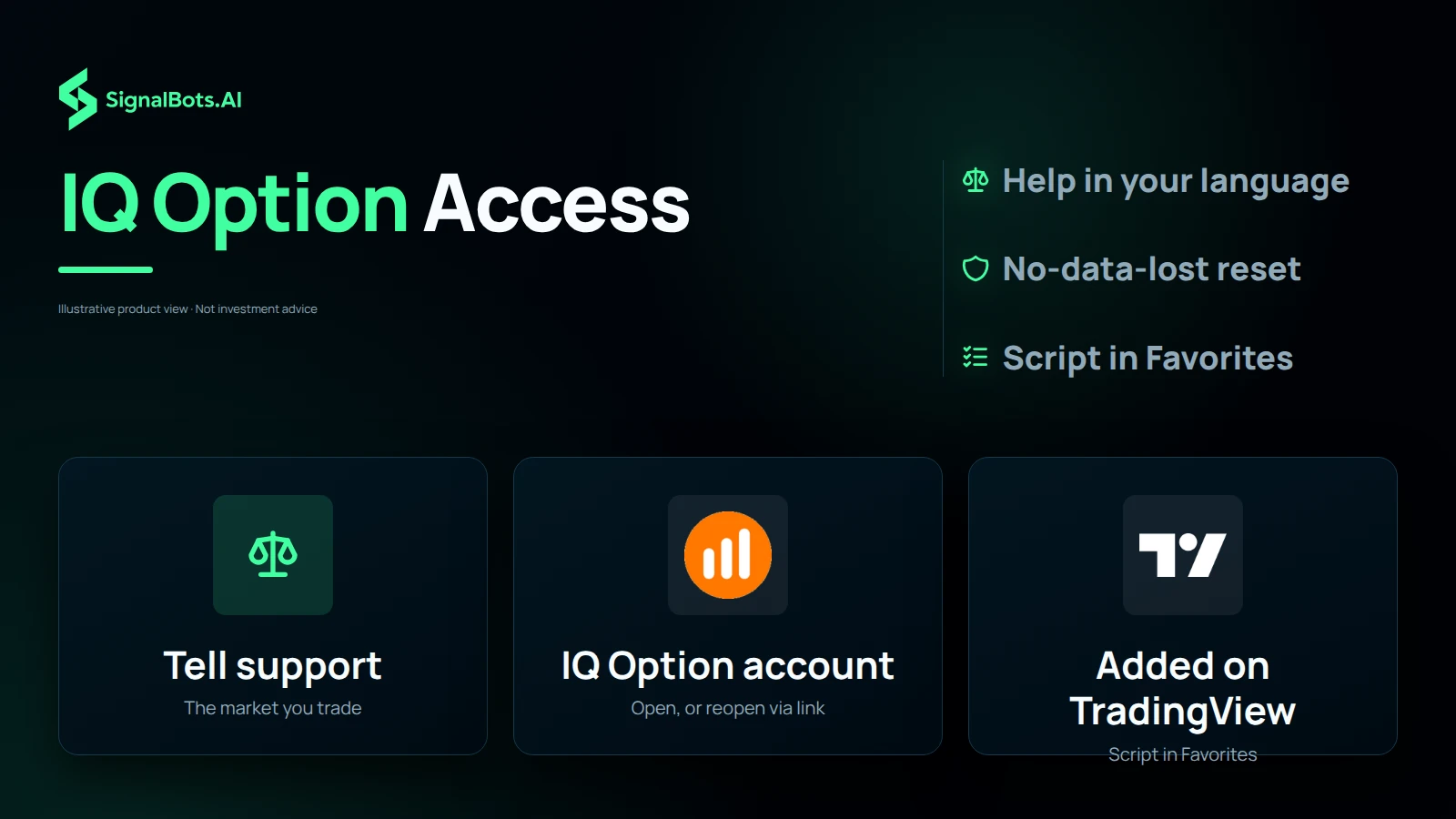
Access takes three steps. Tell our 24/7 support team the market you trade, and they reply in your own language. Then open your IQ Option account through our link and fund it; if you already have one, withdraw your balance, close that account and reopen it through our link so it qualifies, following the guide's safe, no-data-lost route. Finally, share your TradingView username: the script appears in your Favorites on the chart you already use, and a free TradingView account is enough. The broker's partner commission is what covers the tool, and trading carries risk of loss.

Three step tiles in order: tell support the market you trade, open or reopen an IQ Option account through our link, and get added on TradingView with the script in your Favorites.

On the chart

Binary Signals Provider in action

Live chart from Binary Signals Provider on TradingView.

How it works

What Binary Signals Provider does

Most binary signals are guesses. This one reacts to real order flow: it marks validated supply and demand zones, then waits for a pin bar, engulfing or rejection candle before issuing a CALL or PUT, so you trade confirmation, not prediction.

  1. 1

    Price reaches a validated supply or demand zone (order block / FVG).

  2. 2

    A confirmation candle (pin bar, engulfing, rejection or false break) forms.

  3. 3

    A CALL (demand) or PUT (supply) signal prints, ready to act.

Why traders use it

What you get out of it

  • Confirmed, not predicted

    No signal until a candle confirms the reaction: fewer impulsive entries.

  • Real order flow

    Built on order blocks, FVGs and imbalances, not lagging oscillators.

  • Many pairs, one screen

    An optional table watches multiple symbols for the next clean call.

Where it works

Markets it's built for

  • Binary options The primary market, across currency pairs and symbols.

Each market routes to its own partner broker: support pairs the right one to the indicator you pick, so you're never sent to the wrong market.

Is it for you?

Who it's for, and what's inside

Best for

  • Binary-options traders
  • Price-action traders
  • Traders who want confirmed entries

Timeframes

M1 to H4: built for short-duration binary expiries.

What's inside

  • Order blocks + FVGs
  • Candle confirmation
  • Proximity tolerance
  • Multi-symbol screener

No cost to you

How to get Binary Signals Provider free

  1. 1

    Tell support what you trade

    Message our 24/7 team with the indicator or market you want. They reply in your own language and pick the right broker partner for it.

  2. 2

    Open your partner account

    Register at that broker through our link and fund it: the broker pays us a partner commission, which is what lets us hand you the tools at no cost.

  3. 3

    Trade with it on TradingView

    Share your TradingView username and we add you. The scripts appear in your Favorites, ready on the chart you already use.

Good to know

Binary Signals Provider: your questions

Is it the same tool as on TradingView?

Yes, Binary Signals Provider is the exact invite-only script from our TradingFinder space, nothing watered down.

How much does it cost?

On TradingView the space lists at $48.88/mo. With SignalBots you get it two ways: a discounted subscription, or free once you trade as a VIP member through our broker partnership. Support sets up either route.

How do I get access?

Message our 24/7 support. They set up either route for you (a discounted subscription, or free VIP access once you trade with a partner broker) then add you on TradingView.

Which markets does it cover?

Binary options.

Which timeframes does it work on?

M1 to H4: built for short-duration binary expiries.

Does it place trades for me?

No. It's a chart indicator that flags setups; every trade decision stays yours.

Do I need to install anything?

No. It runs inside the TradingView chart you already use, no install, no Pine editing.

Do I need a TradingView account?

A free TradingView account is enough. We add the script to your username.

Is performance guaranteed?

No. All results are historical and backtested, and trading carries risk. Read the Risk Warning first.

SignalBots Partner Program

They trade.
You earn: 40% for life.

Give your audience the free Binary Options Signals Provider M1-H4. It flags every setup on their chart, they trade it, and you earn on every trade.

  • 40% lifetime
  • Paid monthly
  • No caps
Become a Partner 2-minute signup · keep your own brand
Estimate your commission Recurring
25 × X estimated recurring monthly commission

X = your commission from one baseline trader ($500 deposit, $50k monthly volume). Illustrative only: your real payout scales with the broker’s IB rate and your referrals’ actual trading.

SignalBots operates as an Introducing Broker and Master IB. Commission is paid on your referrals’ trading activity, not on recruitment. Trading carries substantial risk. See our Risk Warning.

Trade with Binary Signals Provider, free

Message support, open your partner account, and get added on TradingView, usually within minutes.

Indicators flag setups; they don't place trades. Past results are historical and backtested. Trading carries risk. Read the Risk Warning.