Multi-asset · VIP access

Trend Hunter Pro Oscillator

Know the moment the trend actually shifts

A multi-timeframe oscillator that separates real directional moves from noise. It reads your chart against a higher timeframe and flags the moment bullish or bearish bias truly takes over.

View on TradingView

$48.88/mo on TradingView, free or discounted for SignalBots members.

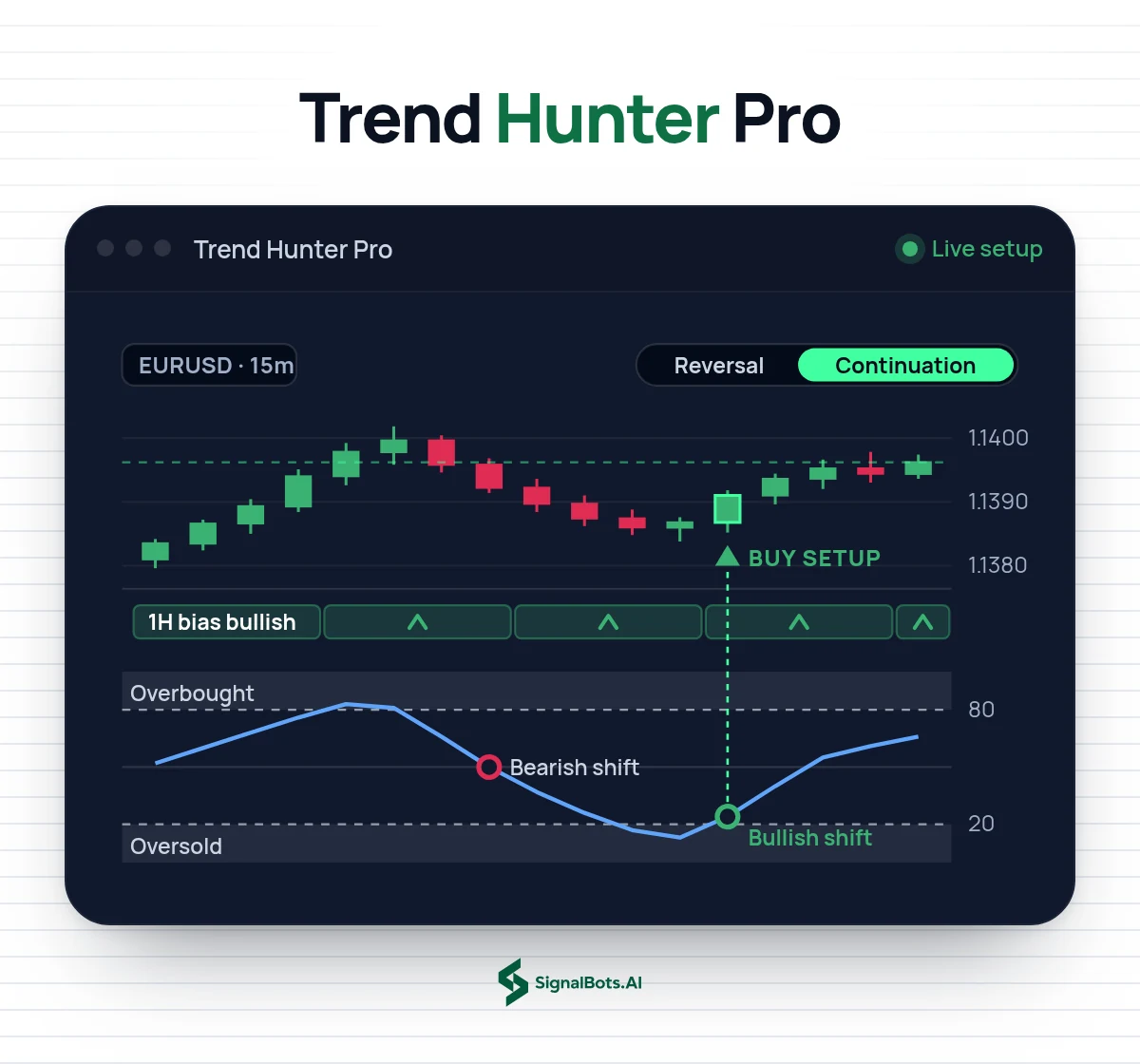
Trend Hunter Pro Oscillator on a EURUSD 15m chart: a pullback read against the bullish 1H bias, with the oscillator dipping into oversold, a bearish then a bullish bias-shift circle, and the buy-setup triangle in Continuation mode.
Step-by-Step Setup

Unlock Trend Hunter Pro free in 3 steps

Follow the steps in order. Open an eligible partner account the right way, get your free VIP license, then learn how to read and trade the indicator on TradingView.

Step 1 of 3

Exness Sign Up

Which describes you?

Already on Exness? Move your account

Already have a Exness account? Move it under our partner link in a few steps so it qualifies for free VIP access to Trend Hunter Pro: the guide shows the safe way.

Bias-shift markers

Trend Hunter Pro Oscillator That Flags the Moment Bias Shifts

Trend Hunter Pro Oscillator is an invite-only TradingView script that reads the chart you are on against a higher timeframe you choose, then places bias-shift markers where bullish or bearish pressure truly takes over. It separates real directional moves from noise, so you can spot when the trend is actually turning rather than only where price happens to be. Instead of stacking more lines, it gives you one structured momentum view that keeps the chart clean. It marks the shift; it does not predict the next candle or place a trade, and every decision stays yours.

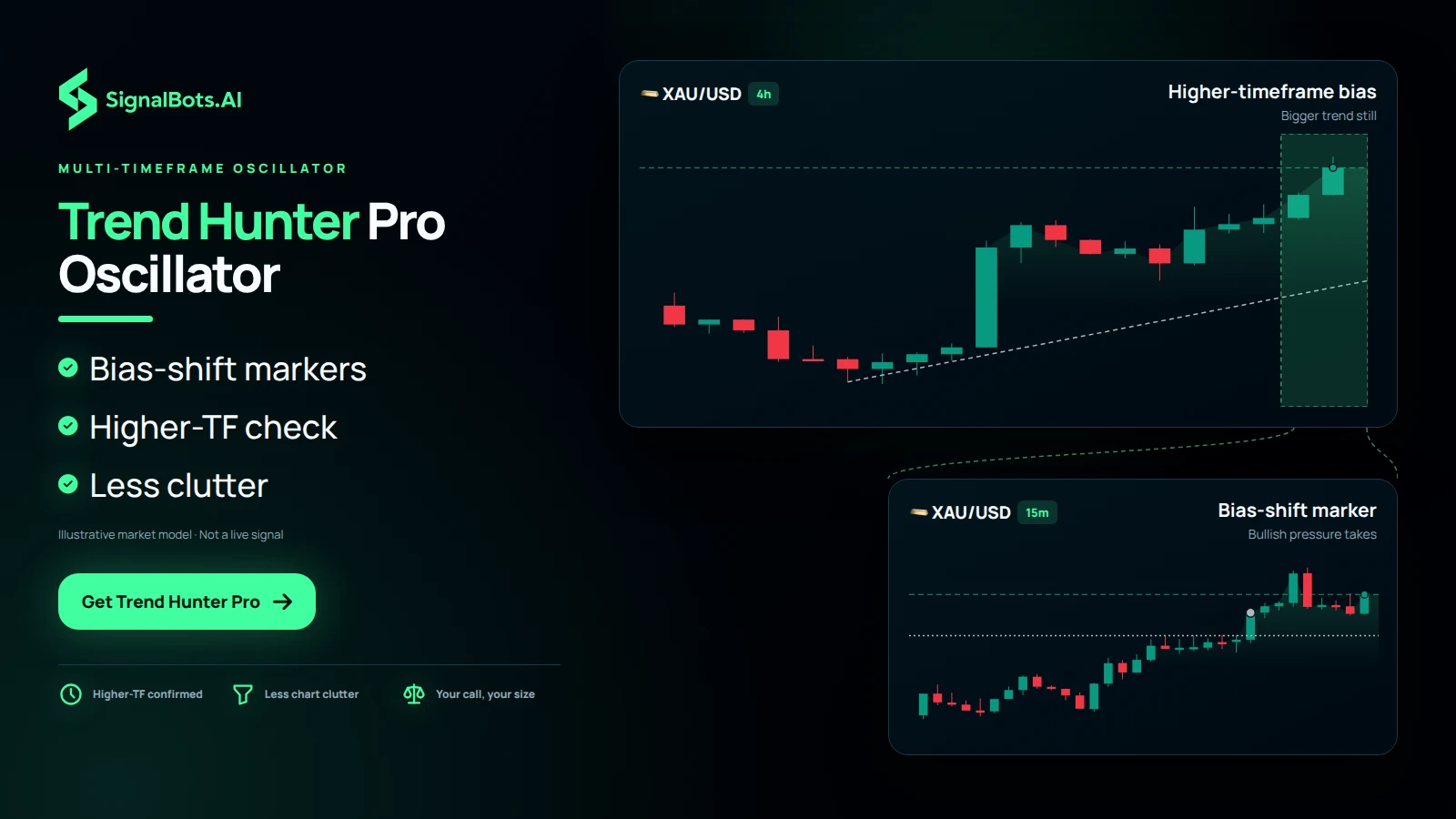
A 4h gold pane shows the bigger bullish trend as context, and a bracket opens it into a 15m pane where a pullback ends and a bias-shift marker flags bullish pressure taking over.
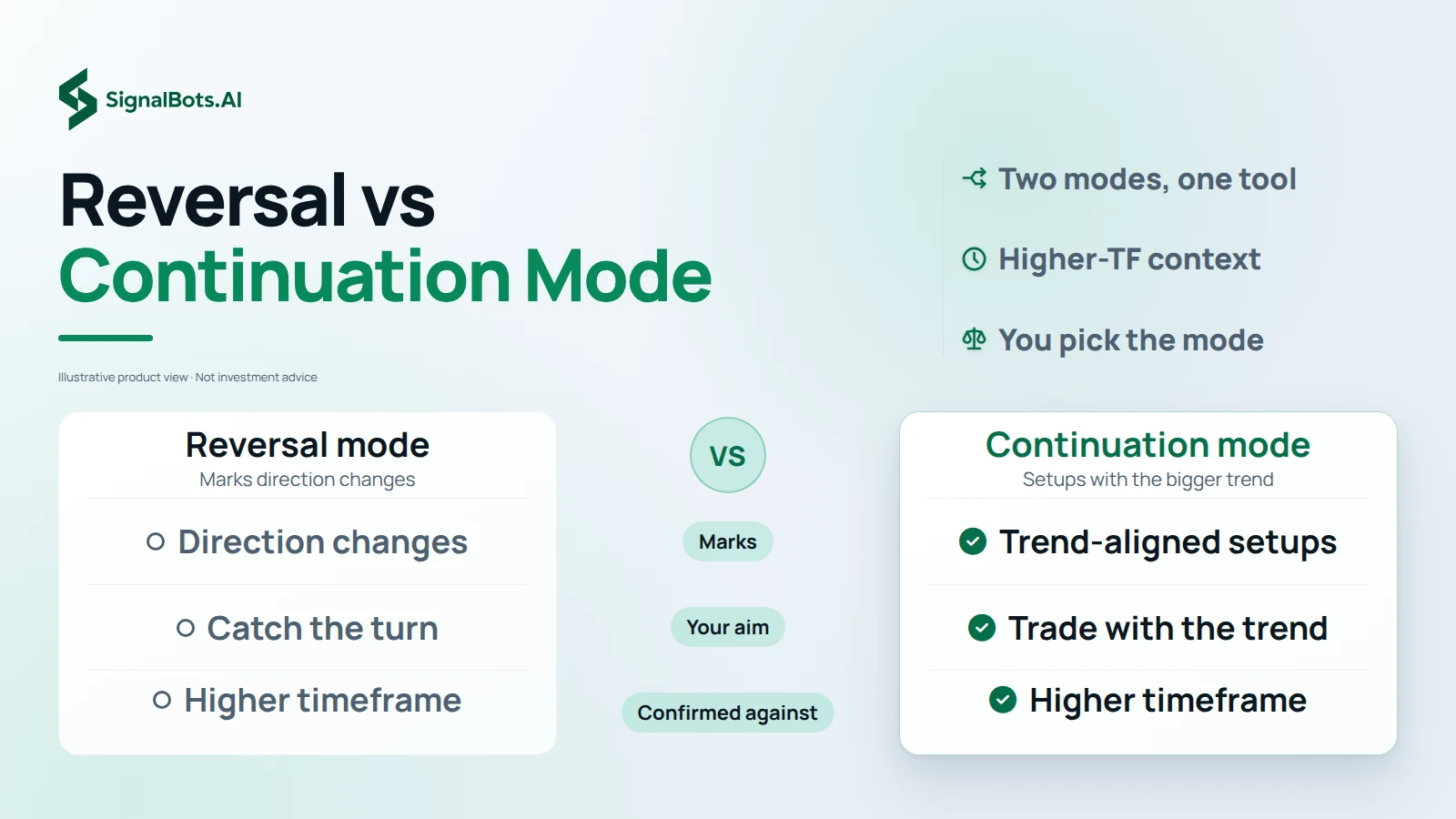
Left column Reversal mode: marks direction changes, to catch the turn. Right column Continuation mode: marks setups with the bigger trend. Both end on the same higher-timeframe check.

Two modes

Reversal Mode Versus Continuation Mode for Trend Shifts

Trend Hunter Pro gives you two modes, and the right one depends on what you want from the chart. Reversal mode marks direction changes, the turns where bullish bias gives way to bearish or bearish gives way to bullish, for when your aim is to catch the turn. Continuation mode marks setups aligned with the bigger trend, for when you would rather trade with the trend than call its end. Both modes confirm against the higher timeframe you set, so switching between them changes the question you ask, not the context behind it. Pick the one that matches your plan.

Markets covered

TradingView Trend Oscillator for Forex, Crypto, Indices and Metals

Trend Hunter Pro is not tied to one asset class. On forex it reads majors and crosses through trending and ranging phases, where telling a real directional move from noise is the hard part. On crypto it follows BTC and alts, where trend and momentum shift fast. It also supports indices, metals, CFDs and equities, so the same trend oscillator can sit on every chart in your TradingView workspace. Each market routes to its own partner broker, and support pairs the right one to the market you trade, so you are never sent to the wrong market.

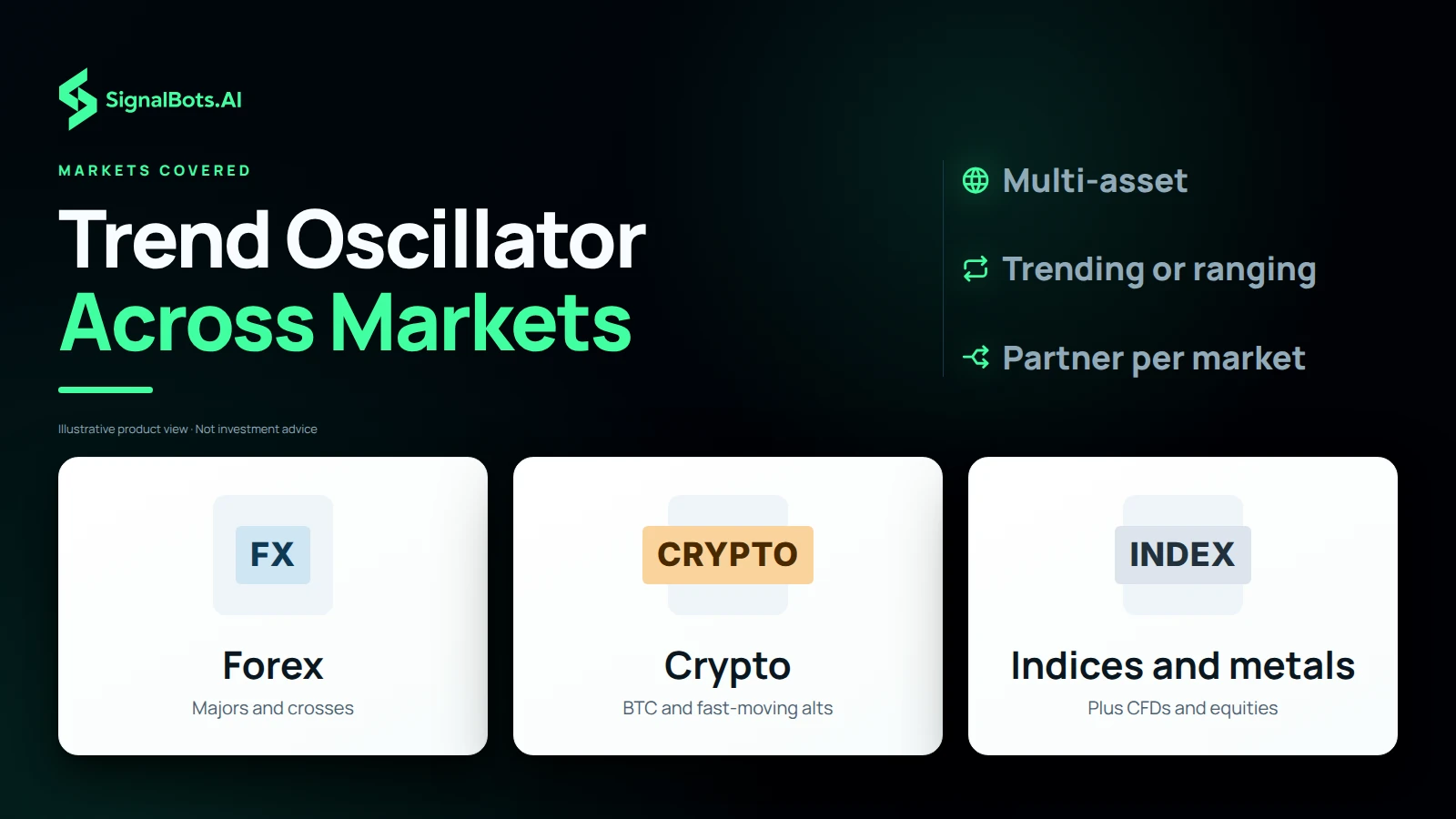
Three tiles: Forex with majors and crosses, Crypto with BTC and fast-moving alts, and Indices and metals with CFDs and equities also supported.
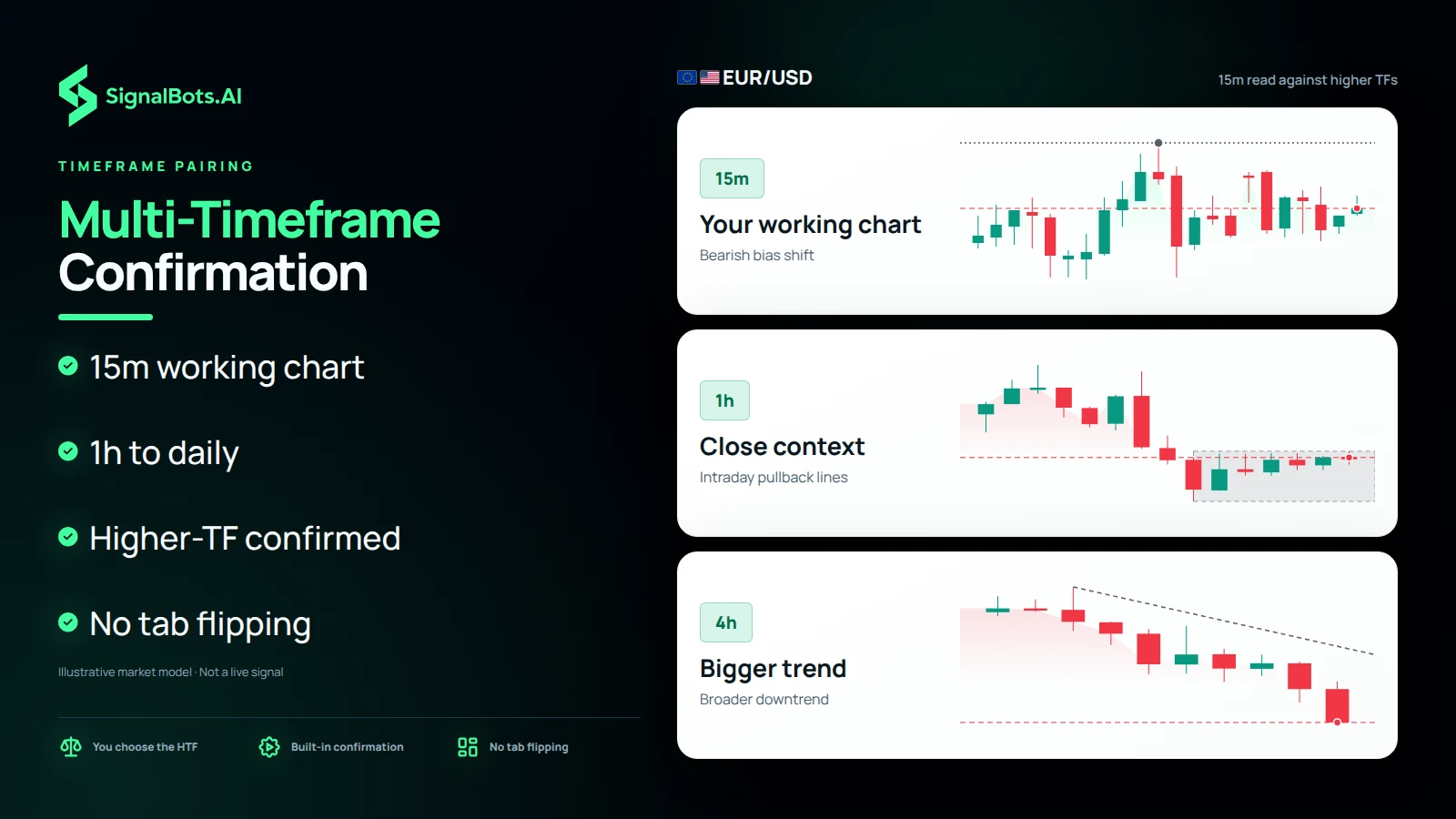
EURUSD on three rungs: a 15m working chart where a bearish bias shift prints, a 1h rung where the intraday pullback lines up, and a 4h rung showing the broader downtrend continuing.

Timeframe pairing

Multi-Timeframe Confirmation: Read 15m Against 1h, 4h or Daily

Trend Hunter Pro is flexible on timeframe because you set both sides of the comparison. A typical pairing is a 15m working chart read against a 1h, 4h or daily higher timeframe: the faster chart shows where bias shifts, and the slower one tells you whether that shift agrees with the bigger picture. A 1h reference keeps the context close to intraday swings, while a 4h or daily reference lines a signal up with the broader trend. That multi-timeframe confirmation is built into every signal, so you are not flipping between tabs to check it yourself.

First signal checks

Check Each Hunter Signal Against the Bigger Trend First

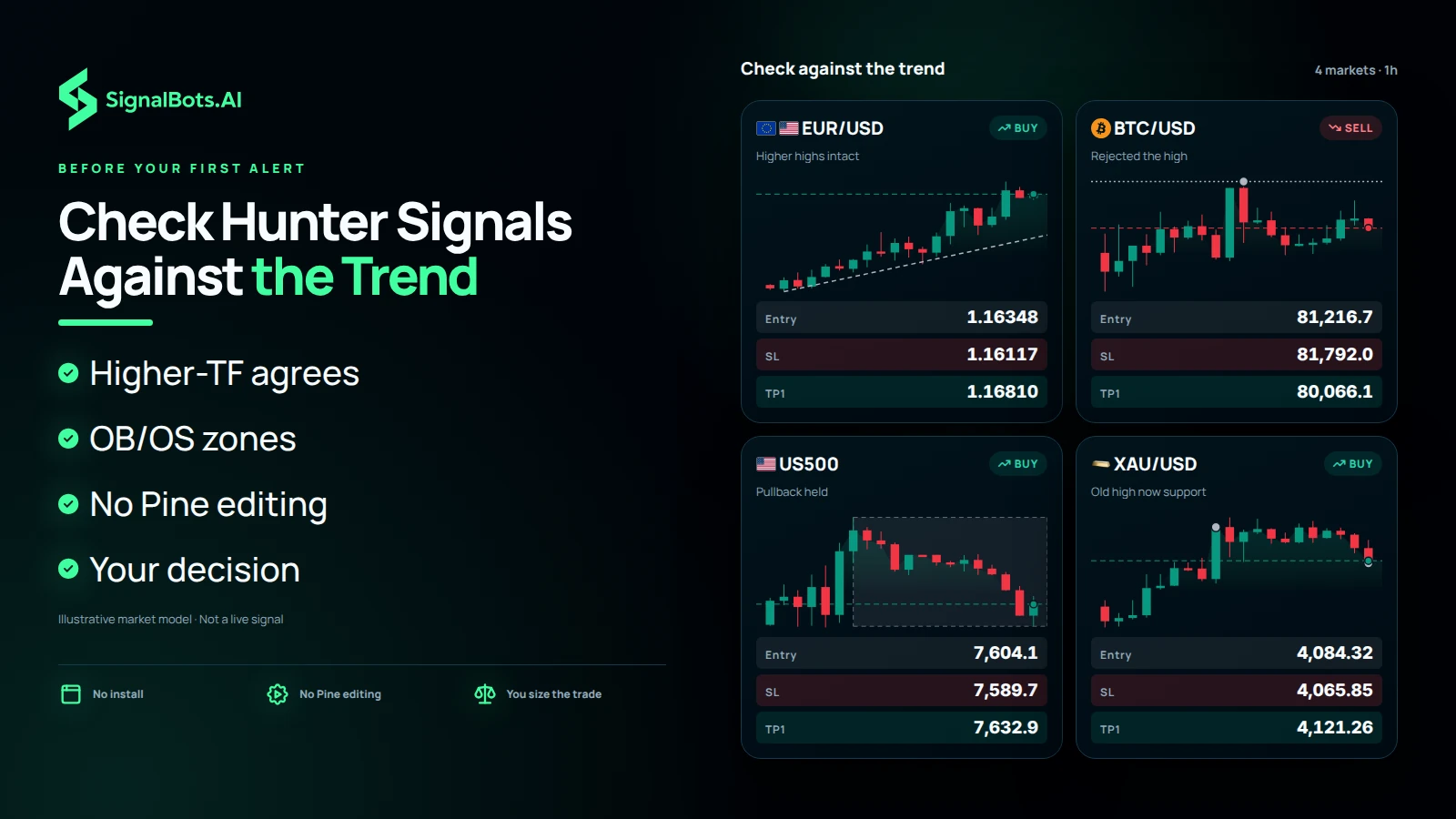
Before you act on your first Hunter signal, run three checks on the chart. First, confirm the higher timeframe you set agrees with the bias shift, so you are trading with the bigger trend rather than against it. Second, see whether price is sitting in an overbought/oversold zone, where the move may already be stretched. Third, set your own entry and position size, because the oscillator flags setups and never places trades. The script runs inside the TradingView chart you already use with no install and no Pine editing, and you can set configurable alerts. Trading carries risk of loss.

Three Hunter signal cards on 1h charts, EURUSD long, BTCUSD short and US500 long, stack over a candle field; each reads as a bias shift to check against its higher timeframe and overbought/oversold zone, not an order.

On the chart

Trend Hunter Pro in action

Live chart from Trend Hunter Pro on TradingView.

How it works

What Trend Hunter Pro does

A clean trend signal isn't just about direction. It's about knowing when bias is actually shifting. Trend Hunter compares your chart to a higher timeframe and marks the turns, with a Reversal mode for direction changes and a Continuation mode for setups aligned with the bigger trend.

  1. 1

    It reads your current chart against a higher timeframe you choose.

  2. 2

    Bias-shift markers flag where bullish or bearish pressure takes over.

  3. 3

    Reversal mode catches the turn; Continuation mode aligns with the trend.

Why traders use it

What you get out of it

  • See the bias shift early

    Spot when the trend is actually turning, not just where price happens to be.

  • Higher-timeframe context

    Every signal is confirmed against the bigger picture, so you trade with the trend.

  • Less chart clutter

    A structured momentum view that filters noise instead of stacking more lines.

Where it works

Markets it's built for

  • Forex Majors and crosses across trending and ranging phases.
  • Crypto BTC and alts where trend and momentum shift fast.
  • Indices, commodities & stocks Indices, metals, CFDs and equities all supported.

Each market routes to its own partner broker: support pairs the right one to the indicator you pick, so you're never sent to the wrong market.

Is it for you?

Who it's for, and what's inside

Best for

  • Trend & momentum traders
  • Multi-timeframe traders
  • Traders who want less clutter

Timeframes

Flexible: e.g. a 15m chart read against a 1h, 4h or daily higher timeframe.

What's inside

  • Reversal & Continuation modes
  • Multi-timeframe confirmation
  • Overbought/oversold zones
  • Configurable alerts

No cost to you

How to get Trend Hunter Pro free

  1. 1

    Tell support what you trade

    Message our 24/7 team with the indicator or market you want. They reply in your own language and pick the right broker partner for it.

  2. 2

    Open your partner account

    Register at that broker through our link and fund it: the broker pays us a partner commission, which is what lets us hand you the tools at no cost.

  3. 3

    Trade with it on TradingView

    Share your TradingView username and we add you. The scripts appear in your Favorites, ready on the chart you already use.

Good to know

Trend Hunter Pro: your questions

Is it the same tool as on TradingView?

Yes, Trend Hunter Pro is the exact invite-only script from our TradingFinder space, nothing watered down.

How much does it cost?

On TradingView the space lists at $48.88/mo. With SignalBots you get it two ways: a discounted subscription, or free once you trade as a VIP member through our broker partnership. Support sets up either route.

How do I get access?

Message our 24/7 support. They set up either route for you (a discounted subscription, or free VIP access once you trade with a partner broker) then add you on TradingView.

Which markets does it cover?

Forex, Crypto, Indices, commodities & stocks.

Which timeframes does it work on?

Flexible: e.g. a 15m chart read against a 1h, 4h or daily higher timeframe.

Does it place trades for me?

No. It's a chart indicator that flags setups; every trade decision stays yours.

Do I need to install anything?

No. It runs inside the TradingView chart you already use, no install, no Pine editing.

Do I need a TradingView account?

A free TradingView account is enough. We add the script to your username.

Is performance guaranteed?

No. All results are historical and backtested, and trading carries risk. Read the Risk Warning first.

SignalBots Partner Program

They trade.
You earn: 40% for life.

Give your audience the free Trend Hunter Pro Oscillator. It flags every setup on their chart, they trade it, and you earn on every trade.

  • 40% lifetime
  • Paid monthly
  • No caps
Become a Partner 2-minute signup · keep your own brand
Estimate your commission Recurring
25 × X estimated recurring monthly commission

X = your commission from one baseline trader ($500 deposit, $50k monthly volume). Illustrative only: your real payout scales with the broker’s IB rate and your referrals’ actual trading.

SignalBots operates as an Introducing Broker and Master IB. Commission is paid on your referrals’ trading activity, not on recruitment. Trading carries substantial risk. See our Risk Warning.

Trade with Trend Hunter Pro, free

Message support, open your partner account, and get added on TradingView, usually within minutes.

Indicators flag setups; they don't place trades. Past results are historical and backtested. Trading carries risk. Read the Risk Warning.