ICT AI Signal MT5 EA on Eightcap

AI Eightcap EA - ICT Signal Bot

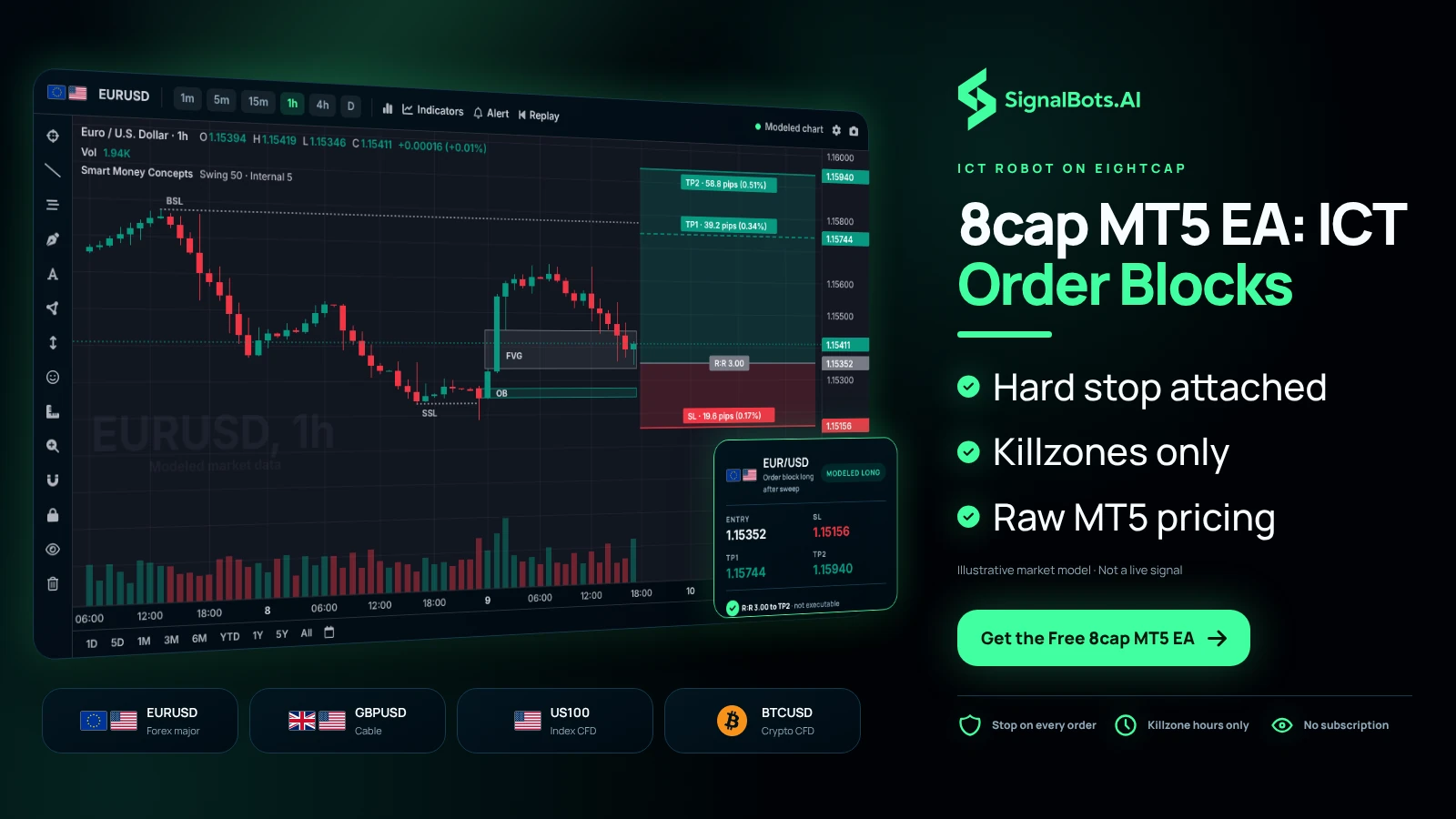
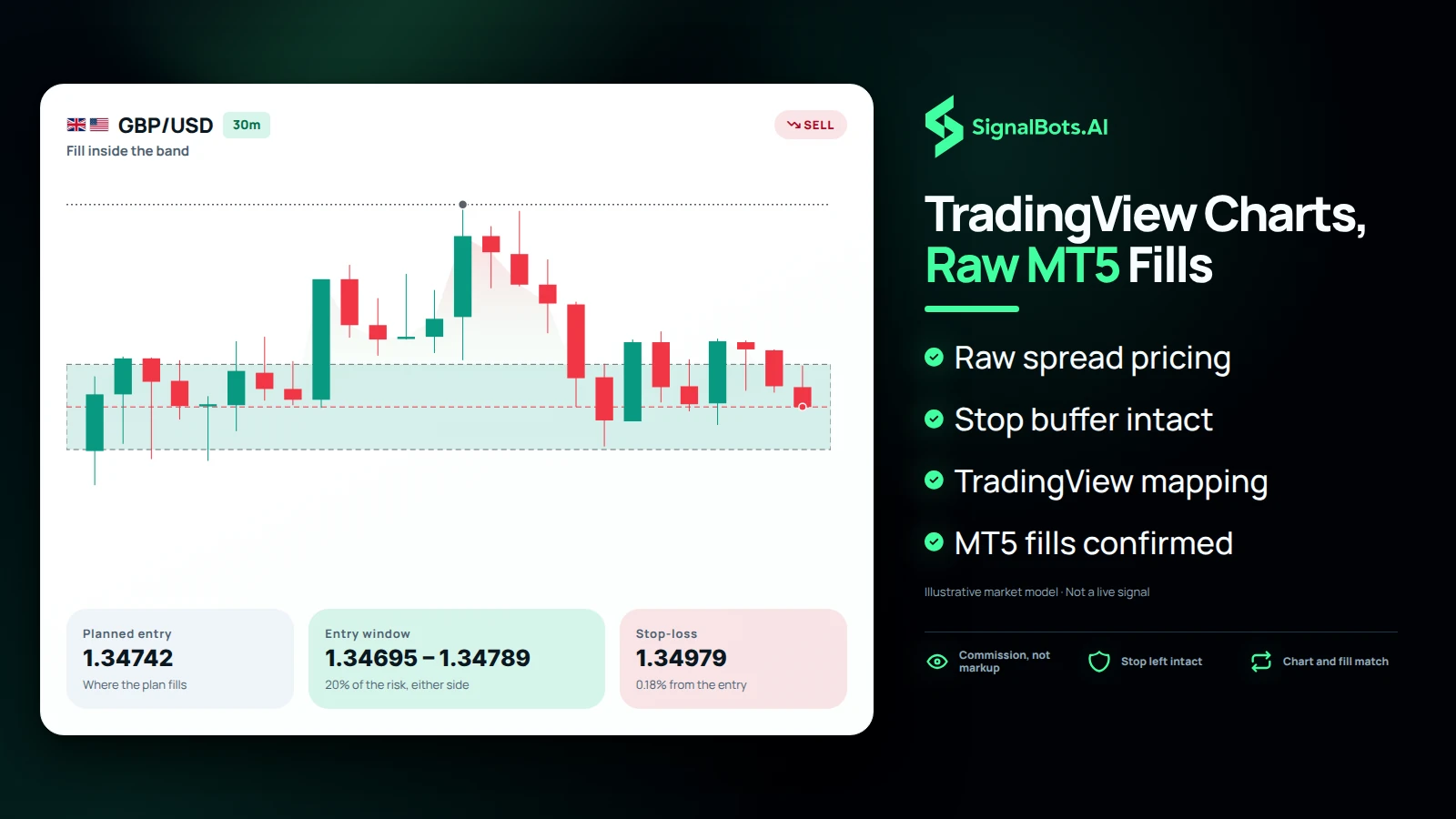
Eightcap is one of the few brokers with native TradingView charting bolted onto raw MT5 pricing, so you can eyeball the same order blocks and fair value gaps the EA is trading — then let it execute them at near-zero spread across FX, indices and a deep crypto-CFD shelf, with a fixed stop, target and risk cap on every order.

  • Entry
  • Stop loss
  • Take-profit 1 / 2 / 3
  • Live price
  • Breakeven move
The product

See the ICT engine on an Eightcap chart

This is the live panel the EA runs from on Eightcap MT5 — structure shifts, order blocks and FVGs mapped in real time, with the tight commission-based spread the Raw account is built for.

ICT AI SIGNAL MT5 EA 00:17
TradeBTCUSD
Buy · Active Spread 1.0p
Spot · M1
64734.50
TP365028.98+31497.0p
TP264923.99+20998.0p
TP164819.00+10499.0p
Entry64714.01
SL64609.02−10499.0p
Trade engine Connected Auto  off
Open P&L Lot 0.04
Held 0:00
#389113563
+2049.0p
+0.82 USD
SLEntryTP1TP2TP3
Stagerunning · exit TP3
Score★★★★★
WatchlistXAUUSD 3 / 5Choose symbols
•••BullishEURUSD19 finishedAuto
•••BullishGBPUSD24 finishedAuto
•••MixedXAUUSD21 finishedAuto
+Add
+Add
Signal history64
SymbolBiasSignalQualityModelTFEntry zoneDistStateResultAge
XAUUSDSell★★★★CM54170.15 – 4172.64Invalid42m
EURUSDSell★★★★★CM11.15415 – 1.15421Ran50m
GBPUSDSell★★★★★CM11.34677 – 1.34683Invalid55m
GBPUSDBuy★★★★★CM11.34624 – 1.34633Ran1h
GBPUSDSell★★★★CM51.34664 – 1.34682Ran1h
XAUUSDSell★★★★★CM14152.53 – 4153.86Missed1h
XAUUSDBuy★★★★★BM54156.14 – 4159.15Invalid2h
Scanning 3 symbols · 1 refused (too wide) · engine 10 µsDouble-click a row to open it · 55 more
Daily pivot zonesClassic 3 resist · 4 support Zones on
Prev day O 1.15100  H 1.15720  L 1.15040  C 1.15650 2026.08.05
R31.165801.16558 – 1.16602+111.8 pips
R21.161501.16128 – 1.16172+68.8 pips
R11.159001.15878 – 1.15922+43.8 pips
PP1.154701.15448 – 1.15492+0.8 pips
S11.152201.15198 – 1.15242−24.2 pips
S21.147901.14768 – 1.14812−67.2 pips
S31.145401.14518 – 1.14562−92.2 pips
Price now1.15462Drawn on chart
Trend alignmentEURUSD
Bullish
5 up   1 down   3 range
Score +0.59
H1 and H4 weighted heaviest
5of 9
M1
MN1
M1
Down
Displacement
M5
Up
Displacement
M15
Range
Range width
M30
Up
Displacement
H1
Up
Displacement
H4
Up
Displacement
D1
Range
Range width
W1
Range
Range width
MN1
Up
Displacement
Currency strength28 symbols
EUR
+74
AUD
+60
GBP
+55
CHF
−9
CAD
−16
USD
−19
JPY
−44
NZD
−100
StrongestEUR
NZDWeakest
Trading sessionsBroker time · GMT+3 · DST 2/214:53
0003060912151821
Asia
01–09
Closed
Europe
09–19
Open
New York
15–00
Closed
24h volatility profileMean H1 range · 20 days
000408121620
This hour is usuallyMedium
Swing structure
BOS
↑ 1.15720
Internal structure
BOS
↑ 1.15690
Premium / discount1.15040 – 1.15720
DiscountEquilibriumPremium
FVGOn
1.15683 – 1.15700
24 live
Inverted FVGOff
1.15711 – 1.15732
18 live
BPROn
1.15231 – 1.15273
7 live
UnicornOn
1.15667 – 1.15670
11 live
InducementOff
1.15619 – 1.15620
1 live
SFPOff
1.15758 – 1.15759
6 live
Chart layers6 off
Signal models3 of 3 running
Turbo Breakout (A)
0 in the book
MasterAI (B)
1 in the book
Rayan (C)
2 in the book
Turbo Breakout (A)Running

Reactions at levels the market built earlier and came back to.

Strictness
VlooseLooseBalancedTightVtight
left for more signals, right for fewer
Quality filter
OffOn
off passes every reaction, however weak
Structure needed
10+
bars of clear air a level needs · lower finds more
Reaction room
3.0+
how far past a level still counts · higher accepts more
Level lifetime
500+
bars a level stays usable · higher keeps more in play
Settling time
20+
bars before a level may be used · lower reacts sooner
TradeEURUSD
Buy · Active Spread 0.4p
Spot · M1
1.15297
TP31.15666+36.9p
TP21.15543+24.6p
TP11.15420+12.3p
Entry1.15297
SL1.15174−12.3p
One decision a day

You're not watching the chart. The EA is.

The whole trade is drawn before you make it — entry, stop and three targets, already on your chart. You make one call a day; the rest stays yours.

  • Entry on the exact candle that triggered it
  • Stop anchored to structure, not a round pip count
  • TP1 / TP2 / TP3 with the risk and reward zones shaded
  • Fires by push, email and a chart alert — even while you sleep
  • Works on MT4 & MT5, any broker, any pair
Signal history64
SymbolBiasSignalQualityModelTFEntry zoneStateAge
XAUUSDSell★★★★CM54170.15 – 4172.64Invalid42m
EURUSDSell★★★★★CM11.15415 – 1.15421Ran50m
GBPUSDBuy★★★★★CM11.34624 – 1.34633Ran1h
GBPUSDSell★★★★CM51.34664 – 1.34682Ran1h
XAUUSDBuy★★★★★BM54156.14 – 4159.15Invalid2h
Scanning 3 symbols · engine 10 µsDouble-click a row to open it · 59 more
Signals tab

Every signal filed and scored — losers included

The book keeps every signal the engine has produced, re-read on each closed bar. Nothing is quietly deleted, so what you see is the whole record, not a highlight reel.

  • A 1–5 quality score per signal

    Model, timeframe and entry zone on every row, each rated so you can trade the Q4+ ones and skip the rest.

  • Ran · Missed · Invalid, recorded

    The outcome of each signal is written down and kept — the honest history you'd want before trusting an engine.

  • The day counter resets with the session

    A clean count of what fired today, up to five symbols watched at once and re-scanned continuously.

Daily pivot zonesClassic Zones on
Prev dayO 1.15100  H 1.15720  L 1.15040  C 1.15650
R31.165801.16558 – 1.16602+111.8 pips
R21.161501.16128 – 1.16172+68.8 pips
R11.159001.15878 – 1.15922+43.8 pips
PP1.154701.15448 – 1.15492+0.8 pips
S11.152201.15198 – 1.15242−24.2 pips
S21.147901.14768 – 1.14812−67.2 pips
S31.145401.14518 – 1.14562−92.2 pips
Price now1.15462Drawn on chart
S&R tab

Yesterday's pivots, drawn as zones not lines

Classic floor-trader pivots for the current chart, built from yesterday's open, high, low and close — and rendered as bands, because price reacts to areas, not to a single hairline.

  • R3 → S3, each with its own band

    The full pivot ladder plus the central pivot, so you can see which level price is really trading into.

  • Live distance in pips

    How far price sits from every level right now, updating on the tick — no measuring by eye.

  • The inputs shown, not hidden

    Yesterday's O/H/L/C are on the card so you can check the maths, and one switch puts the whole set on the chart.

Currency strength28 symbols
EUR
+74
AUD
+60
GBP
+55
CHF
−9
CAD
−16
USD
−19
JPY
−44
NZD
−100
StrongestEUR
NZDWeakest
CSM tab

Which currency is actually strong right now

Twenty-eight crosses reduced to eight currencies and ranked live, so you read the strength of the currency itself — not the noise of one pair's move.

  • Ranked strongest to weakest

    Re-sorted on every update from the full 28-cross matrix, not a single pair's candle.

  • Strongest against weakest

    Pair the top with the bottom and you have the cleanest trend pair on the board — here, EUR against NZD.

  • Broker-agnostic

    Reads the same on every broker and every symbol suffix, so the ranking is comparable wherever you trade.

Session tab

Who's at the desk, and how busy this hour usually is

Asia, Europe and New York on the broker's own clock — GMT offset and daylight saving handled for you — beside a 24-hour volatility profile built from the last 20 days, so you know whether this hour is normally quiet, medium or busy before you commit.

Trading sessionsGMT+3 · DST 2/214:53
0003060912151821
Asia
01–09
Closed
Europe
09–19
Open
New York
15–00
Closed
24h volatility profileMean H1 range · 20 days
000408121620
This hour is usuallyMedium
Chart layers6 off
SMC tab

Twelve chart layers, all off until you ask

Smart-money structure is drawn only when you turn it on. Nothing clutters the chart by default — each layer is its own switch, so you build exactly the view you read from.

  • One switch per layer

    Market and internal structure, swing points, premium/discount, FVG, iFVG, BPR, Unicorn, Inducement, SFP, sessions and levels.

  • Clean by default

    Everything starts off, so the chart shows only what you chose — no wall of boxes on load.

  • Layers and zones stay in sync

    Flip a zone's layer and its live count follows, because on the panel the switch and the drawing are one setting.

Signal models3 of 3 running
Turbo Breakout (A)
0 in the book
MasterAI (B)
1 in the book
Rayan (C)
2 in the book
Turbo Breakout (A)Running
MasterAI (B)Running
Rayan (C)Running
Strategy tab

Three signal engines — run any, or all three

Every signal comes from one of three models, each reading the market a different way. Run them together for coverage or single one out — and each keeps its own count of what's live in the book.

  • Turbo Breakout (A)

    Reactions at levels the market built earlier and returned to — fast, structure-led entries.

  • MasterAI (B)

    The AI-weighted model, blending the confluence signals into a single scored read.

  • Rayan (C)

    The confirmation-heavy engine for traders who want fewer, higher-conviction setups.

Turbo Breakout (A)Running

Reactions at levels the market built earlier and came back to.

Strictness
VlooseLooseBalancedTightVtight
left for more signals, right for fewer
Quality filter
OffOn
off passes every reaction, however weak
Structure needed
10+
bars of clear air a level needs · lower finds more
Reaction room
3.0+
how far past a level still counts · higher accepts more
Level lifetime
500+
bars a level stays usable · higher keeps more in play
Settling time
20+
bars before a level may be used · lower reacts sooner
Strategy tab · the dials

Your dials decide how often it speaks

Each engine exposes its settings in plain language, not cryptic inputs. Loosen for more signals, tighten for fewer — every row tells you which way trades off frequency against selectivity.

  • Strictness in one row

    Slide from Vloose to Vtight to move the whole engine between more setups and cleaner ones.

  • Filters you can read

    Quality filter, structure needed, reaction room, level lifetime and settling time — each with a plain hint.

  • New settings apply from here on

    Change a dial and it affects future bars; what's already in the book keeps the settings it was found under.

The problem

The problem with trading ICT by hand

The strategy is sound. The execution is where retail traders lose it — and forex punishes exactly the gaps a human can't close.

  • Killzones don't wait for you.

    The highest-probability ICT windows land at 3am or mid-shift, so you miss the setups you waited all day for.

  • Emotion re-writes the plan.

    You widen a stop, skip a valid entry, or chase — and one impulsive click erases a week of disciplined structure reads.

  • Structure is obvious in hindsight, invisible live.

    A liquidity sweep and the return into a fair value gap happen in seconds; blink and the entry is gone.

Market scanner

Scan every forex pair for ICT setups

The EA watches every pair for you and trades the ones that form a valid ICT setup — so you don't have to sit and read 28 charts all day.

  • One panel, every pair

    The whole market sits in a single scanning view instead of 28 charts you flip between.

  • Acts the moment structure completes

    The instant a sweep-and-return validates on any pair, that's the trade — you don't have to be watching it.

  • Only the graded setups

    It surfaces the pairs genuinely setting up and ignores the noise, so nothing fires on a weak read.

Market scanner · Forex scanning
  • EUR/USD M5 Armed
  • GBP/JPY M5 Sweep
  • USD/JPY M5 Scanning
  • XAU/USD M5 FVG return
  • AUD/USD M5 Scanning
  • USD/CAD M5 Coiling
  • EUR/JPY M5 Scanning
  • GBP/USD M5 Armed

Watching 28 pairs — acting on whichever validates first

Account fit

Eightcap at a glance

The account facts that decide whether the EA drops straight in.

MetaTrader 5
Native
Runs the EA directly, no bridge needed
Platforms
MT4, MT5 & TradingView
TradingView charts feed the same account
Spreads from
0.0 pips (Raw)
Plus a fixed round-trip commission
Min deposit
$100
Opens the Raw account
Max leverage
Up to 1:500
Varies by entity and client classification
Instruments
800+ FX, indices, shares & crypto CFDs
One MT5 login covers all of them
Regulation
ASIC, FCA, CySEC & SCB
Four-jurisdiction multi-regulated group
EA / automation
Allowed
AutoTrading runs unrestricted on MT5
The fit

Why Eightcap is a strong home for the ICT EA

Eightcap pairs execution quality with a chart stack that mirrors how ICT concepts are actually taught.

Raw spreads, native TradingView charting, deep crypto-CFD range

Eightcap's Raw account prices from 0.0 pips plus commission, so the EA's stop and target distances aren't eaten by markup on every killzone entry. It's also one of the few brokers with a native TradingView integration, letting you eyeball the same order blocks and FVGs the EA is trading straight from a TradingView chart, then confirm fills back on MT5. The broad crypto-CFD shelf alongside majors, indices and shares means the same MT5 account can host ICT setups across markets, not just FX.

Tight spreads protect ICT's tight stops

ICT entries sit close to the order block or FVG that triggered them, so a wide raw spread can turn a valid stop into a premature one. Eightcap's commission-based Raw pricing keeps that buffer intact.

TradingView charting, MT5 execution

Map killzones and liquidity pools visually on TradingView, then let the EA execute the same structure through your Eightcap MT5 terminal — no manual re-drawing between platforms.

One account, more than FX

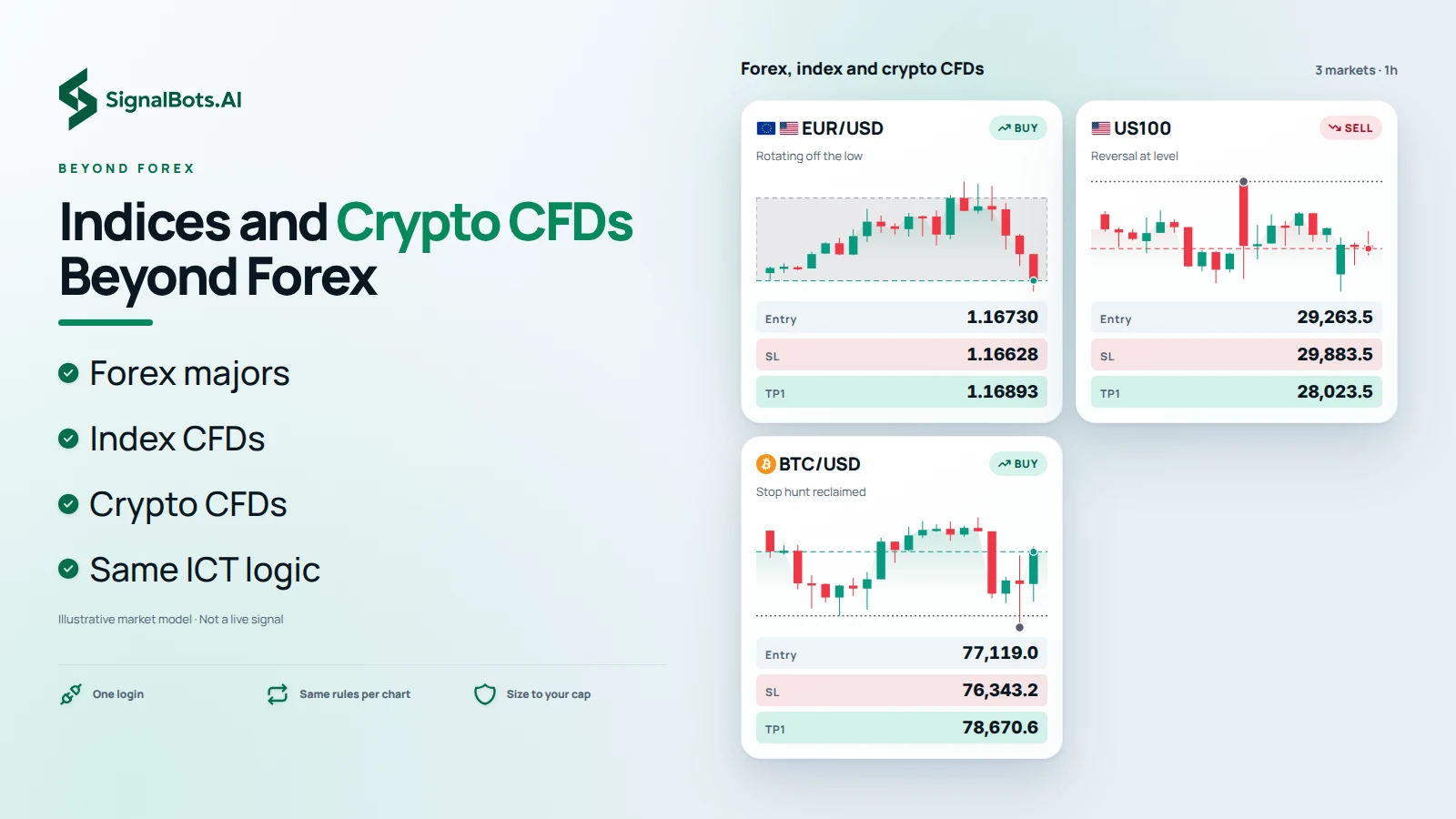
Eightcap's instrument range extends into crypto CFDs and indices, so the EA can apply the same ICT structure-and-liquidity logic beyond currency pairs once you're ready to expand.

Comparison

ICT EA vs. a signal indicator

A signal indicator only points at a setup — you still have to place, size and manage the trade yourself. Here is what the EA does instead.

A typical signal indicator
ICT AI Signal EA
An arrow you must catch live
The signal
The trade taken for you in under 10ms
Often redraws after the candle closes
Repaint
Fixed ICT rules — no hindsight redraw
Direction only — you size and place it
The plan
Entry, stop, target and risk on every order
You still fight emotion at the click
Discipline
Hard stop and risk cap enforced in code
One chart in front of you at a time
Coverage
The whole market watched from one panel
A black-box arrow you can't audit
The logic
Legible ICT / Smart Money you can read
Paid — monthly or per license
Cost
Free lifetime license
One trading day

How the EA trades one forex day

Here is what a normal day looks like when the EA trades for you, step by step.

  1. 02:00
    Quiet hours

    You're asleep. The EA isn't.

    The dead Asian hours offer nothing worth trading, so it watches and waits instead of forcing a setup.

  2. 07:00
    London opens

    Liquidity builds under the low.

    Price sweeps the sell-side liquidity resting below the low — the EA flags the setup forming inside the killzone.

  3. 07:14
    Setup validates

    Sweep + FVG return — the order fires.

    A valid entry lines up; the order is in the market in under 10ms with its stop and target already attached.

  4. 09:30
    Managed to target

    Stop trailed, target tagged.

    The trade walks to its target under the EA's rules while you get on with your day — you never touched it.

  5. 13:30
    New York opens

    Second killzone, same discipline.

    The engine resets and runs the New York window exactly the same way — no fatigue, no FOMO.

Who it's for

Who this forex EA is for

It's built for one kind of trader, and honest about who it isn't for.

This is for you if

  • You keep missing killzone setups because they land while you sleep or work.
  • Your results swing with your mood, not your strategy.
  • You want ICT executed with a discipline you shouldn't have to summon at 3am.
  • You already trade MT5 and want to keep the broker you trust.

This isn't for you if

  • You're hunting a guaranteed win — no honest tool, including this one, can promise that.
  • You only want an arrow and intend to place every trade by hand.
  • You're brand new and want to learn ICT from scratch before automating it.
Get running

Live on Eightcap in 4 steps

No bridge and no plugin — if you can drag a file onto a chart, you can run it on your Eightcap account.

~2 min
  1. 1

    Open an Eightcap MT5 account

    Pick the Raw account for the tightest spreads the EA's stops and targets rely on.

  2. 2

    Claim your free license

    Message support with your account details and they'll activate the EA license over chat — no card, no subscription.

  3. 3

    Download and load the EA

    Drop the single MT5 EA file onto any chart in your Eightcap MetaTrader 5 terminal.

  4. 4

    Set your risk and go live

    Set your per-trade risk cap, enable AutoTrading, and the EA starts working the London and New York killzones.

Pricing

What the ICT forex EA costs

An EA that trades an ICT model for you usually isn't cheap. Ours is free for life — here's the honest side-by-side.

Sold on other sites

A tool like this, elsewhere

$300–500

one-time — or billed to you every month

And here's the catch

  • Locked to one broker
  • Hundreds paid upfront
  • Features behind paid upsells
  • Setup billed by the hour

That's the going rate for an ICT EA. We simply don't charge it.

Our price At SignalBots

ICT AI Signal EA · Forex

$0 free forever, yours to keep

You keep up to $500

Everything you'd normally pay for

  • The full ICT AI Signal EA $299 Free
  • Runs on every MT5 forex broker $79 Free
  • Tuned killzone presets $49 Free
  • Guided setup & 24/7 support $39 Free

No card, no subscription — our team activates it in minutes.

Availability

Where Eightcap accepts accounts

The free EA license itself has no country limit — the list below is Eightcap's own onboarding policy. Always confirm on Eightcap before you sign up.

  • Afghanistan
  • Albania
  • Algeria
  • American Samoa
  • Andorra
  • Angola
  • Anguilla
  • Antarctica
  • Antigua and Barbuda
  • Argentina
  • Armenia
  • Aruba
  • Australia
  • Austria
  • Azerbaijan
  • Bahamas
  • Bahrain
  • Bangladesh
  • Barbados
  • Belarus
  • Belgium
  • Belize
  • Benin
  • Bermuda
  • Bhutan
  • Bolivia
  • Bonaire, Sint Eustatius and Saba
  • Bosnia and Herzegovina
  • Botswana
  • Bouvet Island
  • Brazil
  • British Indian Ocean Territory
  • Brunei
  • Bulgaria
  • Burkina Faso
  • Burundi
  • Cabo Verde
  • Cambodia
  • Cameroon
  • Canada
  • Cayman Islands
  • Central African Republic
  • Chad
  • Chile
  • China
  • Christmas Island
  • Cocos (Keeling) Islands
  • Colombia
  • Comoros
  • Congo
  • Cook Islands
  • Costa Rica
  • Croatia
  • Cuba
  • Curaçao
  • Cyprus
  • Czechia
  • Côte d'Ivoire
  • DR Congo
  • Denmark
  • Djibouti
  • Dominica
  • Dominican Republic
  • Ecuador
  • Egypt
  • El Salvador
  • Equatorial Guinea
  • Eritrea
  • Estonia
  • Eswatini
  • Ethiopia
  • Falkland Islands (Malvinas)
  • Faroe Islands
  • Fiji
  • Finland
  • France
  • French Guiana
  • French Polynesia
  • French Southern Territories
  • Gabon
  • Gambia
  • Georgia
  • Germany
  • Ghana
  • Gibraltar
  • Greece
  • Greenland
  • Grenada
  • Guadeloupe
  • Guam
  • Guatemala
  • Guernsey
  • Guinea
  • Guinea-Bissau
  • Guyana
  • Haiti
  • Heard Island and McDonald Islands
  • Holy See (Vatican City State)
  • Honduras
  • Hong Kong
  • Hungary
  • Iceland
  • India
  • Indonesia
  • Iran
  • Iraq
  • Ireland
  • Isle of Man
  • Israel
  • Italy
  • Jamaica
  • Japan
  • Jersey
  • Jordan
  • Kazakhstan
  • Kenya
  • Kiribati
  • Kuwait
  • Kyrgyzstan
  • Laos
  • Latvia
  • Lebanon
  • Lesotho
  • Liberia
  • Libya
  • Liechtenstein
  • Lithuania
  • Luxembourg
  • Macao
  • Madagascar
  • Malawi
  • Malaysia
  • Maldives
  • Mali
  • Malta
  • Marshall Islands
  • Martinique
  • Mauritania
  • Mauritius
  • Mayotte
  • Mexico
  • Micronesia
  • Moldova
  • Monaco
  • Mongolia
  • Montenegro
  • Montserrat
  • Morocco
  • Mozambique
  • Myanmar
  • Namibia
  • Nauru
  • Nepal
  • Netherlands
  • New Caledonia
  • New Zealand
  • Nicaragua
  • Niger
  • Nigeria
  • Niue
  • Norfolk Island
  • North Korea
  • North Macedonia
  • Northern Mariana Islands
  • Norway
  • Oman
  • Pakistan
  • Palau
  • Palestine, State of
  • Panama
  • Papua New Guinea
  • Paraguay
  • Peru
  • Philippines
  • Pitcairn
  • Poland
  • Portugal
  • Puerto Rico
  • Qatar
  • Romania
  • Russia
  • Rwanda
  • Réunion
  • Saint Barthélemy
  • Saint Helena, Ascension and Tristan da Cunha
  • Saint Kitts and Nevis
  • Saint Lucia
  • Saint Martin (French part)
  • Saint Pierre and Miquelon
  • Saint Vincent and the Grenadines
  • Samoa
  • San Marino
  • Sao Tome and Principe
  • Saudi Arabia
  • Senegal
  • Serbia
  • Seychelles
  • Sierra Leone
  • Singapore
  • Sint Maarten (Dutch part)
  • Slovakia
  • Slovenia
  • Solomon Islands
  • Somalia
  • South Africa
  • South Georgia and the South Sandwich Islands
  • South Korea
  • South Sudan
  • Spain
  • Sri Lanka
  • Sudan
  • Suriname
  • Svalbard and Jan Mayen
  • Sweden
  • Switzerland
  • Syria
  • Taiwan
  • Tajikistan
  • Tanzania
  • Thailand
  • Timor-Leste
  • Togo
  • Tokelau
  • Tonga
  • Trinidad and Tobago
  • Tunisia
  • Turkmenistan
  • Turks and Caicos Islands
  • Tuvalu
  • Türkiye
  • Uganda
  • Ukraine
  • United Arab Emirates
  • United Kingdom
  • United States
  • United States Minor Outlying Islands
  • Uruguay
  • Uzbekistan
  • Vanuatu
  • Venezuela
  • Vietnam
  • Virgin Islands, British
  • Virgin Islands, U.S.
  • Wallis and Futuna
  • Western Sahara
  • Yemen
  • Zambia
  • Zimbabwe
  • Åland Islands
Reviews

Reviews from Eightcap traders

Traders on running the ICT AI Signal EA day to day.

  • Sofia R. Eightcap trader · via App Store
    I map the order blocks on TradingView and let the EA execute them through my Eightcap MT5 — no redrawing between platforms. Seeing what the bot sees is what sold me.
  • Valeria N. Eightcap client · via Discord
    ICT stops sit close to the entry, so a wide spread would ruin them. Eightcap's Raw pricing keeps that buffer and my stops stopped getting clipped early.
  • Kenji T. Eightcap trader · via Trustpilot
    I started on FX majors and later pointed it at a couple of crypto CFDs on the same account. One login covers a lot more than currencies.
Good to know

Frequently asked questions

How does the EA connect to Eightcap?

It's a standard MT5 Expert Advisor file — attach it to a chart in your Eightcap MT5 terminal and it trades directly through your account, no third-party bridge or API key required.

Which Eightcap account type works best with the EA?

The Raw account, since its near-zero spread plus fixed commission keeps entry costs predictable around the tight stops ICT order-block and FVG setups use.

Do I need MT4 or MT5 for this EA?

MT5. Eightcap also offers MT4 and TradingView, but the ICT AI Signal EA is built and tested specifically on the MT5 platform.

Does Eightcap allow EAs and automated trading?

Yes. Eightcap permits Expert Advisors and algorithmic trading on MT5 with no restriction on automated strategies.

Can I use Eightcap's TradingView integration alongside the EA?

Yes. You can chart and review the same structure on TradingView while the EA executes through your linked Eightcap MT5 account — useful for visually confirming order blocks and FVGs.

Do I need a VPS to keep the EA running?

A VPS keeps your Eightcap MT5 terminal online 24/5 so the EA doesn't miss a killzone window when your own computer is off or asleep. It's optional but recommended for consistent coverage.

Can I set my own risk level?

Yes. You set the per-trade risk percentage and the account-level cap before enabling AutoTrading; the EA respects those limits on every order it places.

Why is the license free?

SignalBots is an Introducing Broker for Eightcap. When you trade through a partner-linked account, Eightcap pays us a commission, which funds the EA — so there's no subscription fee to you.

What does the EA cost?

Nothing. The license is free for life once activated through support — you only pay Eightcap's normal Raw account spread and commission on trades.

What leverage should I use on Eightcap with this EA?

Use the leverage your Eightcap entity offers by default and size positions to your risk cap rather than maximizing leverage — the EA's stop-loss discipline works at any leverage level.

Is Eightcap regulated?

Yes. Eightcap operates through entities regulated by ASIC (Australia), the FCA (UK), CySEC (Cyprus) and the SCB (Bahamas), depending on which entity your account is opened with.

Is my capital at risk?

Yes. Trading forex and CFDs through Eightcap carries real risk of loss, and no result — historical or backtested — is guaranteed. Read the full risk warning before you trade.

Compliance & regulation

The rules, risks & regulators behind automated trading

The platform’s own conditions, the market’s risks, and the regulators that oversee it — organised in one place so you can check each before you automate a single trade.

Eightcap — licences & EA policy

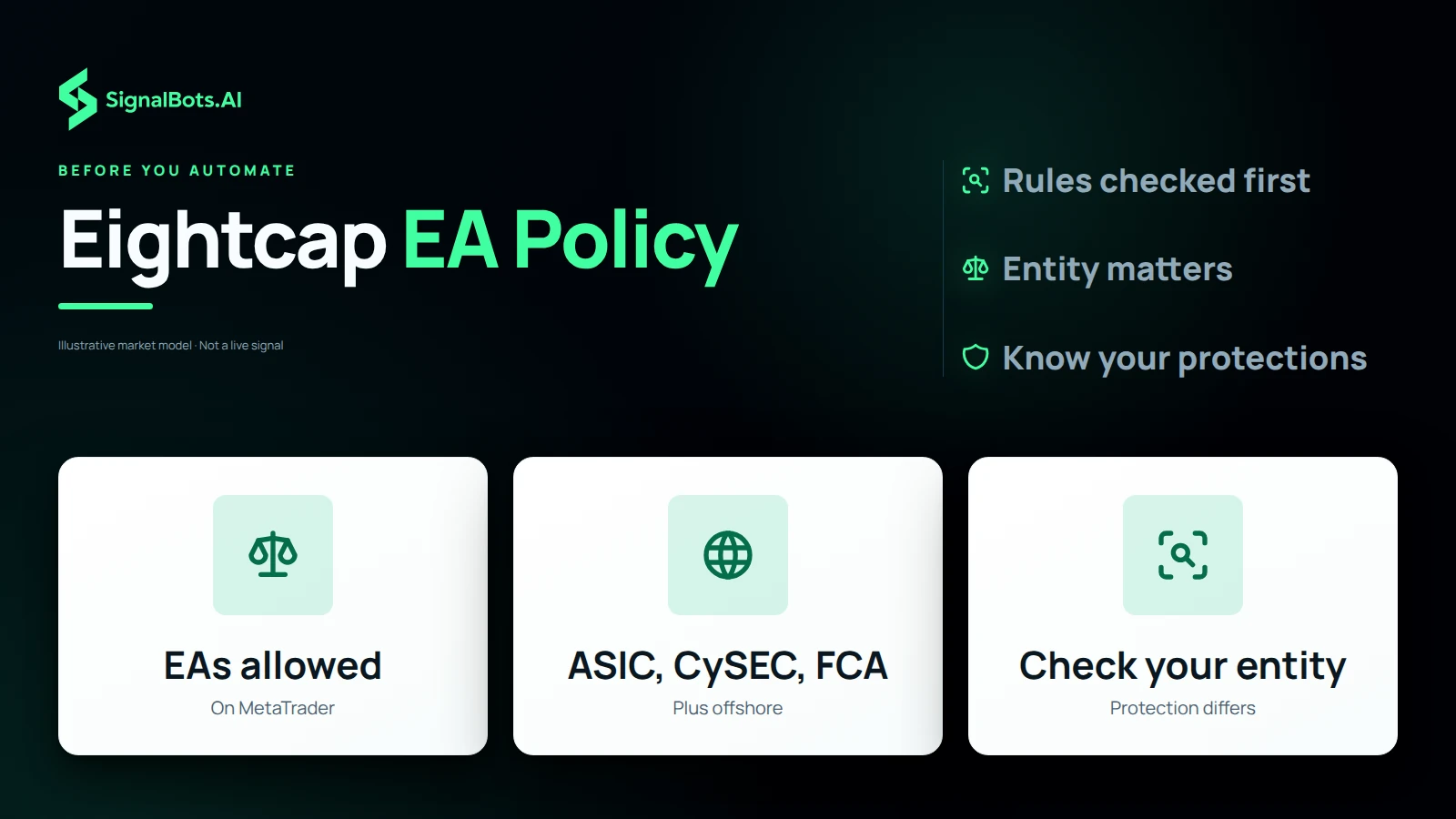
Eightcap is a multi-regulated forex/CFD broker that runs on MetaTrader 4/5, where it officially permits Expert Advisors. Check which of its entities holds your account and what that means for leverage and protections before you connect a bot.

  • Eightcap operates several regulated entities: Eightcap Pty Ltd under ASIC (AFSL 391441, Australia), Eightcap EU Ltd under CySEC (licence 246/14, Cyprus), Eightcap Group Ltd under the FCA (FRN 921296, UK), plus offshore entities under the Bahamas SCB and Seychelles FSA — the entity on your account agreement determines which rules and protections apply.
  • Eightcap's own FAQ confirms EAs and other trading robots are supported on its MT4 and MT5 platforms; automation runs client-side through the MQL5 Wizard interface, and Eightcap does not provide support for third-party EA strategies themselves.
  • Under ASIC, CySEC or FCA oversight, retail leverage is capped around 1:30 and negative-balance protection applies; offshore entities (SCB, FSA) can offer leverage up to 1:500 but without those same retail safeguards — an EA sized for one entity's leverage cap can overexpose an account under another.
  • Automated strategies still run under the standard Client Agreement — read the terms for your specific Eightcap entity, since margin, execution and dispute-resolution rules differ by jurisdiction.

Official sources

Forex & CFD market risks

What to weigh before you run any EA on a leveraged forex/CFD account.

  • Regulators consistently report that the majority of retail CFD accounts lose money; automating the entries does not change that base rate.
  • Leverage amplifies both directions — a small adverse move can erase a large share of margin, and a weekend gap or news spike can fill a stop far worse than its level.
  • Execution quality (spread, slippage, requotes) varies by broker and account type and directly affects an ICT entry that depends on a precise fill at an order block or fair value gap.

Official sources

Global regulators

The international bodies that oversee automated and retail trading. These references hold wherever you run the EA — confirm the rules for your own jurisdiction before you enable AutoTrading.

  • Under the EU's MiFID II, firms running algorithmic strategies must keep pre-trade risk controls, governance and testing in place — ESMA extended that scrutiny to AI-driven trading systems in 2026.
  • The FCA (UK) and ASIC (Australia) cap retail CFD leverage from 30:1 down to 2:1 and require negative-balance protection — a hard limit on the exposure any EA can take on a retail account.
  • Regulators consistently report that most retail CFD accounts lose money; automating the entries does not change that base rate.
  • CySEC, the FCA, ASIC and the CFTC all warn that an 'AI trading bot' promising guaranteed or risk-free returns is itself a fraud red flag — legitimate automation never guarantees a result.

Regulators

United States

US persons face a distinct set of rules for automated forex, futures and securities trading — and a specific regulator advisory aimed at trading bots.

  • The CFTC's advisory “AI Won't Turn Trading Bots into Money Machines” names automated-bot and AI-signal scams directly — one fake-AI forex-bot case ended in a $3.4 billion judgment.
  • Retail off-exchange forex dealers must register with the CFTC and be NFA Forex Dealer Members; soliciting retail forex orders — including for an automated system — requires NFA registration.
  • The SEC, NASAA and FINRA jointly warn that a phrase like “our proprietary AI system can't lose” signals an unregistered scheme, not legitimate automation.
  • FINRA Rule 3110 makes member firms supervise, test and register the people behind an algorithmic strategy — the institutional bar for 'supervised' automated trading.

Regulators

Trading carries risk of loss. Read our full risk warning before you use any signal, backtest or automated strategy.

SignalBots Partner Program

They trade.
You earn — 40% for life.

Give your audience the free ICT AI Signal EA — it trades their account automatically, and every trade it places pays you for life.

  • 40% lifetime
  • Paid monthly
  • No caps
Become a Partner 2-minute signup · keep your own brand
Estimate your commission Recurring
25 × X estimated recurring monthly commission

X = your commission from one baseline trader ($500 deposit, $50k monthly volume). Illustrative only — your real payout scales with the broker’s IB rate and your referrals’ actual trading.

SignalBots operates as an Introducing Broker and Master IB. Commission is paid on your referrals’ trading activity, not on recruitment. Trading carries substantial risk — see our Risk Warning.

Free lifetime license

Run the ICT AI Signal EA on Eightcap

Open a Raw account, claim your free license, and let the EA trade the killzones for you.

Trading carries substantial risk and no result is guaranteed. Review our Risk Warning before you start.

Add SignalBots as a preferred source on Google Add SignalBots as a preferred source on Google