








Every Feed → MetaTrader 5

Trade Every Broker & Exchange
inside MetaTrader 5

Your binary broker's OTC pairs and your crypto exchange's Spot & Futures, streamed onto real MT5 charts: analyzed with the indicators, templates and Expert Advisors you already trust, all in one workspace.

Live price feed Your indicators & EAs No withdrawals
Browse connectors

Choose your market

Binary brokers and crypto exchanges each bridge into MetaTrader 5 a little differently. Open the side you trade.

Binary options connectors

Stream your binary broker's OTC pairs onto live MT5 charts and read them with your own indicators, templates and Expert Advisors.

Crypto exchange connectors

Bridge each exchange's Spot & Futures markets into one MetaTrader 5 workspace, and run a single Expert Advisor across every connected exchange.

Connectors stream price data for analysis only; trading still carries substantial risk. Review our Risk Warning before you start.

What a connector does

What an MT5 Connector Streams Onto Your MetaTrader Charts

An MT5 connector is a bridge that streams a broker's or exchange's live prices onto real MetaTrader 5 charts, so you stop reading the market through a basic web panel. Your binary broker's OTC pairs and your crypto exchange's Spot and Futures markets arrive as a live price feed in one workspace, where the indicators, templates and Expert Advisors you already trust read them like any other symbol. The feed exists for analysis only: it charts the market and never places trades or moves your funds, and trading still carries a risk of loss.
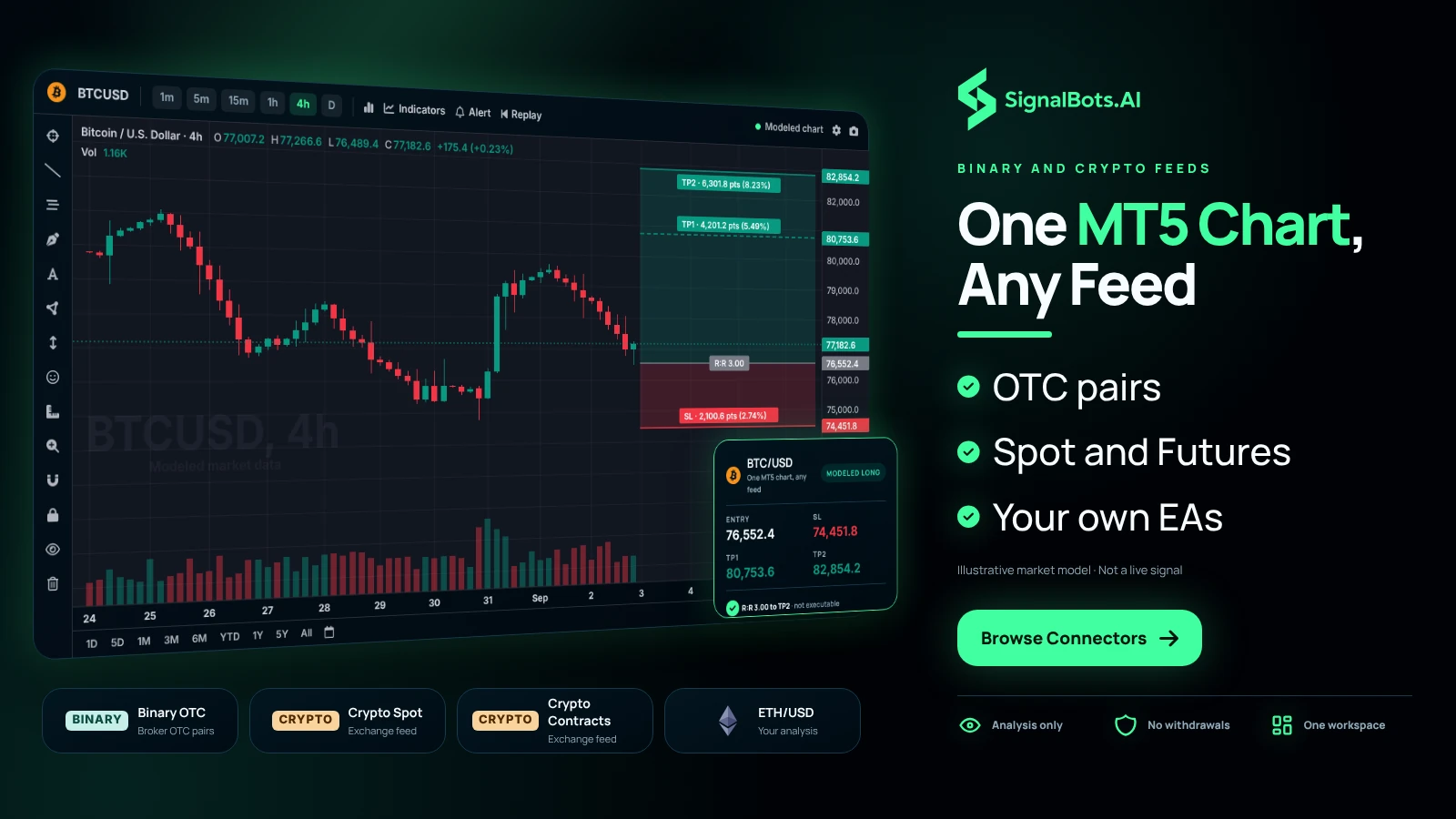
An MT5 terminal with one BTCUSD 4h chart marked up as the trader's own analysis, beside four cards naming what a connector can stream in: binary OTC pairs, crypto Spot, crypto Futures and ETHUSD.
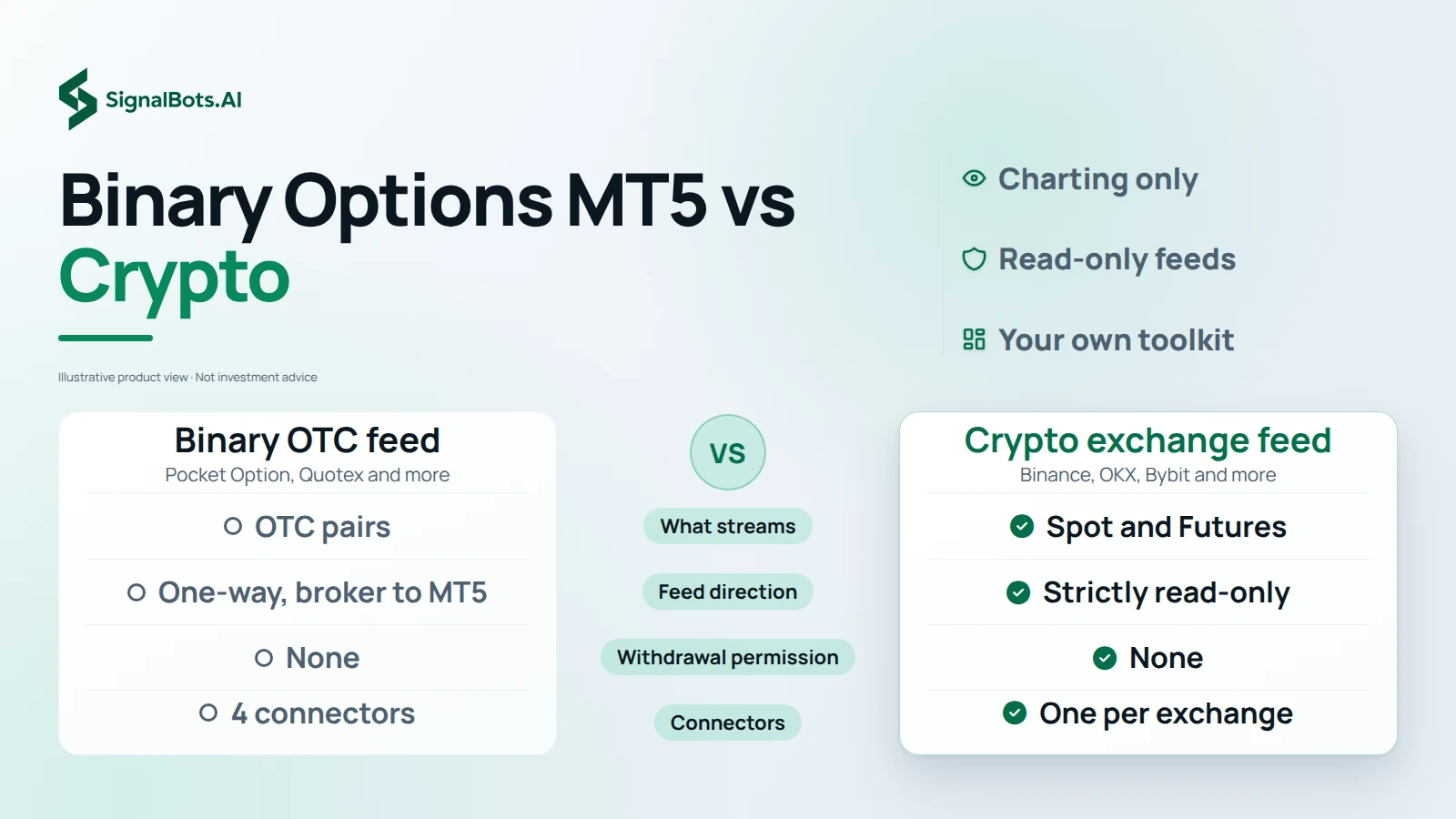
A two-column table with the binary OTC feed on the left and the crypto exchange feed on the right, comparing what streams, feed direction, withdrawal permission and how the connectors are split.

Binary or crypto

Binary Options MT5 Feeds Compared With Crypto Spot and Futures

Binary options MT5 connectors and crypto connectors both end on real MetaTrader 5 charts, but they bring different markets and work a little differently. On the binary side, 4 connectors cover Pocket Option, Quotex, Olymp Trade and IQ Option, and each streams its broker's OTC pairs one-way, from broker to MT5, for charting only. On the crypto side, each exchange's Spot and Futures markets bridge into the same workspace, and the connector is strictly read-only with no withdrawal permission. Open the side you trade and read it with your own toolkit.

Your MT5 toolkit

Your Indicators, Templates and Strategy Tester on Every Feed

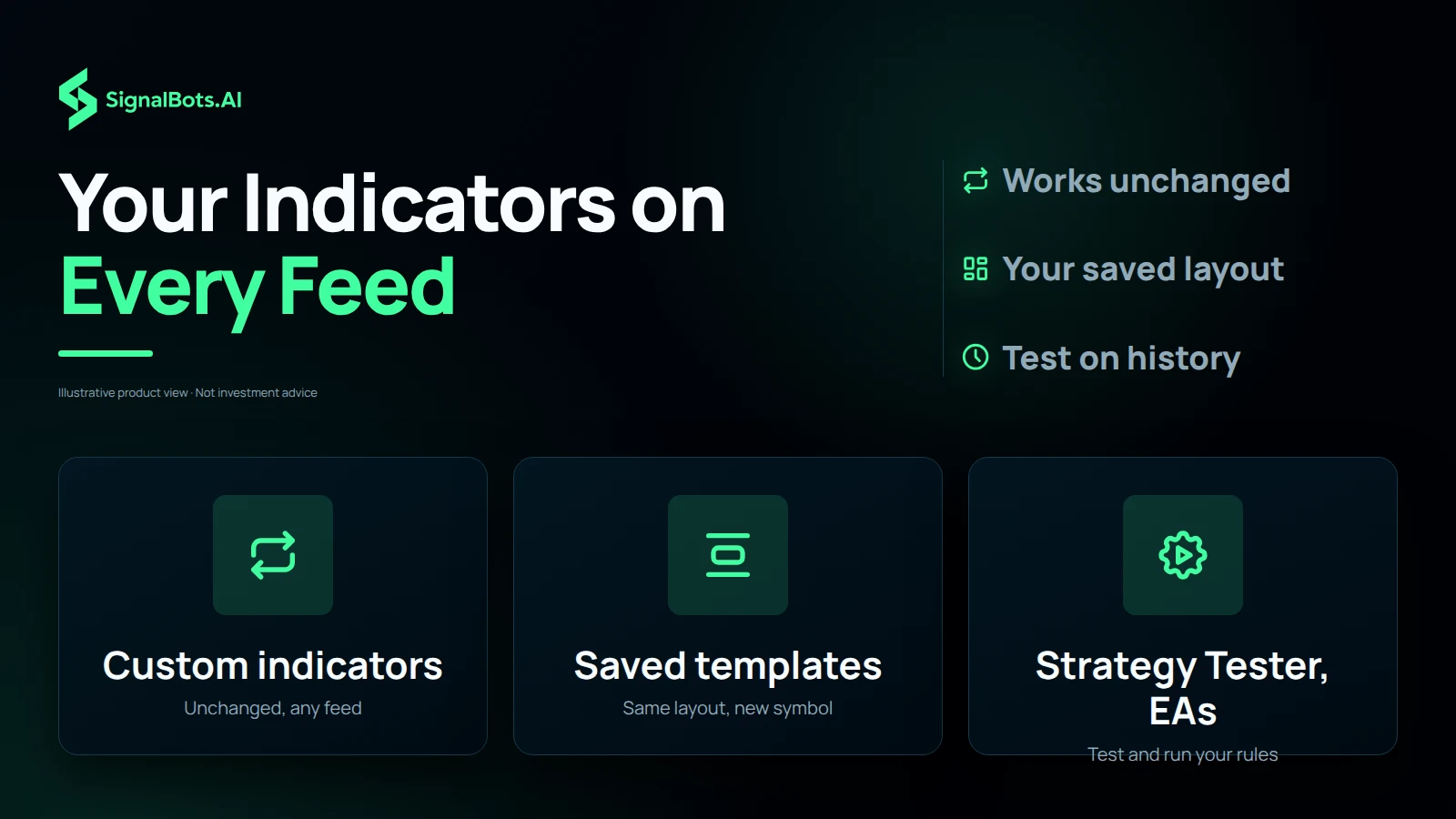
Anything that runs in MetaTrader 5 runs on a connected feed, so moving from one market to another never means rebuilding your setup. Custom indicators, saved templates, the Strategy Tester and your Expert Advisors all work unchanged, whether the chart shows a broker's OTC pairs or an exchange's Futures market. You keep MT5's full charting in place of a broker's basic web panel, and the layout you trust on one symbol carries over to the next. Backtests describe the past only, and trading carries a risk of loss.

Three tiles: custom indicators, saved templates, and the Strategy Tester with your EAs, each with a short line saying it works unchanged on a connected broker or exchange feed.
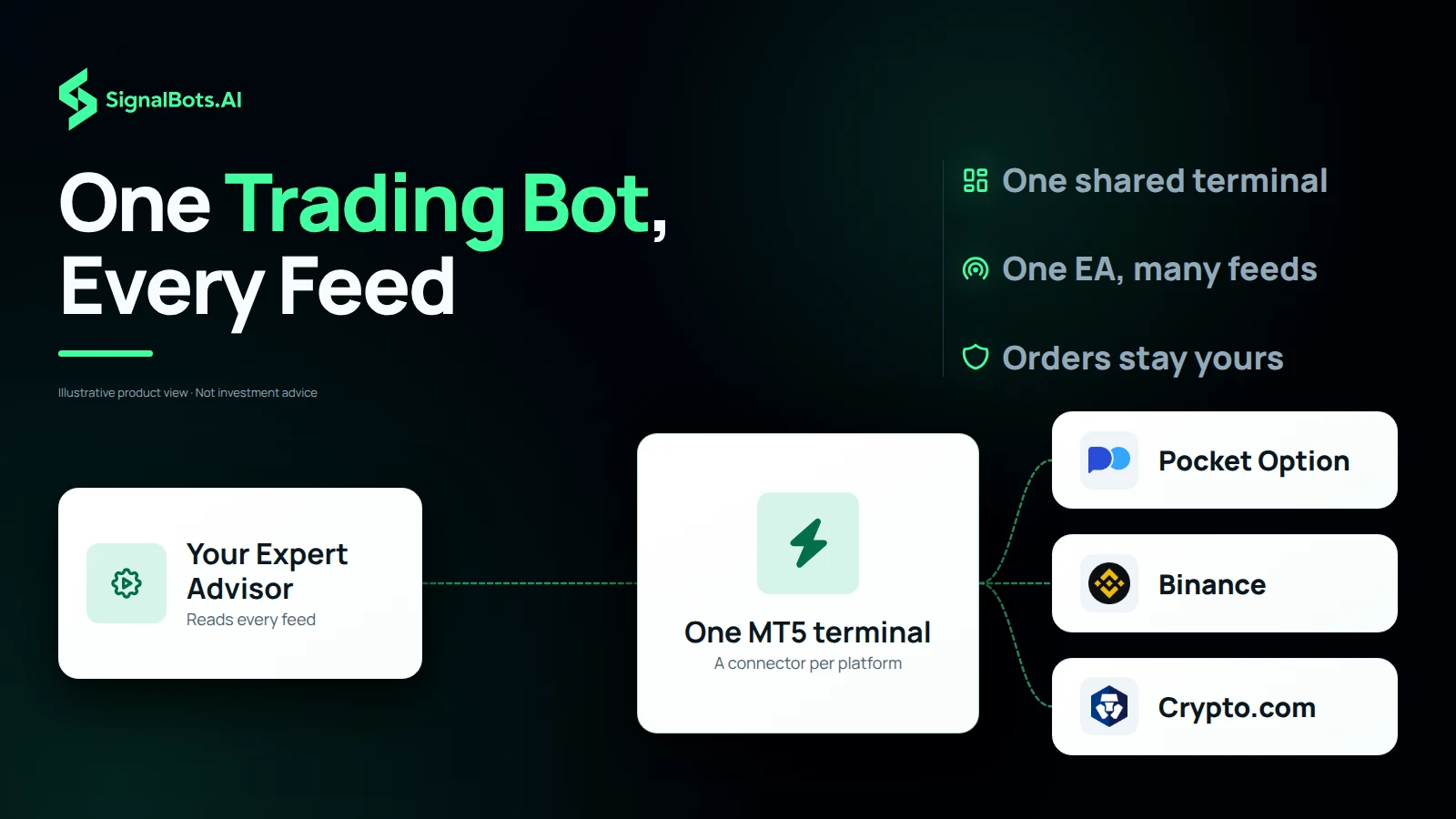
Your Expert Advisor as the source, one MT5 terminal as the hub, and three destination logos for Pocket Option, Binance and Crypto.com, showing a single EA reading each connected feed.

One EA, every feed

One Trading Bot for MetaTrader Reading Every Connected Feed

Each broker or exchange has its own connector, yet a single Expert Advisor can read every feed you have connected, so one MT5 instance covers all of them at once. That lets one trading bot for MetaTrader watch Pocket Option OTC pairs, Binance Spot and Kraken Futures together, rather than running a separate setup per venue. The EA does the analysis; no connector places trades on your account, so every order remains your own decision on the broker or exchange. Trading carries a risk of loss.

Setup and license

Connector Setup Needs MetaTrader 5 and a Free Lifetime License

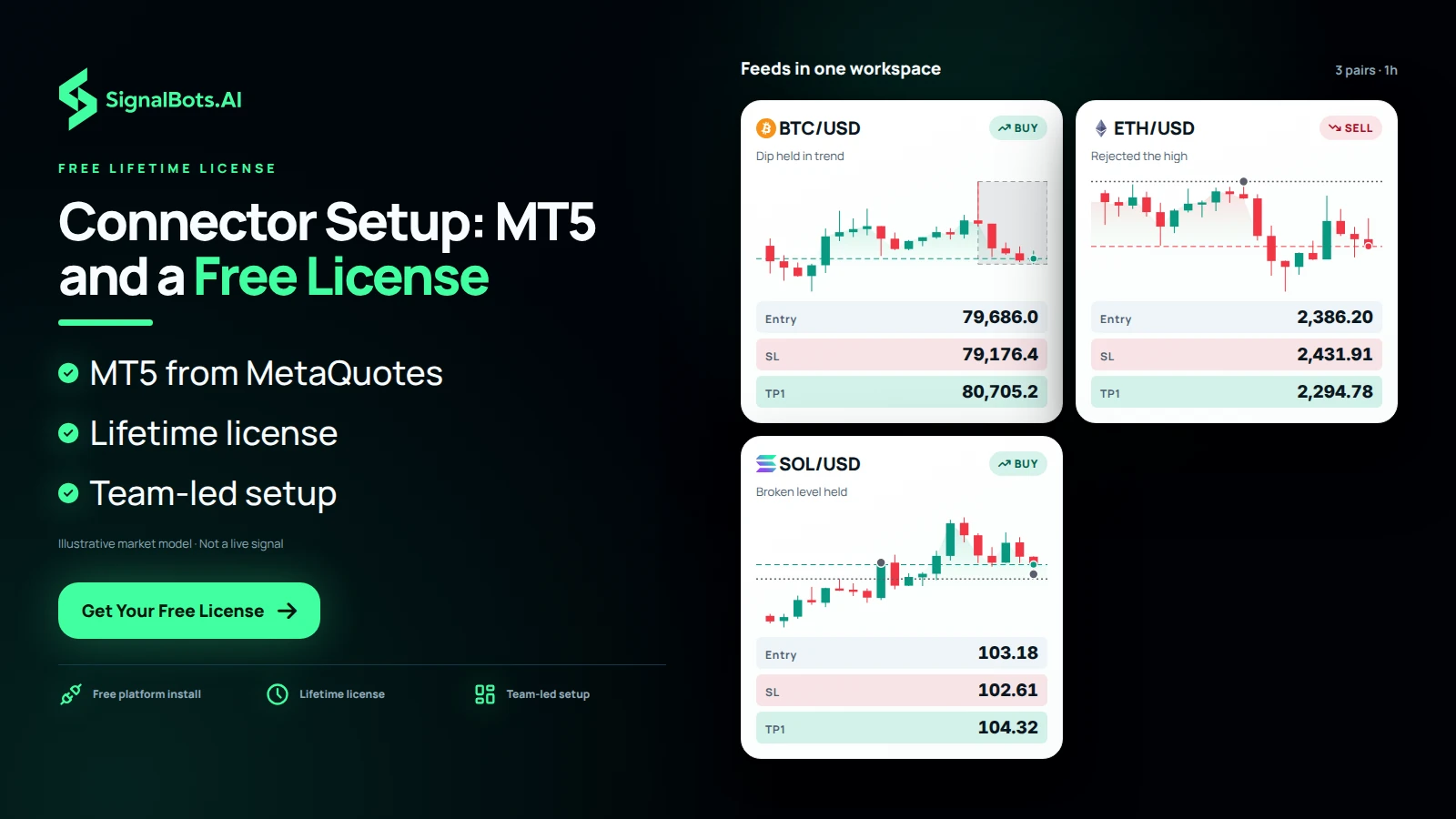
Connector setup comes down to two pieces. The first is MetaTrader 5 itself, free from MetaQuotes or from any MT5 broker. The second is the connector for your market, and every connector ships with a free lifetime license: message our 24/7 team and they set it up for you. After that, the connector simply pipes the feed onto your charts while MT5 is running, ready for the indicators and Expert Advisors you already use. Trading carries a risk of loss, so read our Risk Warning before you start.

A board titled Feeds in one workspace with three 1h crypto charts, BTCUSD, ETHUSD and SOLUSD, each marked up as the trader's own analysis, showing the workspace once MetaTrader 5 and the connector are set up.

Frequently Asked Questions

What is an MT5 connector?

A bridge that streams a broker's or exchange's live prices onto real MetaTrader 5 charts. Instead of staring at a broker's basic web panel, you read the market with MT5's full charting, indicators and Expert Advisors.

Which brokers and exchanges can I connect?

Four binary brokers (Pocket Option, Quotex, Olymp Trade and IQ Option) and ten crypto exchanges including Binance, OKX, Bybit and Kraken. Open a category above to see the full list.

Do I need a separate connector for each platform?

Each broker or exchange has its own connector, but a single Expert Advisor can read every feed you've connected, so one MT5 instance covers all of them at once.

Does a connector place trades on my account?

No. Binary OTC feeds are one-way (broker → MT5) for charting only, and crypto connectors are strictly read-only with no withdrawal permission. The feed analyzes; it never moves your funds.

Can I run my own indicators and Expert Advisors?

Yes, anything that runs in MetaTrader 5 runs on the connected feed: custom indicators, saved templates, the Strategy Tester and your EAs all work unchanged.

Is my account safe?

Yes. Crypto connectors are strictly read-only, no withdrawal rights, and binary OTC feeds are read-only by design, so nothing can trade or transfer on your behalf.

Do I need MetaTrader 5 installed?

Yes. MT5 is free from MetaQuotes or any MT5 broker; the connector simply pipes the feed onto your charts once it's running.

How much does a connector cost?

Each connector ships with a free lifetime license: message our 24/7 team and we'll set it up. Trading carries risk; read our Risk Warning before you start.