You have seen the offer. A Telegram channel with a robot avatar, a name like "Pocket Option AI Signals", and a promise that costs nothing: entry times, call or put, and a win rate somebody screenshotted. Free is a perfectly sensible constraint when you are still learning the platform. It also happens to be the cheapest thing in the world to fake.
So the question worth answering is not whether a free AI bot for Pocket Option exists — a few genuinely do. It is which of the free things you will actually be offered are real tools, which are marketing wrapped around a referral link, and what the word "AI" is doing in each case.
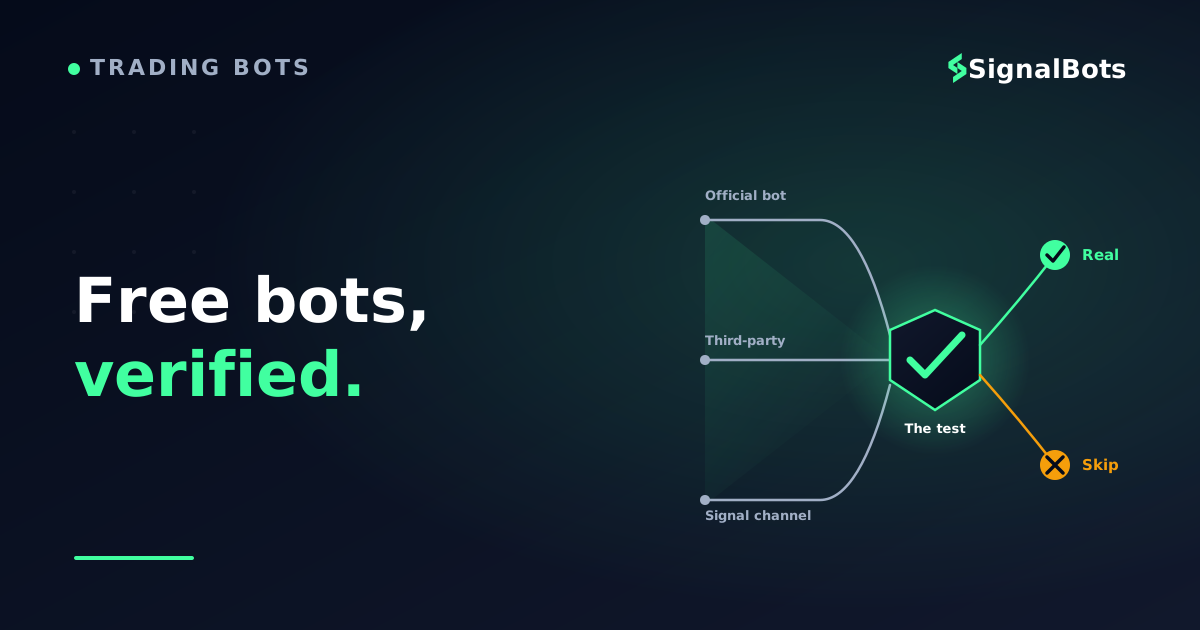
This page names the free options a Pocket Option trader can reach today, tells you which ones only message you and which ones can place trades on your account, and hands you a test you can run on any bot — including the ones invented after this page was written.
Key Takeaways
Pocket Option's own Telegram bot is the one free option you can verify inside your own account: its documentation describes indicator rules rather than machine learning, and you can keep it in manual-approval mode.
Most free third-party "AI" bots substantiate nothing. Judge them on what triggers a trade, whether they place it themselves, and whether you can reproduce the record on demo.
Before any free bot touches live money, check the advertised win rate against the payout's break-even line, fix the stake, and set a daily loss limit inside the tool.
Table of Contents (26 min read)Contents
Is There Actually a Free AI Bot for Pocket Option?
Yes, but the honest answer arrives in three parts, because "free bot" covers three very different things.
There is the platform's own free Telegram signal bot, which lives behind your account login and is the only one on this page you can verify without trusting a stranger. There are free third-party bots — browser add-ons and desktop tools that watch the chart and press the buttons for you, plus the free tiers of automation platforms that are really paid products with a trial attached. And there are free Telegram signal channels, where a person or a script posts calls and you decide what to do with them.
Now the uncomfortable part. Read the documentation of the free options above and you will find indicator logic — RSI, MACD, moving averages, and a set of if-then conditions. That is algorithmic trading, and it is genuinely useful: rules do not panic, do not chase, and do not double down because a candle looked scary. But rules are not a model that learned anything from data, and almost none of these tools publish anything that would let you tell the difference.
That gap is not automatically dishonest. It becomes dishonest at the exact point where "AI" is used to imply the tool knows something you are not allowed to check — which is the definition of a black-box trading system, and the reason the rest of this page is built around verification rather than around a ranked list.
Free tier or free download; paid tiers sit above it
Free to join — your broker signup is the revenue
What triggers a call
Published indicator filters you configure yourself
Indicator rules you set, or an undisclosed 'strategy'
Usually undisclosed; sometimes a person, sometimes a script
Is it really AI?
Not claimed — the docs describe rules, not learning
Rarely substantiated; 'AI' is a label more often than a model
Almost never substantiated
Alerts you, or trades for you?
Both — you pick auto mode or manual approval
Usually trades for you; that is the selling point
Alerts only — you press the button
Built-in risk controls
Stake cap, payout floor, max open trades, stop conditions
Varies wildly; some ship a doubling ladder as 'recovery'
None — every control is yours
Can you check the record?
Yes — run it on your own demo balance
Only by forward-testing it yourself
Rarely; screenshots are not a record
Who it fits
Anyone who wants sanctioned automation with a stop
Traders willing to configure and supervise software
Traders who want a second opinion, not a system
The differences that decide your risk are execution mode, built-in limits, and whether you can reproduce the record yourself.
Lift the label on almost any free Pocket Option bot and you find indicator rules, not a model that learned something.
Pocket Option's Own Free Telegram Bot — What It Really Is
Start here, because it is the only free option you can evaluate without taking anyone's word for anything.
Pocket Option runs its own signal bot on Telegram, reachable from inside the trading terminal rather than from an ad. You open it from the Signals tab, or from Help → Applications, and it links back to your account through an authorization step — you never type your password into a chat window. That single detail already separates it from a large share of what gets advertised as a free Telegram bot.
What it actually does is narrower than the marketing around it. You choose the assets and expiry lengths you want it to watch, it applies technical filters to them, and it either messages you a call or put with an expiry, or places the trade itself. As a binary options bot it inherits the whole payoff structure of the instrument: a losing trade costs the full stake, and a winning one returns only the payout percentage on offer at that moment. Nothing in the automation changes that arithmetic.
On the AI question, the platform's own material is refreshingly plain: it describes indicator and rule-based filtering, not machine learning. Treat it as automation with a published rulebook — which, for a free tool, is a better property than an unexplained claim.
The settings are where the real value sits. Before you touch anything else, set the stake per trade, the minimum payout you are willing to accept, the maximum number of simultaneous positions, and the stop conditions that shut it down for the day. A free bot with limits you configured is a very different animal from a free bot running at whatever the defaults happened to be.
In the trading terminal, use the Signals tab or Help then Applications to launch the Telegram bot — not a link from an ad.
2
Authorize, never hand over a password
Telegram opens the bot, you press Start, and you approve the link back to your account. No login form belongs in a chat.
3
Set your limits first
Stake per trade, minimum acceptable payout, maximum open positions, and the daily stop. Do this before any other setting.
4
Point it at the demo balance
Let it work through a real sample of signals on demo before a single cent of live money is involved.
5
Choose alerts or automatic
Keep manual approval while you learn its behaviour. Switch to automatic only after you have watched a full session end to end.
The order matters: limits before live, demo before auto.
If you would rather watch the activation than read it, the platform's own tutorial channel walks through the same flow on screen.
How to Get Trading Signals from Pocket Option Telegram Bot | Trading Tutorials for Beginners — Pocket Option
Free Third-Party Bots and Telegram Channels for Pocket Option
Outside the platform, "free" splits into three families that behave very differently, and the family tells you more about the risk than the brand name does.
Browser add-ons that click for you. These sit on top of the Pocket Option web terminal and press buy or sell when their condition fires — broker-page automation in the literal sense. They are cheap to build, which is why there are so many and why the quality range is enormous. Some are competent little rule engines. Others are a moving-average crossover with a countdown timer and a marketing page.
Connector-style bots. These take signals from somewhere else — a MetaTrader indicator, a TradingView alert, a strategy you built — and relay them to the broker. The names you keep running into in this family are MT2Trading, Autobot Signal and 2Bot. Be clear-eyed about what "free" means here: some are genuinely free, and several are freemium, where the free tier is a trial of a paid product rather than the product. Neither is a problem as long as you know which one you are looking at before you build a routine around it.
Free Telegram signal channels. A person or a script posts something like "EUR/USD OTC, put, one minute", and you do the rest. There is no execution, no stake control and no stop — the whole apparatus is a message. These are free because your broker registration is the business model, which is worth understanding rather than resenting; it is simply the difference between free and VIP signals in this market. A Telegram signal channel can be a genuinely useful second opinion. It is not a system.
One filter matters more for Pocket Option than for most platforms: weekend coverage. A lot of trading here happens on the OTC market, where synthetic pricing keeps running after the interbank week closes. A bot built and tested on standard-hours currency pairs will either sit idle on Saturday or, worse, keep firing on a price series it was never evaluated against. Ask which one it does before you rely on it for weekend sessions.
How Do You Spot a Fake or Low-Quality Free Signal Bot?
You cannot audit somebody else's code, and you do not need to. Every free bot worth avoiding leaks the same handful of signals long before you connect it.
It promises an outcome. Anything phrased as "risk-free", "never loses" or a guaranteed daily return disqualifies itself in one line, because no automation removes the fact that a losing binary trade costs the entire stake. The promise is the tell, regardless of how the tool performs.
Its win rate cannot be checked. A grid of profit screenshots is not a verified track record. A record you can actually check is one you generated yourself, on your own account, over enough trades to mean anything — which is why the safe-testing section below exists.
It sells doubling as recovery. A bot that raises the stake after each loss is running a martingale ladder, not managing risk. It converts a normal losing streak into a single catastrophic one, and it looks brilliant right up until it does not. If a tool offers this as a feature, run the ladder out on a martingale stake calculator and see what the fourth and fifth steps cost before you decide.
It will not say what triggers a trade. "Proprietary AI" as a complete answer to "what makes it enter?" is not a moat, it is a refusal. A tool that names its conditions can be tested. One that does not, cannot.
It wants your password rather than an authorization. The platform's own bot links to your account through an approval step. A chat window asking you to type your broker credentials is a different thing entirely, and there is no version of that request that ends well.
The deposit is the precondition for the promise. A referral relationship is not itself a red flag — ours is one, and we say so further down this page. The flag is the structure where you must deposit through a specific link before the tool unlocks, and the thing being unlocked is a number rather than a product.
There is also one piece of arithmetic that settles a surprising number of cases in about ten seconds. Every binary trade needs a specific break-even win rate determined by the payout, and any advertised historical win rate is only interesting relative to that line. Put the two numbers side by side before you evaluate anything else about the bot.
The ten-second filter
Test an advertised win rate against the payout
Set the payout the asset actually pays, then the win rate the bot advertises. The break-even line decides whether the claim is even worth testing.
Payout on a winning trade
Win rate the bot advertises
Stake per trade
$
Break-even win rate
—
Edge vs break-even
—
Result over 100 trades
—
Illustrative only — but if an advertised win rate sits below the break-even line, nothing else about the bot matters.
Notice what the calculator does to the usual pitch. At a typical payout, a bot advertising a win rate in the sixties is barely clearing the line, and one advertising the nineties is claiming something that should make you more suspicious, not less. Run every claim through this before you run it through anything else, and read our risk warning for the framing that applies to all of it.
No promise of guaranteed, risk-free or never-losing outcomes appears anywhere in its marketing.
It states plainly what condition triggers a trade, in terms you could describe to someone else.
It never asks for your broker password — it links to your account through an approval step you can revoke.
Its stake logic is fixed or percentage-based, not a doubling ladder dressed up as recovery.
Any advertised win rate sits meaningfully above the break-even line for the payout you actually get.
It lets you set a stake cap, a maximum number of open positions and a daily stop before it runs.
You can point it at a demo balance and watch it work without funding anything.
It states whether it covers OTC assets, so weekend sessions are a known quantity rather than a surprise.
You know exactly how to switch it off and revoke its access, and you have tested that path once.
Nothing about it requires you to deposit first in order to find out what it does.
★
Checklist complete — you’re cleared to proceed.
Ten checks that cost nothing and rule out most of what gets advertised as a free AI bot.
Alert-Only vs Auto-Trading — What You Are Actually Risking for Free
This is the distinction that decides how much a free tool can cost you, and it has nothing to do with how good the signals are.
An alert-only tool has a hard ceiling on its damage: the worst case is a bad trade you chose to take, at a stake you chose in the moment. An auto-trading tool has a different worst case entirely — a sequence of trades you never saw, at a stake you set once, executed while you were asleep or at work. Same signal quality, very different exposure.
The real risk lever
Alert-only vs auto-executing, for a free tool
Alert-only
Sends a direction and an expiry; you place the trade yourself
Your judgement is the last filter before money moves
A bad session costs only the trades you chose to take
Entry lag is on you — a late fill changes the setup
Nothing sits on your account that needs revoking
Slower, but the damage stays bounded by your own attention.
VS
Auto-executing
Places trades on your account without asking, once armed
Removes hesitation and FOMO — and removes the sanity check too
A losing streak compounds while you are away from the screen
Only as safe as the stake cap and daily stop you set beforehand
Runs on an authorized connection you must know how to cut
Unemotional and fast, but your pre-set limits are the only brake.
Signal quality is the same on both sides. What differs is how much can happen while you are not looking.
Mapped onto the free options above: the platform's own bot can do either, and lets you choose, which is the single best argument for starting there. Free third-party add-ons are almost always auto-executing, because that is what they are built to sell. Free Telegram channels are alert-only by construction, since a message cannot press a button.
Whichever you use, find the kill switch before you need it. For the platform bot that means the stop command and the authorization you can withdraw; for a browser add-on it means knowing how to disable or remove it while trades are open. If what you actually want is free Telegram AI signal alerts you read and act on yourself, rather than software touching your balance, that is a genuinely different tool class with its own set of tradeoffs.
How to Test Any Free Bot Safely Before Going Live
A free bot costs nothing to acquire and can cost a great deal to run. The gap between those two numbers is closed by testing, and the testing is not complicated — it is just rarely done.
Run it on a demo account first, and run it long enough to be boring. Three trades tell you nothing; a bot can win three coin flips. What you are looking for is a forward test over enough signals that a streak in either direction stops moving the average much.
Test it in the conditions you will actually trade. If your real sessions are Saturday afternoons on OTC assets, a weekday test on standard pairs has not told you what you need to know — different price behaviour, different spreads between signal and fill, sometimes different assets entirely.
Fix the stake before you arm anything. A single stake per trade, chosen in advance as a small share of the balance, removes the decision that costs most beginners their accounts. If you are not sure what that share should be, work it out on a binary money-management calculator rather than picking a round number.
Set a daily loss limit and let it be the boss of you. This is the control that turns a bad day into a bad day instead of a bad month, and it is the one setting people quietly raise mid-session — which is exactly why it should be configured in the bot rather than held in your head.
Then keep your own log. Date, asset, direction, stake, payout received, result. Two weeks of that beats any screenshot anyone can show you, and it is the only record you will ever fully trust.
A fixed stake and a daily stop are the valve between an untested free bot and the rest of your balance.
A Free, Transparent Alternative Worth Comparing
Everything above pushes toward one question: can you check the record yourself? Here is our own answer to that, stated with its conditions attached rather than buried.
We run a Binary Options Telegram channel that posts call and put signals publicly as they happen, so the outcomes sit in the channel history whether they went our way or not. That is not a claim to be better than the free bots above — it is a claim to be checkable, which is the property this article has spent its whole length arguing for. It works the same across any supported binary broker, and there is a Pocket Option channel specifically if that is where you trade.
The conditions, plainly: it is free to unlock, but it is not a no-account tool you can try anonymously in the next thirty seconds — access comes with opening a broker account through our partner link. And it delivers signals for you to act on; it does not place trades. If genuinely hands-off execution is what you came for, our Pocket Option browser bot is the surface built for that, and a signal channel is the wrong tool for the job.
Apply the same test to us that you would apply to anyone else. Take a run of posted calls, note the payout on each asset at the time, and put the result against the break-even line from the calculator above. That is the comparison worth making — not between marketing pages, but between what each option lets you verify.
Bottom Line — Picking the Right Free Option for You
A free AI bot for Pocket Option on Telegram is a real thing you can have today. What it is not is a machine that knows the next candle, and the gap between those two sentences is where most money gets lost.
If you want automation you can trust the provenance of, start with the platform's own Telegram bot: it is free, it sits inside your account, its logic is described rather than mystified, and it lets you keep manual approval while you learn its behaviour. If you want a second opinion rather than a system, a free signal channel is a reasonable companion — provided you treat it as one input, not an instruction. And if you are drawn to a third-party bot promising more than either, the checklist above is the entire decision: what triggers a trade, does it place it itself, can you cap it, and can you reproduce the record on demo.
Yes. It is offered inside the platform at no charge and without a subscription tier attached, and you reach it from the Signals tab or the Help menu rather than through a third-party link. What it costs you is the same thing every automated tool costs: the discipline to set the stake, payout floor, position limit and daily stop before you let it run.
Does the free Pocket Option bot actually use AI?
Its own documentation describes technical-indicator filtering and rule-based conditions — the kind of logic built on tools like RSI, MACD and moving averages — rather than a machine-learning model. That is worth reading as a point in its favour rather than against it: a published rulebook is testable, and an unexplained "AI" claim is not.
Can a free bot place trades on my account without me approving each one?
Yes, and this is the single most important thing to establish about any free tool before you use it. The platform's own bot supports both modes and lets you choose. Most free third-party add-ons are auto-executing by design. Free Telegram channels cannot trade for you at all — they only send messages. Decide which mode you want first, then pick the tool.
Do free bots work on OTC pairs at the weekend?
Some do and some do not, and very few say so clearly on the front page. Because OTC assets keep pricing when the regular currency week is closed, a bot tuned on weekday sessions can behave quite differently on a Saturday. If weekends are when you actually trade, test it on a weekend before you trust it on one.
What is the safest way to try a free AI bot for Pocket Option?
Demo first, for long enough to see a losing streak as well as a winning one. Then move to live with a stake you fixed in advance, a daily loss limit set inside the bot, and manual approval still switched on. Only after you have watched a full session behave the way you expected should automatic execution be on the table.
Is a free Telegram signal channel worth joining?
It can be, as a second opinion — a prompt to look at a chart you would not have looked at. It is not worth treating as a system, because it gives you no stake control, no stop, and usually no way to verify the record beyond what the channel chooses to post. Judge it by whether its posted calls survive the break-even test on the payouts you actually receive.
Sources & Further Reading
Want to go deeper? These independent, authoritative sources shaped this guide — each one is worth reading in full:
The Binary Options Desk is the SignalBots editorial team for fixed-time and OTC trading coverage. We research and write the guides that explain expiry timing, payout structure and disciplined entry across the major brokers.



Discussions 0
Leave a comment