You found QBot the same way almost everyone does: a Chrome Web Store listing, a YouTube thumbnail, a TikTok clip, or one line in a Telegram group — free robot, trades Quotex automatically, AI signals. Installing it takes a single click and costs nothing.
The hard question is not whether that click works. It is what you are agreeing to when you let software you did not write place real trades inside your logged-in broker session, on instructions from a server you cannot inspect.
This review takes that in order: what QBot is (and which similarly-named products it is not), how it claims to work, what it actually costs, how you would install it, what it can do once it sits inside your account, and finally whether its central claim can be checked by anyone outside the team that ships it. One thing you will not find here is a hands-on results table — no account was funded and traded for this piece. Everything below is built from what the product publishes about itself and, more revealingly, from what it does not.
Key Takeaways
QBot (listed as Q-Bot 2.0) is a Chrome extension that drives the Quotex web page and clicks for you — not an official integration, and not affiliated with Quotex.
It installs free, but the paid upgrade is arranged off-store through Telegram, so there is no store billing record, refund path or named counterparty.
No entry rule, backtest or verifiable track record is published anywhere, so a store star average is the only 'evidence' on offer — and it measures software satisfaction, not expectancy.
The defensible way to look at it is a logged demo session with a fixed end date; funding an account off the listing alone is not.
Table of Contents (22 min read)Contents
What Is QBot (Q-Bot) for Quotex?
QBot is a browser extension that places trades on the Quotex web platform for you. You will see it written QBot, Q-Bot, "q bot quotex" and "qbot for quotex" — the hyphen and the spacing are cosmetic, and searchers land on the same product. On the Chrome Web Store it is listed as Q-Bot 2.0, filed under a productivity category rather than a finance one, presented under an "o-signals" brand, with support handled through a Telegram channel rather than a support desk.
Two things follow from the format, and both matter more than any feature list. First, it is a trading browser extension, not an expert advisor: there is nothing to install on a VPS, no terminal, no server-side account. It exists only while your browser is open on the Quotex tab. Second, it is not made by, endorsed by, or affiliated with Quotex. It is a third-party tool that drives the platform's own web interface from the outside, the same way you would with a mouse.
That last point is the one most people skim. A binary options bot delivered as an extension does not connect to a broker through a documented integration; it operates the page. Everything else in this review follows from that single design choice.
QBot vs. the products people confuse it with
Search "quotex bot" broadly and you will hit at least three different things wearing near-identical names. Before you install anything, confirm you are looking at the one you meant to.
Drives the Quotex web platform; not affiliated with it
Markets itself as a Quotex companion tool
Not confirmed
Headline claim
Fully automatic trades from AI signals
AI strategies with a practice balance
Generic AI trading and investing
Three products, three publishers, one confusable name — the install you meant is the Chrome extension, not the Android app.
The Android listing is the sharpest trap: a Chrome extension cannot run on Chrome for Android at all, so any "QBot app" you are pointed to on a phone is, by definition, a different piece of software from the one this review covers.
How QBot Claims to Work
The marketing sentence is short: fully automatic opening of trades using signals based on artificial intelligence. Underneath, a browser-extension bot has only one way to do that, and it is worth seeing laid out, because the diagram is also the risk model.
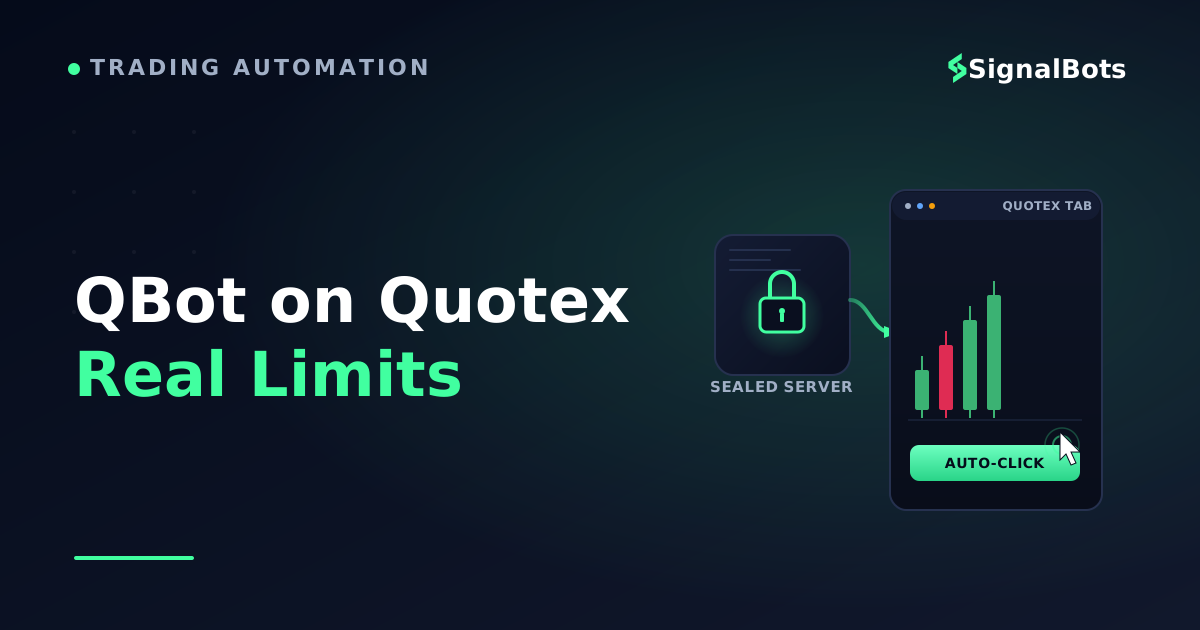
The extension injects a script into the Quotex page while you are logged in. It reads what the page shows, receives a direction and an asset from the vendor's own server, fills the trade ticket with your configured stake and expiry, and clicks. This is broker page automation — the bot has no privileged channel to the broker, because there is no official public Quotex API for a retail tool like this to plug into. It has your session instead.
sequenceDiagram
    autonumber
    participant Trader
    participant QBot as Q-Bot
    participant Server as Signal server
    participant Page as Quotex tab
    Trader->>QBot: Set stake, expiry, auto mode
    QBot->>Server: Ask for the current signal
    Server-->>QBot: Asset and direction
    Note over QBot,Server: The rule behind this call is never shown to you
    alt Tab open, page unchanged
        QBot->>Page: Fill the ticket and click
        Page-->>Trader: Position opens on your balance
    else Tab closed or layout changed
        QBot-->>Trader: Nothing happens, quietly
    end
Your browser is the execution venue: every trade QBot takes is a click it makes as you, and the automation lives or dies with the tab.
Two consequences of that loop deserve naming. The extension runs locally in your browser, so it never asks for a Quotex password — which sounds reassuring until you notice it does not need one. It is already inside the authenticated session; anything you could do on that page, it can do. And because the automation is bolted to a page layout, an ordinary platform redesign can silently stop it, or worse, make it click the wrong control.
The "AI" half of the claim is where the review stops being technical and starts being about evidence. No entry rule, timeframe, indicator set, filter or session window is published anywhere. That makes QBot a black-box trading system: you can observe its outputs, never its logic.
Hold the two halves side by side — the click you can watch land on your own balance, and the sealed rule that ordered it — because that gap is the whole review. The extension's actions are visible on your screen; the logic that produces them is published nowhere you can read it.
A signal provider that publishes nothing about its method is not automatically dishonest — plenty of good ones guard their edge — but it does mean the only way you will ever learn whether it works is by paying for the experiment yourself.
QBot Pricing and Access
The extension is free to install. The Chrome Web Store shows no price, no billing step, and no trial timer. That part is true and easy to verify.
It is also incomplete. The product is structured as a free tier with a paid upgrade arranged off-store, through the same Telegram channel that handles support. That distinction is not a technicality — it changes what "free" protects you from:
No store-mediated payment. Money that moves through a chat app leaves no purchase record attached to the listing, so there is no store refund path and no chargeback route through the platform you installed it from.
No named counterparty. You are paying a handle, not an invoiced company, and the developer contact on the listing is a webmail address on a domain that does not match the brand on the product.
No stated deliverable. A free tier that gates "better signals" behind an upgrade gives you no way to compare the two, because you never saw the rule behind either one.
There is a second, quieter cost question worth asking of any free bot for Quotex: how does it pay for itself? The three normal answers are upgrade sales, a partner arrangement that pays the developer when you register or deposit at a specific broker, and the value of your activity data. None of those is disreputable on its own. All three create an incentive that is not identical to yours, and none of them is disclosed on the listing.
The store page is the only place anyone publishes anything measurable about this product, and it publishes four fields: the version string, the install count, the average rating and the number of ratings behind that average. Those are worth opening, and they are not worth quoting second-hand — a figure copied into an article is stale the week after it is written, and a stale figure reads as authority it never earned. Pull the four up yourself on the day you install, and read them as directions rather than scores: an install count that has stopped moving, an average that has drifted down since the screenshots you were shown, or a version string that has not changed in a very long time each tell you something no snapshot can.
Then read them for what they actually measure. The install count counts people who clicked Add, not people still running the extension a month later. The average is a verdict on a piece of software — did it install, did the panel open, did support reply — left mostly by people rating in their first week, and the rating count only tells you how thin or thick that sample is. Neither touches trading outcomes: a tool that never places a losing trade and a tool that never places a trade at all both collect five stars from someone who tried it for ten minutes. The version string is the one entry with a hard edge, and only because it dates the code you are about to run.
How to Install QBot and Connect It to Quotex
If you have decided to look at it, do it in this order. The sequence is deliberate — every step before the last one is reversible.
Open the Chrome Web Store listing directly, not a download mirror. Mirrors repackage extensions and are the usual delivery route for a modified build.
Read the publisher block before you click Add. Expand the developer details and check that the contact domain matches the brand you were told to install. At the time of writing, it does not.
Review the permissions prompt. Chrome tells you which sites the extension may read and change. One broker domain is a narrow, legible grant. "All your data on all websites" is a different conversation.
Install it into a separate Chrome profile that holds no email, no banking and no password manager.
Log in to Quotex and switch to the demo balance before you open the extension panel at all.
Set the smallest stake and a single asset, then enable auto mode and leave the settings alone for one full session, so you are testing one configuration rather than your own tinkering.
Keep the tab open and in focus. The automation is the page; minimize or navigate away and it stops.
Before You Connect Your Account
Those seven steps get the extension installed and pointed at play money. They say nothing about what you do with the session that follows — and that is the part that decides whether the exercise was worth running at all. A demo account is the only place you can watch an unverified bot behave without paying for the lesson, but it only earns you something if you treat the run as an experiment with a record, an end point and a stop, rather than a demonstration you sit and watch.
Before live money
After it is installed, before it is funded
0 / 6
Log every trade it takes: time, asset, direction, stake, expiry, result
Check whether its trades cluster around one asset, one hour, or one direction
Fix the sample that ends the test — a trade count or an end date chosen before you start, not after a good run
Decide your stop before any live balance is involved: a loss amount or a losing streak that ends the session
Know both ways to stop it — the panel toggle, and removing it from your browser's extensions page
Do not pay for any upgrade until the free tier has produced a log you can actually check
★
Checklist complete — you’re cleared to proceed.
Six checks the install steps do not cover — and every one of them still happens on demo money.
What QBot Can Do Inside Your Quotex Account
Grant an extension access to the Quotex domain and you have given it the ability to act as you, on that platform, for as long as it is installed. It does not need your credentials to place a trade, change a stake, or open positions while you are away from the keyboard — it only needs the tab.
Three properties of that arrangement are easy to miss:
Extension permissions are granted once and persist. They are not re-confirmed per trade. The prompt you skimmed on day one is the entire consent step.
Extensions auto-update. The code reviewed by anyone on day one is not necessarily the code running next month. Under the Manifest V3 model the permission set is harder to widen silently, but the behaviour inside an already-granted permission can change with any release.
A "does not collect your data" declaration is a self-declaration, made by the developer at listing time. It is a statement of intent, not an audit — and it says nothing about what the signal server logs when the extension calls it.
None of that makes QBot malware. It does mean the sensible unit of trust is not the star rating; it is the answer to five plain questions you can ask of any bot before you install it.
Vetting grid
What to check
What full disclosure looks like
What QBot's public footprint shows
Who publishes it
A named company, a jurisdiction, a domain matching the brand
A brand name, a mismatched developer domain, a webmail contact
How you reach support
A ticketed desk tied to the company, leaving a written record
A Telegram handle
What the strategy is
Entry rule, timeframe, filters, stated in writing
The phrase 'AI signals', and nothing further
Evidence it works
A dated, independently checkable trade record
No published backtest and no track record
Risk controls it enforces
Documented daily loss cap, streak stop, session limits
Not documented; the stop is whatever you set
What happens if you pay
A named counterparty, an invoice, a stated refund path
Payment arranged in chat, outside store billing
The gap is not that the answers are bad. It is that five of six have no published answer at all.
Run that grid against any bot you are considering, ours included. A tool that fails one row may still be worth a demo session. A tool that has no published answer to most of them is asking you to supply the evidence with your own money.
Does QBot Actually Work? Our Verdict
Split the question, because it is really two questions wearing one sentence.
Does it place trades? Almost certainly yes. Filling a web form and clicking a button on a schedule is not hard engineering, and a tiny extension package is entirely consistent with a tool that fetches a signal and drives a page. The complaints that surface about tools sold this way tend to cluster around upgrades and support, not around the button failing to click.
Does it place trades that add up to a positive expectancy over a meaningful sample? Nobody outside the developer can tell you, and that is the finding — not a hedge. Three things would settle it, and none of them exists in public: a stated entry rule you could evaluate, a backtest over a defined period with out-of-sample data, and a verified track record of live trades with timestamps that a third party could audit. A historical win rate without a published sample size, date range and stake model is a number, not evidence.
The store rating does not close that gap, and it is worth being precise about why. Ratings on an extension store measure satisfaction with software, weighted toward people who tried it recently and briefly. A trader who ran a bot for three sessions and finished ahead leaves five stars; the same bot over three hundred trades might be flat or worse, and by then that trader has usually stopped reviewing and started uninstalling. As a rule, treat any bot whose marketing leans on "risk-free" or "guaranteed" wording as a red flag rather than a reassurance — binary options are a fixed-risk instrument, not a low-risk one, and every automated tool inherits the risk warning that applies to the underlying market.
There is a defensible path to trying QBot. There is no defensible path to trusting it with size.
Who it might suit: a curious trader who wants to watch a browser bot operate, runs it on demo, keeps a log, and treats the exercise as education. Who should skip it: anyone planning to fund an account off the strength of a store rating, anyone who cannot supervise the tab, and anyone about to pay for an upgrade in a chat window. The wider Quotex bot market has options that disclose more than this one does — the named premium bots Bot Pro, YQT and Crown Bot among them — and that is the comparison worth making before you commit to any of them.
A Transparent Alternative If You Just Want Trade Signals
Notice what the verdict actually asked for. Not a better robot — a call you can check: a direction, on a named asset, at a stated time, attached to a record that existed before the outcome was known. That standard is the reason many traders end up separating the two jobs a bot bundles together, taking the signal from one place and keeping execution under their own hand.
That is the standard we hold our own binary options signals to. Each call is published with its timestamp and its backtested historical win rate, and you can read the feed without installing an extension or connecting a Quotex login to anything. Concretely, a call reads the way the verdict section asked for: asset, direction, expiry, and the moment it was issued — so if it goes wrong, you can see exactly what was claimed and when, rather than reconstructing it from a chat log.
Be clear about the trade-off, because it is a real one. A signal feed is not a one-click auto-execute browser bot: you place the trade yourself, or route it through a connector. If genuinely hands-off automation on Quotex is the entire point for you, a feed will not replace that — our own Quotex bot is the surface built for that job, and you should apply the same vetting grid to it that you applied above. That is the test, not the brand.
The Bottom Line
QBot is real, currently listed, free to install, and technically ordinary: an extension that reads the Quotex page and clicks for you. The listing tells you what it does. It does not tell you what it thinks, who built it, or what happened the last thousand times it fired — and no independent source fills those gaps either.
That leaves you with one honest move and one bad one. The honest move is a demo session with a log, a fixed end date, and no payment. The bad one is funding an account on the strength of a star average and an unverifiable claim. The difference between those two is not the bot. It is whether the evidence arrives before your money does.
FAQ
Is Q-Bot the same as QBot?
Yes. QBot, Q-Bot, "q bot quotex" and "q-bot quotex" all point at the same Chrome extension, listed as Q-Bot 2.0. The spelling variation is just how different people type it. Separate products with confusingly close names do exist — a web-based Quotex companion tool and an Android app with a near-identical name — so check the publisher on the listing before you install, not just the title.
Is QBot for Quotex really free?
The extension itself installs free, with no billing step in the store. The product is structured with a paid upgrade arranged privately through Telegram, so "free" describes the download rather than the full offer. Payments handled that way sit outside the store's billing system, which means no store record, no store refund path and no named counterparty on an invoice.
Is it safe to connect QBot to my Quotex account?
It does not ask for your password, because it does not need one — it acts inside the session you are already logged into, on the page you are already viewing. The realistic protections are procedural: install it in a separate browser profile, read the permissions prompt, run it on demo first, keep your stake small when you go live, and know how to remove it. The unresolvable part is that you cannot audit a strategy nobody has published.
Does QBot work on Quotex OTC pairs and at weekends?
Because it drives whatever the platform displays, it will act on the OTC market instruments the platform offers outside standard market hours. That is worth a moment's thought rather than a shrug: OTC pricing is quoted by the platform itself, so a signal tested against exchange-hours behaviour is not being tested against the same thing at the weekend.
Can I run QBot on my phone?
No. Chrome extensions do not run on Chrome for Android or on iOS, so QBot is a desktop-browser tool. If you were pointed to a phone app under a similar name, it is a different product from a different publisher, and this review says nothing about it.
What happens if I close the tab or my laptop sleeps?
The automation stops, because the automation is the page. That cuts both ways: it is a free kill switch you already know how to use, and it is also why a browser bot cannot be treated as unattended infrastructure the way a server-side tool can. If you run it, supervise it.
Sources & Further Reading
Want to go deeper? These independent, authoritative sources shaped this guide — each one is worth reading in full:
The Binary Options Desk is the SignalBots editorial team for fixed-time and OTC trading coverage. We research and write the guides that explain expiry timing, payout structure and disciplined entry across the major brokers.



Discussions 0
Leave a comment