You have a Pocket Option account, a working Python install, and a strategy you already trade by hand. What you do not have is the one thing every tutorial skips: a straight answer about how a script is supposed to talk to the platform at all. Search for it and you land on a broker guide selling ready-made bots with zero code in it, two GitHub projects with real working logic and a README that assumes you already understand them, and a keyword that promises an official API.
This page is the missing walkthrough. It goes from the session ID in your browser to a script that streams live candles, makes a call-or-put decision, places the trade, refuses to keep going after a bad run, and gets replayed against history before it ever sees a funded balance. Every snippet is a piece of one program, not an isolated fragment.
Key Takeaways
Pocket Option publishes no official trading API — every working bot authenticates an unofficial WebSocket with the ssid session value copied from your logged-in browser, so the connection is the fragile part, not the strategy.
Build the rule-based tier first: a pure decide() function over closed candles, called by both the live loop and the replay, so you test the exact code that trades.
A payout floor plus three counters (daily loss, trade count, losing streak) is the minimum guard — the failure mode of automation is the same bad trade repeated unattended.
Confirm the session is a demo account in code before the first order, and replay against history before the demo flag ever comes off.
Table of Contents (35 min read)Contents
Does Pocket Option Have an Official Trading API?
Start here, because a wrong answer invalidates everything downstream. People search for pocket option official api automated trading expecting the thing every crypto exchange offers: a settings page where you generate a key and a secret, tick which permissions it gets, and revoke it later. That page does not exist. Pocket Option publishes no public trading API, no developer portal, and no API key.
Essential answer
Does Pocket Option publish an official trading API for bots?
No. Every working Pocket Option bot rides the same WebSocket the web platform uses, authenticated with a session ID copied out of your logged-in browser.
Public REST or FIX endpointNone published
Developer API keyDoes not exist
What authenticates youBrowser session ID (ssid)
Where you find itCookie on pocketoption.com
How you revoke itLog out of the session
Support if it breaksNone - community libraries
Verified against the connection code of the community Python libraries and the two most-referenced open-source bots.
The single fact that reshapes the whole build: you are not integrating with a product, you are borrowing a browser session.
What every working Pocket Option bot does instead is imitate the web platform. When you open the trading page, your browser holds a socket open to the platform and authenticates it with a session value stored as a cookie. A script can hold the same kind of socket and present the same session value. That is the entire mechanism behind every "pocket option api trading bot" you will find on GitHub.
Understand what that trades away compared to a real broker API:
No scoping. A generated key can be read-only or trade-only. A session ID is your whole logged-in account, including the parts that move money.
No stability contract. A documented API is versioned and deprecated on a schedule. A message format nobody promised you can change on any Tuesday and take your bot down with it.
No support channel. When the socket starts rejecting your auth, there is no status page and no ticket to file — only a community repo's issue tracker.
No expiry you control. Log out, get logged out, or let the session rotate, and your bot is authenticating with a dead string until you paste in a new one.
None of that makes the build pointless. It makes the build yours, and it means the fragile part of your bot is the connection, not the strategy — which is exactly the opposite of where most beginners spend their attention. No developer key is ever issued — a Pocket Option bot authenticates with the same session your browser holds, and it lasts exactly as long as that session does.
Three Tiers of Pocket Option Bot — Pick One Before You Code
The open-source projects in this space ship three genuinely different things under one word. Knowing which one you are building keeps you from bolting a stake schedule onto logic that has no edge yet. If you are still unsure what Pocket Option trading bots are as a category — signal-only alert tools versus scripts that actually place orders — settle that first; this article is squarely about the second kind.
Rule-based
Martingale ladder
Machine learning
The code you actually write
A handful of if-statements over indicator values
A stake schedule wrapped around someone else's signal
Feature builder, trained model file, probability threshold
What it needs to run
A few hundred candles in memory
A signal source plus a bankroll rule
Labelled candle history and a training step
What quietly breaks it
A market regime the rules never saw
One long losing streak
A model fitted to noise in the training window
How you fool yourself
Tuning parameters until the replay looks good
Calling stake recovery a strategy
Scoring the model on data it trained on
Time to a first demo trade
An evening
An evening, on top of a signal you already trust
Days, most of it data work
Sensible first build?
Yes - start here
No - it multiplies exposure, not edge
Only once the rule-based one runs clean
Three tiers, one honest recommendation: the rule-based bot is the only one where every failure is something you can read in your own code.
A word on the middle column, because it is where most first builds go wrong. A martingale strategy is not a way of deciding trades — it is a way of sizing them, doubling after each loss so one win recovers the sequence. It changes the shape of your losses, not their expected value, and on a binary payout below 100% the recovery stake climbs faster than the recovered profit. Before you write a line of it, model the ladder against a realistic bankroll in the binary options martingale calculator and look at where the sequence stops being affordable.
The rest of this build is the left column: a rule-based binary options bot whose every decision is a condition you wrote and can read back.
What You Need Before the First Line of Code
Four things, and the third is the one that actually blocks people.
Python 3.10 or newer, in a virtual environment. The community libraries publish wheels for 3.8 through 3.13. Do not install into your system Python.
A maintained community library.binaryoptionstoolsv2 is the most complete current option: a Rust core with sync and async Python bindings, live candle subscriptions, historical candles, order placement, and result checking. Alternatives exist — the point is to pick one that has commits from this year, not to write your own socket client on day one.
Your session ID. Log in to Pocket Option in a normal browser, open developer tools with F12, go to Application → Cookies → pocketoption.com, find the entry named ssid, and copy its value. Some libraries instead want the full authentication frame you can capture from the Network → WS tab; the library's own README tells you which format it expects.
A demo account selected before you copy anything. The session you copy carries the account it was opened against. Switch to the demo account in the browser first, then grab the cookie, then confirm it in code — the connect snippet below refuses to run otherwise.
Treat that session string exactly like a password. It goes in an environment variable, never in the script, and never in a repository.
Step 1 — environment
bashsetup.sh
python3 -m venv .venv
source .venv/bin/activate      # Windows: .venv\Scripts\activate

pip install binaryoptionstoolsv2

# Keep the session out of your source tree and out of git.
export PO_SSID="paste-the-cookie-value-here"
One virtual environment, one library, and the session in an environment variable — never in the script.
Connecting and Streaming Live Candles
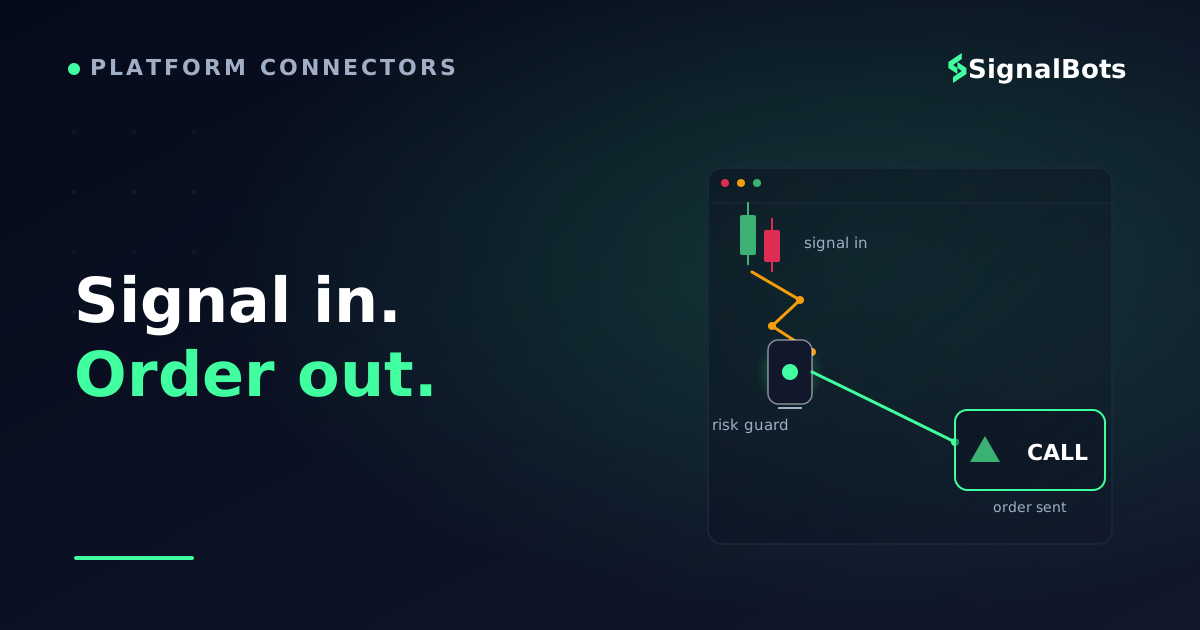
Here is the shape of the conversation your script is about to have. Five messages carry the whole bot, and only one of them is the trade.
How the pieces talk
sequenceDiagram
    autonumber
    participant Browser
    participant Bot
    participant PO as PO Socket
    Browser->>Bot: Session ID from cookie
    Bot->>PO: Open socket and authenticate
    PO-->>Bot: Account mode and balance
    Bot->>PO: Subscribe to one asset
    PO-->>Bot: Live price updates
    Note over Bot: Candle closes, strategy decides
    alt Risk guard allows it
        Bot->>PO: Place call or put with expiry
        PO-->>Bot: Trade id accepted
        PO-->>Bot: Settled result and profit
    else A limit is already hit
        Bot->>Bot: Stand aside and log the reason
    end
Nothing in this exchange is a documented API call. Every arrow is your script imitating what the web platform does in your browser.
With the library installed and PO_SSID exported, the connection itself is anticlimactic. Constructing the client opens and authenticates the socket; after that you have WebSocket streaming of live prices and a handful of account methods.
Step 2 — connect and stream
pythonconnect.py
import os
import time

from BinaryOptionsToolsV2.pocketoption import PocketOption

ASSET = "EURUSD_otc"

client = PocketOption(ssid=os.environ["PO_SSID"])
time.sleep(5)  # let the socket finish its handshake before you ask it anything

# Hard stop: this script is not allowed to touch a funded account yet.
assert client.is_demo(), "Session is not a demo account - refusing to run."

print("balance:", client.balance())
print("payout on", ASSET, "=", client.payout().get(ASSET))

for tick in client.subscribe_symbol(ASSET):
    print(tick["time"], tick["close"])
The whole connection is three lines. The assert on line 12 is the one you will be glad you wrote.
Two things in that snippet matter more than they look.
The time.sleep(5) is not superstition — the constructor returns before the handshake completes, and calling balance() immediately gets you a confusing empty answer. The assert client.is_demo() is your seatbelt: while you are iterating on logic, the script should be structurally incapable of touching a funded balance.
Note the asset name: EURUSD_otc. Pocket Option's weekend and synthetic instruments live on the OTC market and carry a different symbol suffix from the weekday pair, so a hard-coded symbol that worked on Sunday can silently be the wrong instrument on Monday.
Writing the Signal Logic
Before you write a condition, know the number it has to beat. Binary outcomes are asymmetric: a win pays the payout percentage of your stake, a loss costs all of it. That asymmetry sets a break-even win rate your logic has to clear before any amount of clever sizing helps.
What win rate does your logic have to clear?
A binary loss costs the whole stake while a win pays only the payout percentage. Move the sliders to see the bar your decide() function has to beat.
Payout on the asset
Win rate your logic achieves
Stake per trade
$
Trades per day
Break-even win rate
—
Edge per trade
—
Expected day
—
Illustrative arithmetic, not a forecast: at an 82% payout your logic has to be right more than 54.9% of the time before the stake schedule matters at all.
Now the logic. A moving-average crossover with a momentum filter is a deliberately unremarkable starting point — the value here is not the strategy, it is the shape: one pure function, fed only by closed candles, returning one of three answers.
Step 3 — the decision
pythonstrategy.py
from collections import deque

closes = deque(maxlen=300)  # only ever holds CLOSED candles


def sma(series, length):
    if len(series) < length:
        return None
    return sum(series[-length:]) / length


def rsi(series, length=14):
    if len(series) < length + 1:
        return None
    window = series[-(length + 1):]
    pairs = list(zip(window, window[1:]))
    gains = sum(max(b - a, 0.0) for a, b in pairs)
    losses = sum(max(a - b, 0.0) for a, b in pairs)
    if losses == 0:
        return 100.0
    return 100 - 100 / (1 + gains / losses)


def decide(fast=9, slow=21):
    '''Direction for the candle that just closed, or None to stand aside.'''
    series = list(closes)
    now_f, now_s = sma(series, fast), sma(series, slow)
    was_f, was_s = sma(series[:-1], fast), sma(series[:-1], slow)
    momentum = rsi(series)
    if None in (now_f, now_s, was_f, was_s, momentum):
        return None
    if was_f <= was_s and now_f > now_s and momentum < 70:
        return "call"
    if was_f >= was_s and now_f < now_s and momentum > 30:
        return "put"
    return None
decide() reads only from closed candles and returns one of three answers: call, put, or stand aside.
Three design choices in that function are worth copying into whatever strategy you eventually run:
It is pure.decide() takes no client, places no orders, and prints nothing. That is what makes it testable and what lets the replay in the last section use the identical code path.
It reads closed candles only. Computing an indicator on a candle that is still forming means your signal changes as the price moves, and a rule that looked perfect on the chart never reproduces live.
It returns None often. Standing aside is a decision. A bot that must trade every candle is a bot that trades noise.
When you later want to tune the periods, the thresholds, or the stake schedule, that is a parameter question rather than a code question — tuning strategy parameters is its own discipline, and the honest version of it happens against data your parameters have never seen.
Placing the Trade From Code
A binary order needs three inputs: direction, stake, and expiry time. The library exposes direction as two methods — buy() for a call, sell() for a put — and hands back a trade id you use to collect the result.
Step 4 — execution
pythonexecute.py
MIN_PAYOUT = 80   # skip the asset entirely below this
STAKE = 1.0
EXPIRY = 60       # seconds, and it must match a duration the platform offers


def place(client, asset, direction, stake=STAKE, expiry=EXPIRY):
    if client.payout().get(asset, 0) < MIN_PAYOUT:
        return None  # the edge you need rises as the payout falls

    if direction == "call":
        trade_id, deal = client.buy(asset=asset, amount=stake, time=expiry)
    else:
        trade_id, deal = client.sell(asset=asset, amount=stake, time=expiry)

    outcome = client.check_win(trade_id)  # blocks until the option settles
    return outcome  # {'result': 'win' | 'loss' | 'draw', 'profit': float}
The payout check runs before the order, not after the loss. check_win blocks until expiry, so a 60-second trade owns the loop for 60 seconds.
The payout gate on the first line is the cheapest real edge in the whole script. Payouts move by asset and by hour, and the calculator above shows why: the win rate you need climbs as the payout falls, so an asset paying well below your floor quietly turns a marginal edge into a negative one. Filtering on it costs one dictionary lookup.
Also note that check_win() blocks until the option settles. A 60-second expiry owns your loop for 60 seconds, which is fine for a single-asset bot and the first thing you will restructure when you want several assets at once.
Guard the Downside, Then Replay Before You Go Live
You now have a script that can trade. That is exactly the moment it becomes dangerous, because the failure mode of automation is not one bad trade — it is the same bad trade twenty times while you are asleep.
The minimum viable guard is three counters: money lost today, trades taken today, and consecutive losses. Any one of them tripping stops the bot.
Step 5 — the guard
pythonguard.py
class RiskGuard:
    '''Nothing places an order without asking this object first.'''

    def __init__(self, daily_loss_cap, max_trades, max_losing_streak):
        self.daily_loss_cap = abs(daily_loss_cap)
        self.max_trades = max_trades
        self.max_losing_streak = max_losing_streak
        self.pnl = 0.0
        self.trades = 0
        self.streak = 0

    def blocked_reason(self):
        if self.pnl <= -self.daily_loss_cap:
            return "daily loss cap reached"
        if self.trades >= self.max_trades:
            return "daily trade limit reached"
        if self.streak >= self.max_losing_streak:
            return "losing streak limit reached"
        return None

    def record(self, profit):
        self.pnl += profit
        self.trades += 1
        self.streak = 0 if profit > 0 else self.streak + 1
Three counters and one question. A bot without this object is a bot that discovers its worst day unattended.
That object is your kill switch, and the rule is that no order is placed without consulting it. Here is the whole bot with the guard wired in — connection, stream, decision, guard, execution:
The whole thing, assembled
pythonbot.py
guard = RiskGuard(daily_loss_cap=15, max_trades=20, max_losing_streak=3)
last_ts, last_close = None, None

for tick in client.subscribe_symbol(ASSET):
    # The stream fires many times per candle. Only a NEW timestamp means
    # the previous candle is final and safe to act on.
    if last_ts is not None and tick["time"] != last_ts:
        closes.append(last_close)

        reason = guard.blocked_reason()
        if reason:
            print("halted:", reason)
            break

        signal = decide()
        if signal:
            outcome = place(client, ASSET, signal)
            if outcome:
                guard.record(outcome["profit"])
                print(signal, outcome["result"], guard.pnl)

    last_ts, last_close = tick["time"], tick["close"]
Connect, stream, decide, guard, order — the entire bot in twenty lines, with the guard consulted before every single trade.
The timestamp check is the non-obvious line. The stream fires many times per candle, and acting on every update means acting on a candle that is still forming. Only a new timestamp proves the previous candle is final. The counters that halt the loop are not a safety extra — they are the only part of the script that limits how wrong an unattended run can get.
Now replay it. Pull historical candles with the same client, push them through the same decide() function, and count what would have happened.
Step 6 — replay before you deploy
pythonreplay.py
history = client.get_candles(ASSET, period=60, offset=7200)  # 2h of 1m candles

closes.clear()
wins = losses = 0

for i, candle in enumerate(history[:-1]):
    closes.append(candle["close"])
    signal = decide()          # the SAME function the live bot calls
    if not signal:
        continue
    entry = candle["close"]
    settle = history[i + 1]["close"]
    won = settle > entry if signal == "call" else settle < entry
    wins += int(won)
    losses += int(not won)

print(f"{wins} wins / {losses} losses over {wins + losses} signals")
The replay imports decide() rather than reimplementing it — so what you measure is the code that will actually trade.
Be honest about what that backtest is and is not. It ignores payout, assumes you fill at the candle close, and treats a 60-second expiry as "next candle" — so it is a sanity check that your logic fires sensibly and not too often, not a track record.
Two traps to respect: only ever feed the loop candles up to index i, or you have introduced look-ahead bias and the numbers become fiction; and if you find yourself adjusting parameters until the replay looks good, you are producing overfitting rather than evidence.
When the replay looks reasonable, the next stage is not a funded account — it is the same script running against the demo session for long enough to see it handle a dropped socket, an expired session, and a losing streak.
One more thing you owe yourself before going live: read Pocket Option's terms on automation. The account-ban risk of running a self-built bot is a real and separate question from whether the code works, and it deserves its own answer rather than an assumption buried in a build guide.
Where the Full Open-Source Code Lives
The snippets above are a distilled skeleton. When you want a complete multi-file project to read, two repositories come up in nearly every "pocket option bot github" search, and they take genuinely different approaches:
VitalySvyatyuk/pocket_option_trading_bot — drives a real browser session and listens to the socket the page already uses, which sidesteps the session-copying step entirely. It ships three separate entry points that map neatly onto the tiers above: a martingale bot, a Parabolic-SAR indicator bot, and a Random-Forest classifier over oscillator features. A v2 adds a setup interface, take-profit and stop-loss handling and a backtesting module; check its licence note before assuming v2 is free to run indefinitely.
reddy-eimann/pocketoption-python-auto-trading-bot — an async project built the other way round: it ingests signals from a Telegram channel, applies payout filters, daily loss and profit limits, and martingale-depth caps, then executes. Useful mainly as a reference for the risk-control layer, which is more developed than in most hobby repos.
Read both the same way. Open the authentication path first — it tells you whether the project drives a browser or holds its own socket, which decides how much maintenance you are signing up for. Check the last commit date, because in this niche a project that has been quiet for a year is usually broken. Then run it on demo, unmodified, before you change a single parameter.
Want the Signal Without Maintaining the Code?
Here is the part nobody puts in the tutorial. The strategy code you just wrote is stable — a crossover is a crossover next year. The connection is not. Sessions expire, message formats shift, and the maintenance you signed up for is not improving decide(), it is re-pasting a cookie and reading a stranger's commit log to find out why auth started failing.
That is the moment worth naming, because it is where a lot of self-built bots quietly stop running. If what you actually wanted was the signal rather than the plumbing, our free live binary options signals feed runs the same species of chart-analysis-to-signal logic you just coded — the same indicator-condition-direction pipeline — and shows each signal's direction and reward-to-risk context without you holding a session token open.
To be clear about the boundary: it is a feed you read, not a runtime for your strategy. It will not execute your custom Python conditions, it will not place your orders, and it replaces none of the authentication or execution code above. If the point of the project was to run your logic, keep building — the feed is for the case where the logic was never the part you cared about.
What You Actually Own When You Build It Yourself
Judged purely on cost-to-first-trade, writing your own bot loses to installing someone else's. That is not the right comparison. What a self-built bot buys you is that every decision is legible: when it takes a trade you can name the condition, when it stops you can name the counter, and when it breaks you can read the traceback instead of guessing at a black box.
The realistic path is unglamorous. Build the rule-based version. Run it on demo until the boring failures — dropped sockets, dead sessions, a flat market that produces no signals for an hour — are all things you have watched it survive. Only then argue about indicators.
You came in for
“a Python bot that trades Pocket Option while you sleep”
and what you leave with is
a session-authenticated script you understand line by line.
The connection was the easy part. The guard around it is the product.
Two hundred lines of Python will connect, stream, decide and execute. What separates a script that survives a month from one that burns a balance in an afternoon is everything around those lines: a session you refresh deliberately, a payout floor, a losing-streak counter, and a replay you ran before you ever switched off the demo flag. Build the rule-based version first, keep it boring, and only add a tier when the boring one runs clean for a week.
How long does a Pocket Option session ID stay valid?
There is no published lifetime, because it was never meant to be used this way. In practice a session survives while your browser session does and dies when you log out, log in elsewhere, or the platform rotates it. Write your bot to fail loudly on an auth error rather than looping silently, and expect to re-copy the cookie periodically — this is the single most common reason a working bot stops working.
Which Python library should I start with?
Pick a maintained one over a clever one. binaryoptionstoolsv2 currently covers the whole surface a first bot needs — connect, stream candles, fetch history, place orders, check results — with both sync and async clients. Whichever you choose, open its source and read the authentication function before you trust it with a session that has full access to your account.
Do I need machine learning to build a useful bot?
No, and starting there usually costs you months. A classifier over indicator features is a legitimate tier, but it needs labelled history, a training pipeline, and validation on data the model never saw — and when it misbehaves you cannot read the reason off the screen. Get a rule-based bot running end to end first; the plumbing you build is identical either way.
Can I run the bot on a VPS instead of my laptop?
Yes, and you should once it is stable, since an unattended bot on a sleeping laptop is a bot that misses its own stop conditions. Nothing in the code changes: the same script, the same environment variable, the same demo-first discipline. Add logging you can read remotely and make sure you have a way to kill the process that does not require the machine to be responsive.
Why does my bot take trades that never appeared in the replay?
Almost always because live code is deciding on a forming candle while the replay decided on closed ones. The timestamp guard in the main loop exists for exactly this. The second most common cause is a symbol mismatch — a weekday pair and its OTC variant produce different price series under similar-looking names.
What is the smallest version worth building in one evening?
Connect, print the balance, subscribe to one asset, and log every candle close for an hour without placing a single trade. It sounds trivial and it is the highest-value hour in the project: it proves your session works, shows you how often the stream fires, and gives you the candle data to replay against — all before any code can lose money.
Sources & Further Reading
Want to go deeper? These independent, authoritative sources shaped this guide — each one is worth reading in full:
The Binary Options Desk is the SignalBots editorial team for fixed-time and OTC trading coverage. We research and write the guides that explain expiry timing, payout structure and disciplined entry across the major brokers.



Discussions 0
Leave a comment