You joined a signals channel, muted your phone for an hour, and came back to forty messages. Somewhere in that scroll was a EUR/USD call with a five-minute expiry that filled and closed before you ever saw it. The setups aren't the problem — the delivery is.
That's the gap a Telegram signal bot is built to close. Instead of a person typing calls into a channel when they're at their desk, an automated account pushes each setup to your phone the moment it's generated. But "automated" gets used loosely, and the assumption it invites — that the bot is also trading for you — is the single most expensive misunderstanding in this corner of the market.
This walkthrough covers the mechanics of a binary options signals Telegram bot end to end: what actually makes a channel a bot, how a signal travels from a strategy engine to your lock screen, the concrete steps to connect one inside Telegram, how to read the alert that arrives, and exactly where the automation stops. A missed signal usually isn't a bad setup — it's a message that arrived after the window to act on it had already closed.
Key Takeaways
A Telegram signal bot automates delivery, not analysis and not execution — the bot account is a pipe between a signal provider's engine and your lock screen.
Setup is short (find it from a verified source, press Start, set filters, enable per-chat notifications), but a bot never needs your broker credentials — any that asks is disqualified.
Read every alert as four fields: asset, direction, expiry and entry window; mismatching the expiry turns a signal into a different trade.
Alert-only automation ends where execution automation begins — a Telegram bot has no market access, so a second tool (extension, connector, copier) is required before anything places trades for you.
Table of Contents (24 min read)Contents
What makes a Telegram signal "automated" — bot vs human-run channel
A Telegram signal channel is just a broadcast surface. What makes it automated isn't the channel — it's who or what is doing the posting.
In a human-run channel, a trader or analyst watches charts, spots a setup, and types it out. Delivery speed is bounded by that person: their timezone, their attention, their typing. In an automated bot, the posting account is a bot account — a Telegram identity with no phone number behind it, driven entirely by software over Telegram's Bot API. A strategy engine emits a signal, the software hands it to the bot, and the bot posts or pushes it. Nobody types anything.
You can usually tell which one you're in within a few minutes of reading:
Formatting is identical to the character. Bots render from a template, so every message has the same field order, the same emoji, the same spacing. Human posts drift — a missing expiry here, a different date format there.
Cadence tracks the market, not a person. Alerts cluster around session opens and volatility, then stop cleanly. Human channels have gaps that look like sleep and lunch.
Nobody answers a question. Post "why this entry?" in a bot feed and you'll get silence or a canned /help reply. A moderator answering in their own words is the clearest human tell there is.
There's a Start button and a command menu. Bots expose slash commands. Channels run by people don't.
Results get appended, not discussed. A bot edits or replies to its own message with the outcome. Humans post commentary, screenshots, and excuses.
Neither type is inherently better, and they fail differently. A human channel goes quiet when the person behind it gets busy or loses interest. A bot goes quiet when a server dies, an API token gets revoked, or the provider stops paying for hosting — and it does so silently, which is worse, because a dead bot sitting in your chat list looks exactly like a live one waiting for a setup. (Which specific channels are worth joining, and how to vet a signal group's legitimacy across platforms, are separate questions with their own answers — this page is about the mechanics of the bot itself.)
How does a binary options signal bot actually work?
Three separate things have to line up for a signal to reach your lock screen, and confusing them is where most of the trouble starts.
Layer one is the source. Something generates the call: an indicator script, a model scoring price action, a scanner watching a basket of pairs — or, sometimes, a person clicking a button in an admin panel. This is the signal provider, and it is where all the actual analysis lives.
Layer two is the delivery bot. The bot account is a pipe. It receives a structured message from the provider's system and posts it to Telegram over the Bot API. It performs no analysis whatsoever. This matters more than it sounds: a bot front end tells you nothing about whether the back end is automated. A perfectly automated-looking feed can be one person typing into a form that a bot then formats and broadcasts.
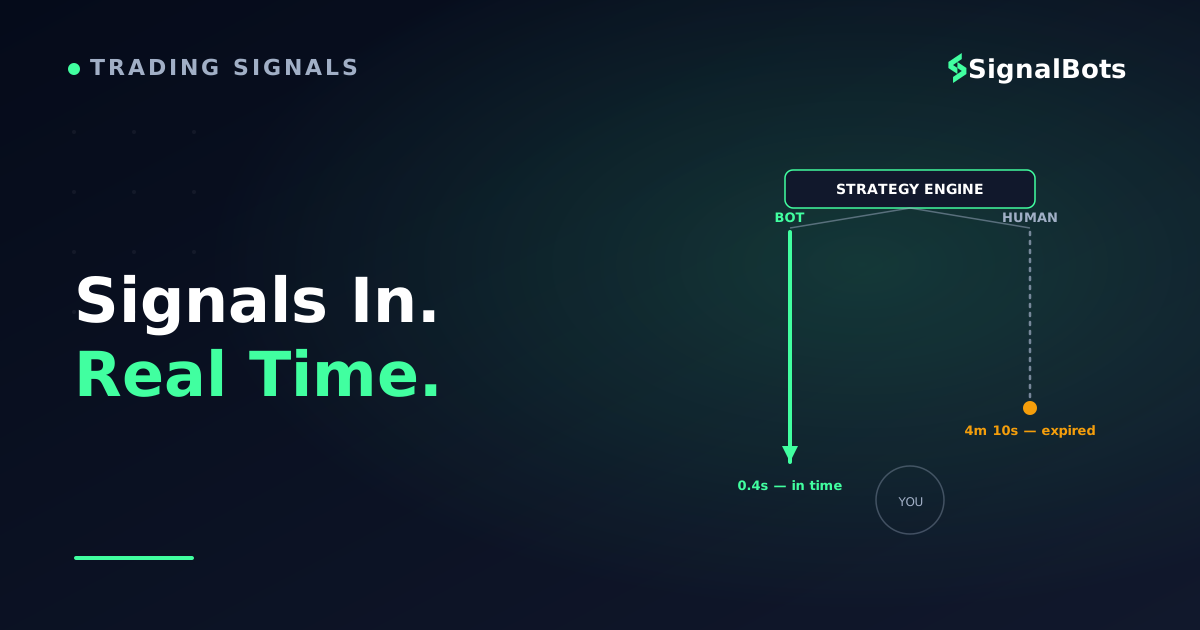
Layer three is your device. Telegram's own infrastructure pushes the message out to every device you're signed in on. Because it's genuinely a push rather than a polling model, your phone doesn't have to check for anything — the message arrives on its own. That's the real speed advantage over refreshing a web dashboard, and the reason signal latency — the delay between a setup being generated and it landing in front of you — is measured on this path and not on the analysis that came before it.
The delivery pipeline
How a signal reaches your lock screen
1
Source generates the call
An indicator, model or scanner — or a person in an admin panel — produces the actual analysis behind the setup.
2
Delivery bot formats and posts
The bot account receives the structured message and pushes it to Telegram over the Bot API — it performs no analysis of its own.
3
Telegram pushes it to your device
Telegram's infrastructure delivers the message the instant it's posted — your phone doesn't have to check for anything.
Three layers have to line up before a setup becomes a message on your screen — and only the first one involves analysis.
Worth keeping straight: latency describes delivery, never accuracy. A signal that reaches you in milliseconds is a fast signal, not a good one.
One architectural detail shapes every setup flow you'll ever follow: a Telegram bot cannot message you first. By design, the conversation has to be opened from your side. That's why every legitimate signal bot's instructions begin with you finding it and pressing Start, and why a bot that somehow starts messaging you unprompted is a sign that something else — a scraped contact list, a group you were added to — is in play.
Connecting an automated signal bot on Telegram (step by step)
The binary options bot Telegram setup itself takes a couple of minutes. Getting it right is mostly about the first step and the fifth.
Find the bot from a source you can verify. Go to the provider's own website or their verified main channel and use the link published there. Telegram usernames are unique, but lookalikes are trivial — an extra underscore, a capital I where a lowercase l belongs. Never start a bot from a link forwarded to you by a stranger in a group chat.
Open it and press Start. This sends the /start command and is what authorizes the bot to send you anything at all. Until you do, it has no channel to you.
Read the command menu before touching settings. Most signal bots expose a small set: something like /signals to see recent calls, /settings for filters, /status to check the feed is live, /help for the rest. That menu is also your first real quality signal — a bot with a single command and a payment link is not built for delivery.
Set your filters narrowly, then widen. Typical controls are the asset list, which expiry lengths you want, which trading sessions you're awake for, whether weekend over-the-counter instruments are included, and a cap on alerts per hour. Starting with everything switched on is how people end up back at forty unread messages, having solved nothing.
Grant only what the job needs. An alert bot needs permission to send you messages. That's it. It does not need your phone number, your contacts, admin rights in your groups, or — under any circumstance — your broker password. If a bot offered by a trading platform links to your account, the correct direction is always outward from the platform: you enable the integration inside the platform's own interface and approve the connection, and credentials never travel through a chat window. Anything that asks you to paste a login into Telegram is not a signal bot.
Turn notifications on for that specific chat. Telegram mutes and per-chat settings are the difference between an instant alert and a stale signal you find after the expiry has already passed. If you keep Telegram globally silenced, exempt this one chat.
Confirm delivery before you trade it. Watch one full session without placing anything. Check that the timestamps in the messages match your platform's clock, that the assets named are actually tradable on your account at that hour, and that the alerts arrive rather than appearing only when you open the app.
Checking a bot is still alive
Dormant bots are common enough that this deserves its own habit. Before you rely on a feed again after any gap, scroll to the last message and read its date; send /status or /help and see whether anything replies; and check whether outcomes are still being posted against past calls rather than just new entries. A feed that posts entries but stopped posting results is a bot whose result-reporting job broke — and you have no way to audit it until it's fixed.
Reading the signal a bot sends you
A binary options signal from a bot is a fixed set of fields in a fixed order. Once you know the anatomy, the whole message reads in about a second — which is the point, because you often have less than a minute of useful entry window.
Signal anatomy
Anatomy of a bot-sent signalThe four fields you check before you act on any alert
AssetThe instrument as the provider names it — confirm it matches your platform's symbol before you click.
ExpiryThe field people get wrong most — match it exactly, since a different expiry is a different trade, not a faster version of the same one.
A bot-sent signal message
DirectionCALL or PUT (sometimes UP/DOWN) — whether the setup expects price above or below the entry level at expiry.
Timestamp / entry windowWhen the signal was generated and how long it stays valid — outside that window, the correct move is to skip it.
Every field in a bot's message maps to a decision — skip any one of them and you're trading a setup you didn't actually read.
Asset. The instrument, written in the provider's naming, which may not match your platform's. EURUSD, EUR/USD and EURUSD-OTC can be three different tradable symbols on your screen. Confirm it before you click, especially on weekends when only over-the-counter instruments are open.
Direction.CALL or PUT — whether the setup expects the price above or below the entry level at expiry. Some bots write UP/DOWN or BUY/SELL; they mean the same thing.
Expiry. The one field people get wrong most often. A five-minute setup entered on a one-minute expiry is simply a different trade with a different probability, not a faster version of the same one. Match the expiry time exactly to what the message says.
Timestamp or entry window. When the signal was generated, and often how long it stays valid. If you're outside that window, the correct action is to skip it. This is the field most worth being ruthless about.
Confidence or strength score, when present. A provider's own internal scale. It is not comparable to another provider's number, and it is not a probability.
Then there's the message that arrives afterwards: the result. Bots usually edit the original message or reply to it, marking the outcome as in the money or out of the money. That history is the single most useful thing in the whole chat, because it lets you calculate the feed's historical win rate yourself instead of trusting a number in a pinned post. A bot that broadcasts entries but never posts results has made itself unauditable, and a pinned win-rate claim with no visible history behind it is a claim, not evidence.
When you do have that history, run it against your actual economics rather than reading the percentage in isolation. Because binary payouts are asymmetric, the payout percentage sets the bar your win rate has to clear before anything else matters. Suppose an instrument pays 80% on a win and returns nothing on a loss: over many trades you'd need to win more than roughly 55.6% of them just to end up flat, because each loss costs the full stake while each win returns four-fifths of it.
The calculator below does that arithmetic for whatever payout your own platform quotes, so you don't have to take the 80% example on faith. Move the two sliders to your real numbers and watch where the break-even line lands — it's a five-second check that reframes a lot of impressive-sounding feeds, and the standalone break-even win rate calculator is there when you want to come back to it later.
Whatever number comes out, treat every posted result as historical rather than predictive — our risk warning covers what that distinction means in practice.
Do the math before you trust the feed
Break-even win rate calculator
Enter your platform's payout and your own win rate to see where a feed actually clears break-even.
Payout on a win
Your win rate
Stake per trade
$
Break-even win rate
—
Expected P&L per trade
—
Plug in your platform's payout and your own win rate — the break-even line moves more than most feeds admit.
Alert-only vs auto-execution — where the bot's job stops
Here is the distinction almost every page on this topic leaves blurred. "Automated" describes two completely different things, and only one of them touches your money.
Tier one — alert-only automation. The bot generates and delivers the message without human involvement. That's the entire scope of the automation. You read it, you open your platform, you select the asset, you set the expiry, you click. This is what the overwhelming majority of Telegram signal bots do, including nearly every free one.
Tier two — execution automation. Something with actual market access places the trade. That "something" is never the Telegram bot itself, because a Telegram bot has no connection to any broker by design — it lives inside a messaging app. It's always a second component: a platform's own in-app bot operating on your linked account, a browser extension acting on the trading page in front of you, a connector relaying into MT5, or a copy trading arrangement that mirrors a lead account.
Where the bot's job stops
Where the bot's job stops
Tier 1 — Alert-only
The bot generates and delivers the message — that's the entire scope of the automation.
You read it, open your platform, pick the asset, set the expiry, and click yourself.
What the overwhelming majority of Telegram signal bots do, including nearly every free one.
No connection to any broker exists — a Telegram bot lives inside a messaging app only.
Fast alerts, but every trade is still yours to place.
VS
Tier 2 — Execution automation
A second component with real market access places the trade — never the Telegram bot itself.
That component is a platform's in-app bot, a browser extension, a connector, or a copy-trading link.
Requires you to link an account, approve an integration, or install something deliberately.
Keeps trading through a losing streak at whatever stake it defaults to if left unconfigured.
Hands-off execution, but it needs its own stake, loss-limit and position-cap setup.
Two different things both get called "automated" — only one of them touches your account.
The test is simple and it takes one question: does the thing sending you the message have any connection to your trading account? If it only exists in Telegram, the answer is no, and every trade is yours to place. If you had to link an account, approve an integration, install an extension, or enter credentials somewhere legitimate, you're in tier two and you need a different set of controls.
Why the confusion is expensive: a trader who believes tier-one alerts are being executed mentally books trades that never happened, sizes the next position against an account balance that didn't change, and discovers the gap only when the numbers refuse to reconcile. In the other direction, a trader who enables tier-two execution automation without configuring it inherits a system that will keep placing trades at whatever stake it defaults to, through a losing streak, while they sleep.
If you do move to tier two, decide three things before you enable it: your stake per trade, a daily loss limit that stops the system automatically, and a cap on how many positions can be open at once. And be wary of anything that markets execution automation as risk-free or as a guaranteed income — automating the click removes the hesitation, not the losses.
Seeing bot-style automated delivery in action
Once the anatomy makes sense, it's worth seeing it arrive rather than reading about it. Our own binary options Telegram channel is a working example of tier-one delivery in exactly the shape described above: setups are generated by our engine and pushed to Telegram the instant they exist, formatted as CALL or PUT with the asset, the expiry and the timestamp in a fixed layout — machine-generated and machine-posted, with no moderator typing calls or curating which ones get published.
The part worth using it for is the audit trail. Every past setup stays in the feed with its outcome attached, so you can scroll back, count the results against the payout your own platform offers, and decide whether the feed clears your bar before you take a single trade from it. That's the check this article has been arguing for, applied to us.
And the boundary, stated plainly: this is alert delivery. It reaches you at bot speed, but execution stays in your hands — you still open the platform and place the trade — unless you separately add our browser extension, which is a distinct tier-two tool. On its own it is not a hands-off auto-trading bot, and it shouldn't be evaluated as one. If you want the same setups on a chart instead of in a chat, our live binary signals feed carries them on the site.
Is an automated bot the right fit for your trading?
Bot delivery solves a narrow problem very well and a broad one not at all.
It fits you if you already know which setups you'd take and which you'd skip, you trade defined sessions and want alerts to find you inside them, you're comfortable acting on a message without a paragraph of reasoning attached, and you'd rather audit a feed's posted history than argue with an analyst about it.
It doesn't fit you if you're still learning to judge a setup and need the reasoning more than the alert — a human-run channel or a discussion group serves that far better. It also doesn't fit if you can't reliably be at your platform during the entry window, since a binary signal you receive but can't act on inside its expiry is worth nothing. And it doesn't fit if you know you'd take every alert that arrives; a bot's whole design is to increase the number of setups that reach you, which is an improvement only if you have a filter of your own.
The honest summary is that a Telegram signal bot changes delivery and nothing else. It removes the scroll-back, the missed window and the dependence on someone being awake. It does not remove the need to size positions, respect a daily loss limit, or decide which setups are yours to take — and a bot that implies otherwise is telling you something about the provider, not about the technology.
FAQ
Can a Telegram bot place binary options trades for me?
Not by itself. Telegram bots run inside the messaging app and have no connection to any broker or trading platform, so a bot in a chat can only send you a message. Automated execution always requires a second component with real account access — a platform's own linked integration, a browser extension, or a connector — and you have to install and configure it deliberately.
Do I need to give a signal bot my broker login?
No, and you should treat the request itself as disqualifying. A delivery bot needs one permission: the ability to send you messages. Where a platform genuinely offers a linked bot, you enable it from inside the platform's own interface and approve the connection there, so credentials never pass through a chat.
Why did my bot stop sending signals?
Usually because something upstream broke rather than because the market went quiet — a revoked API token, an expired subscription, an unpaid server, or an abandoned project. Check the date of the last message, send /status or /help to see whether anything responds, and confirm your per-chat notifications weren't muted. A bot that has gone dormant looks identical to a live one in your chat list, which is why the date check matters.
Is a bot really faster than a human-run channel?
On delivery, yes, and by a wide margin — there's no interval between a setup existing and the message being sent, because no one has to notice it and type it out. But that speed applies only to how the alert reaches you. It says nothing about the quality of the analysis behind the call, which comes from the provider, not the bot.
How many signals per day should a bot send?
There's no correct number, and a high count is not a feature. What matters is that the cadence is stable and explainable by the strategy — a bot scanning many pairs across all sessions will naturally post more than one watching a handful during London hours. A sudden jump in volume without a change you configured is usually a widened filter or a lowered threshold, and both are worth investigating before you keep trading the feed.
Will the bot work on my phone and my desktop at the same time?
Yes. Telegram syncs the same chat across every device you're signed in on, so the alert arrives everywhere at once. Set notifications on whichever device you'll actually be holding during your trading sessions, and mute the rest so the feed doesn't become background noise.
Sources & Further Reading
Want to go deeper? These independent, authoritative sources shaped this guide — each one is worth reading in full:
The Binary Options Desk is the SignalBots editorial team for fixed-time and OTC trading coverage. We research and write the guides that explain expiry timing, payout structure and disciplined entry across the major brokers.



Discussions 0
Leave a comment