 Add to Edge
 Add to Firefox
Activate your free Amir FX Bot AI Pro licence
Message our support team and they activate your free licence. It unlocks the fast expiries in the web app and in the browser extension.
Binary options signal app · Free & licensed
 Amir FX Bot AI Pro
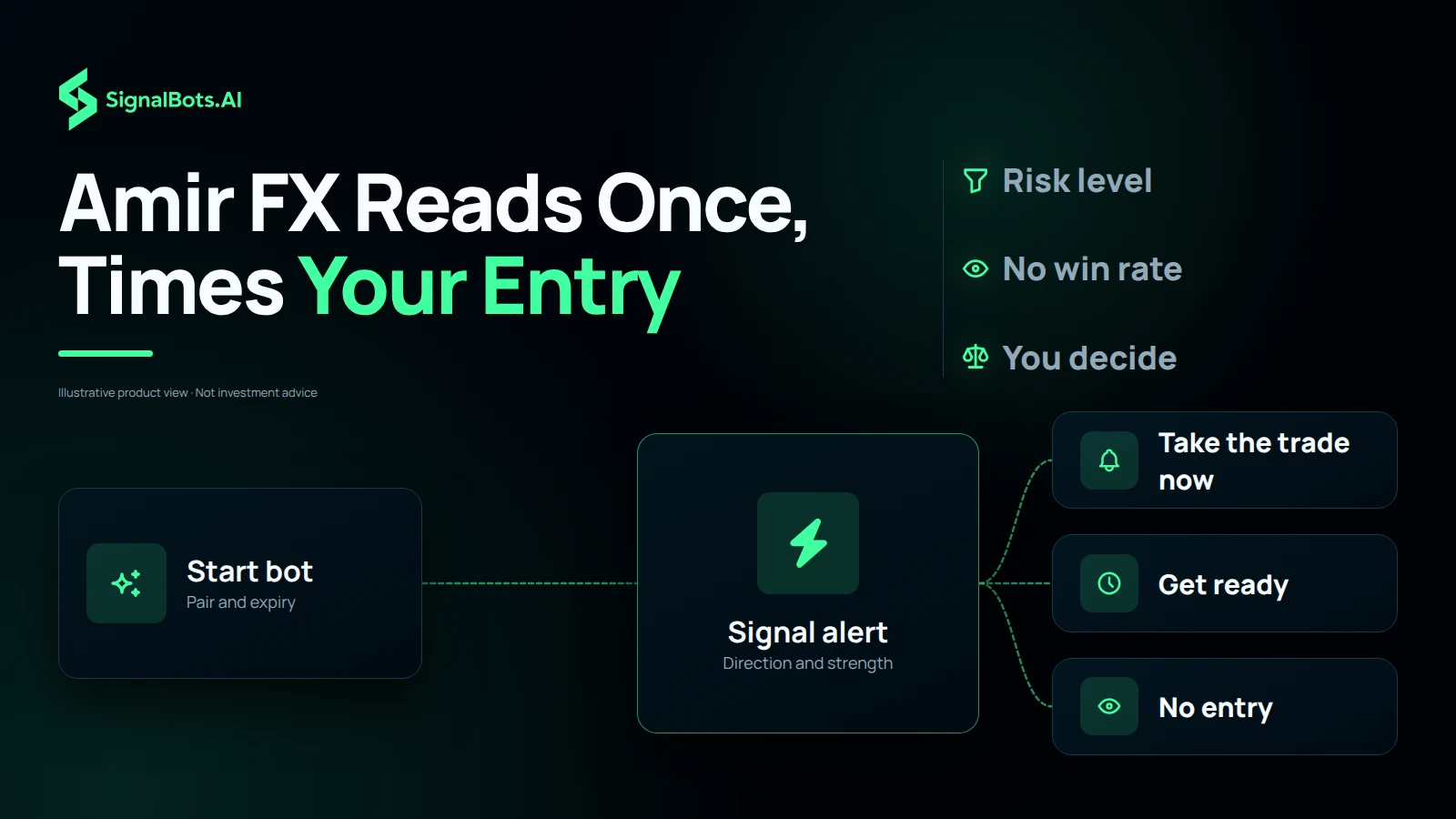
Choose OTC or the live market, your broker, pair and expiry, then tap Start bot. Amir FX reads which way the candle goes: UP or DOWN, a strength score, when to enter and a countdown to the end of the trade. Set a risk level and it acts only on reads as strong as you ask for. It is built around Pocket Option and runs on Quotex and seven more brokers.
Educational reads, not financial advice. Trading carries a risk of loss: read our risk warning.

Amir FX
Bot AI Pocket Option
24engine signals today
 Pocket Option
 Quotex
 IQ Option
 Olymp Trade
 Binomo
 Exnova
 Bubinga
 Deriv
Deriv Alpari
Open 24/7
Pocket Option OTC book
AI signal engine
Set your pair and expiry, then start
4live now
Standby
0s
UP
Press Start bot to get a signal
One read for the pair and expiry below
AI analyzing market
AUD/CHFOTC4h
Reading the candle0%
Timing the entry to the candle…
Signal alert
AUD/CHFOTC
UP
Get ready: take the trade in
0s
Trade complete
AUD/CHF
Check how it closed on your broker's chart. The app never scores a trade.
What's next?
The engine is ready for the next entry.
Trade 5s to 2h expiries with a licenceTimeframe
Selected: 4 hours
Risk level
Moderate
Takes reads of 70% and up
OTC pairs
15 pairsScan every pair on this candle, then tap one to trade it.
Signal inputs
No read yetRecent signals
This tab onlyYour reads appear here, newest first. They stay in this tab and are never scored.
Licensed to Not activated Get a licence
Educational reads, not financial advice. Trading carries a risk of loss: read the risk warning.
Follow the steps in order. Activate your free licence first, then watch how to use the app on the web or as a Chrome or Firefox extension.
Message our support team and they activate your free licence. It unlocks the fast expiries in the web app and in the browser extension.
Open Amir FX Bot AI Pro on this page, pick your broker, pair and expiry, then tap for a read and place the trade at your broker.
Install Amir FX Bot AI Pro in Chrome and read signals docked beside your broker tab, without switching windows.
Install Amir FX Bot AI Pro in Firefox and read signals docked beside your broker tab, without switching windows.
The app has five settings and one big button. The settings say what to read and how strict to be, Start bot reads it, and the engine card runs the answer from the alert to the end of the trade.
It answers one question before you place a trade: on this broker, this market, this pair and this expiry, which way does the engine read the candle you can still take whole, and is that read strong enough for you? Most traders open it at one of three moments.
The screenshots are this page’s own app, captured at the settings each step names. Anything a step does not name stays where the page loads it: OTC market, Pocket Option, AUD/CHF, the 4h expiry and the Moderate risk level. Four marks tell you what to look at.
Direction, strength and the countdowns belong to the candle running when you tap, so the values in these pictures are the reads that existed at capture time. What does not change is where each answer appears and what it means.

What this means for you: check the pair gauge before the direction. A clean read made for another pair or expiry is a read of another trade.

What it is. OTC market reads your broker’s own round-the-clock pairs, which trade at the weekend too, and the app opens on it. Live market reads the real cash-market pairs, which follow forex hours; while they trade, the status tile names the sessions open right now.
What switching it does. The pair list and the pair board are refilled from the other book. While the cash market is closed, Start bot on a live pair asks you to switch to OTC instead of inventing a read.
What this means for you: match this to the book your ticket fills on. A live-market read is the wrong instrument for a weekend OTC trade.

What it is. The broker the read is made for. Brokers quote the same pair slightly differently, and their OTC books differ more.
What switching it does. Tap a name, or use the arrow keys and Enter. It stamps the header with that broker, swaps the OTC pairs to that broker’s own book, and decides whether your licence unlocks the fast expiries there.
What this means for you: change the broker whenever you change terminals. A read made for another broker’s quotes is a read of another market.

What it is. On an expiry under an hour, a trade should get the whole candle it was read for. So when less than half of the running candle is left, the app reads the next candle and the alert counts down to its open. Tap Got it and the orb keeps counting.
What happens next. At zero the alert and the orb switch to take the trade now, with the exit time, and the time-left dial starts. With more than half the candle left, or on an expiry of an hour or more, the alert says take the trade now straight away, for what is left of the running candle.
What this means for you: use the countdown to get your ticket ready, and place it on the open. Entering during the wait trades the old candle, which is not the one the alert read.


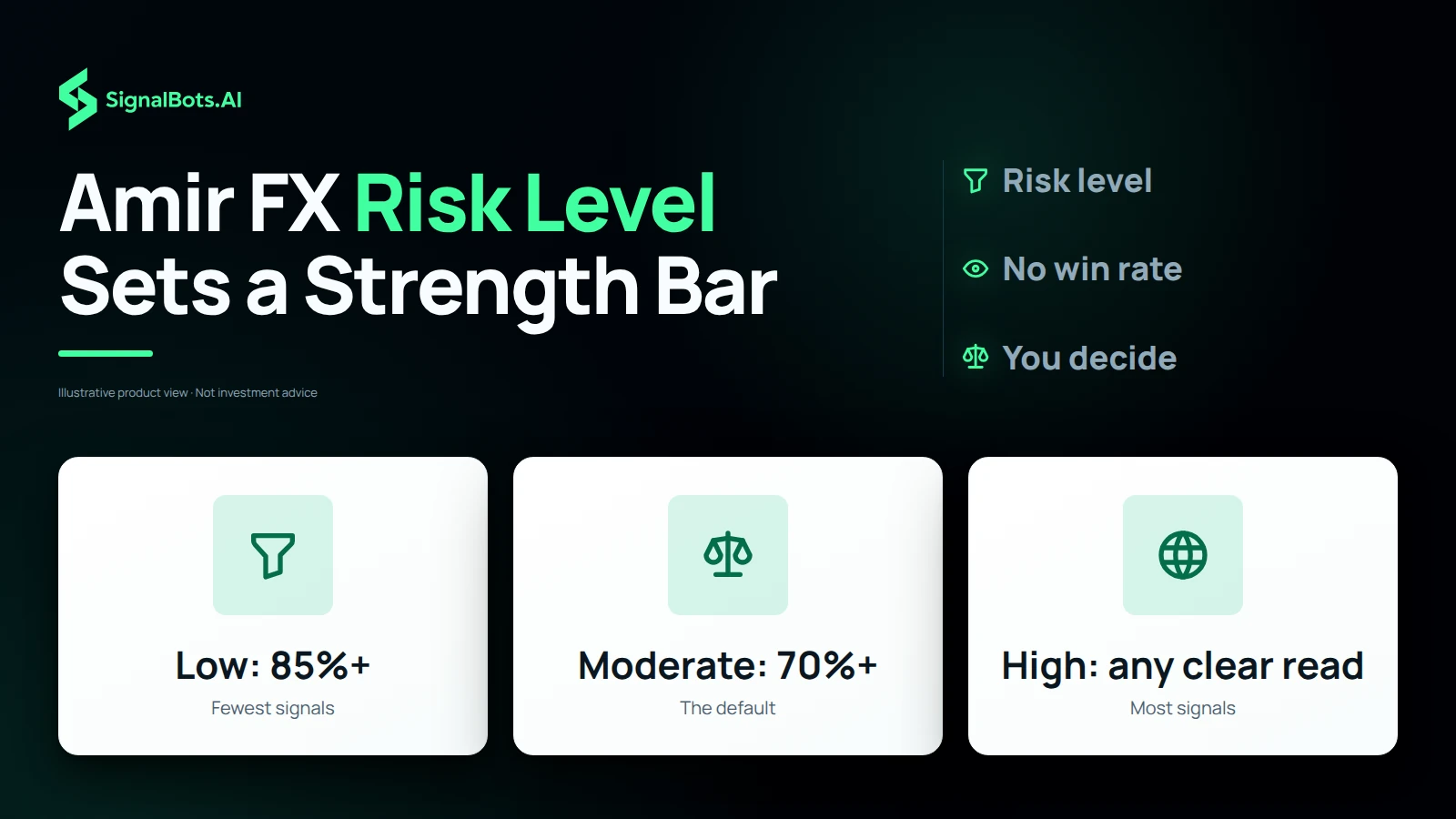
What it is. The lowest strength the app will act on. Low takes only reads of 85% and up, Moderate takes 70% and up, and High takes every clear UP or DOWN. It filters the engine’s reads; it never changes one.
What moving it does. The same candle gives the same read, so the 75% DOWN from step 1 is still 75% DOWN. Under Moderate it was a signal; under Low it falls short of 85%, and the alert says so instead of an entry. On the pair board, tiles under your level fade.
What this means for you: a lower risk level means fewer signals, not safer trades. Pick the level you will keep, and size every trade as if the read could be wrong.

What it is. The board reads every pair in your list, one after another, for your broker, market and expiry. Each tile shows only a read it actually got: the arrow, the direction and the strength.
What it shows at the end. The strongest clear read is outlined and labelled strongest. Tiles under your risk level fade: here AUD/USD at 68% and LBP/USD at 65% sit under Moderate’s 70%. Tap a tile to make it the selected pair, then tap Start bot for its full card.
What this means for you: use the board when you have no pair in mind, then check that the pair you tap is one you are willing to trade.

What it is. The fast expiries are the licensed half of the app. A licence is issued for your SignalBots account and the brokers you trade on.
What happens once it is active. Sign in, open the app, and the padlocks disappear for your broker. The Licensed to line shows your account instead of Not activated, and the expiry moves to 1m, the Amir FX default.
What this means for you: judge the app on the free expiries first. Run the 4h and 1d reads against your own results, and let that decide whether a licence is worth it.

What it is. The last state of a signal. Generate new signal reads the same pair and expiry again; Trade on new pair opens the pair list. The read also sits in Recent signals, the list of your own reads in this tab.
What it does not do. It never marks a read as a win or a loss. The app does not see your broker account, so it cannot know how your ticket closed.
What this means for you: compare each completed trade with your broker’s chart before the next one. That record, not a number on a banner, is how you judge a signal tool.
Pick OTC or live, and the broker you are logged into.
Pick the pair and expiry you are about to buy, or scan the pair board and tap one. Leave the risk level where you decided to keep it.
Tap Start bot, read the pair gauge, then the direction and strength. If the alert says get ready, place the ticket on the open, not before.
The app does not know your balance. Decide the stake first, and use the money management calculator to see what a losing run does to it.
Every read is what the engine read for the combination you chose, for education rather than advice. No read settles the next trade, so size your risk and read our risk warning first.
It is a binary options signal app that runs in your browser, built by SignalBots on the same engine as Chinese Bot AI Pro. You pick the market, broker, pair and expiry, tap Start bot, and it gives one read for that trade: UP, DOWN or NO TRADE, a strength score, when to enter and a countdown to the end of the trade. It is not a broker and never touches your funds.
Yes. It is built around Pocket Option, which it opens on, and the broker list adds Quotex, IQ Option, Olymp Trade, Binomo, Exnova, Bubinga, Deriv and Alpari. Every read is made for the broker you pick, so choose the one you are logged into before you start.
OTC market reads your broker's own round-the-clock pairs, which trade at the weekend too; that is where the app opens. Live market reads the real cash-market pairs, which follow forex hours and close from Friday 21:00 to Sunday 21:00 UTC. While the live market is closed, the app asks you to switch to OTC instead of making up a read.
It sets the lowest strength the app will act on. Low takes only reads of 85% and up, Moderate takes 70% and up, and High takes every clear UP or DOWN. A read under your bar is still shown, with its direction and strength, but the app says there is no entry and why. A lower risk level means fewer signals, not safer trades.
On expiries under an hour, a trade should get the whole candle it was read for. When less than half of the current candle is left, the app reads the next candle and counts down to its open, then says take the trade now. With more than half left, or on an expiry of an hour or more, you enter straight away, for what is left of the running candle.
It reads every pair in the list for your broker, market and expiry, one after another, and shows each read on its tile: the direction and the strength. The strongest clear read is outlined, and pairs under your risk level are faded. Tap a tile to select that pair, then start the bot.
It shows how firmly the inputs behind a read agree with each other: trend, momentum and volatility. A higher score is a cleaner read. It is never a probability that the trade wins, so size every trade as if the read could be wrong.
They count our own signal engine's binary options signals, the ones published on our binary signals page. Engine signals today is how many it issued since 00:00 UTC, and live now is how many are still running. They are the same for every visitor, and they are not a count of traders or of your own reads.
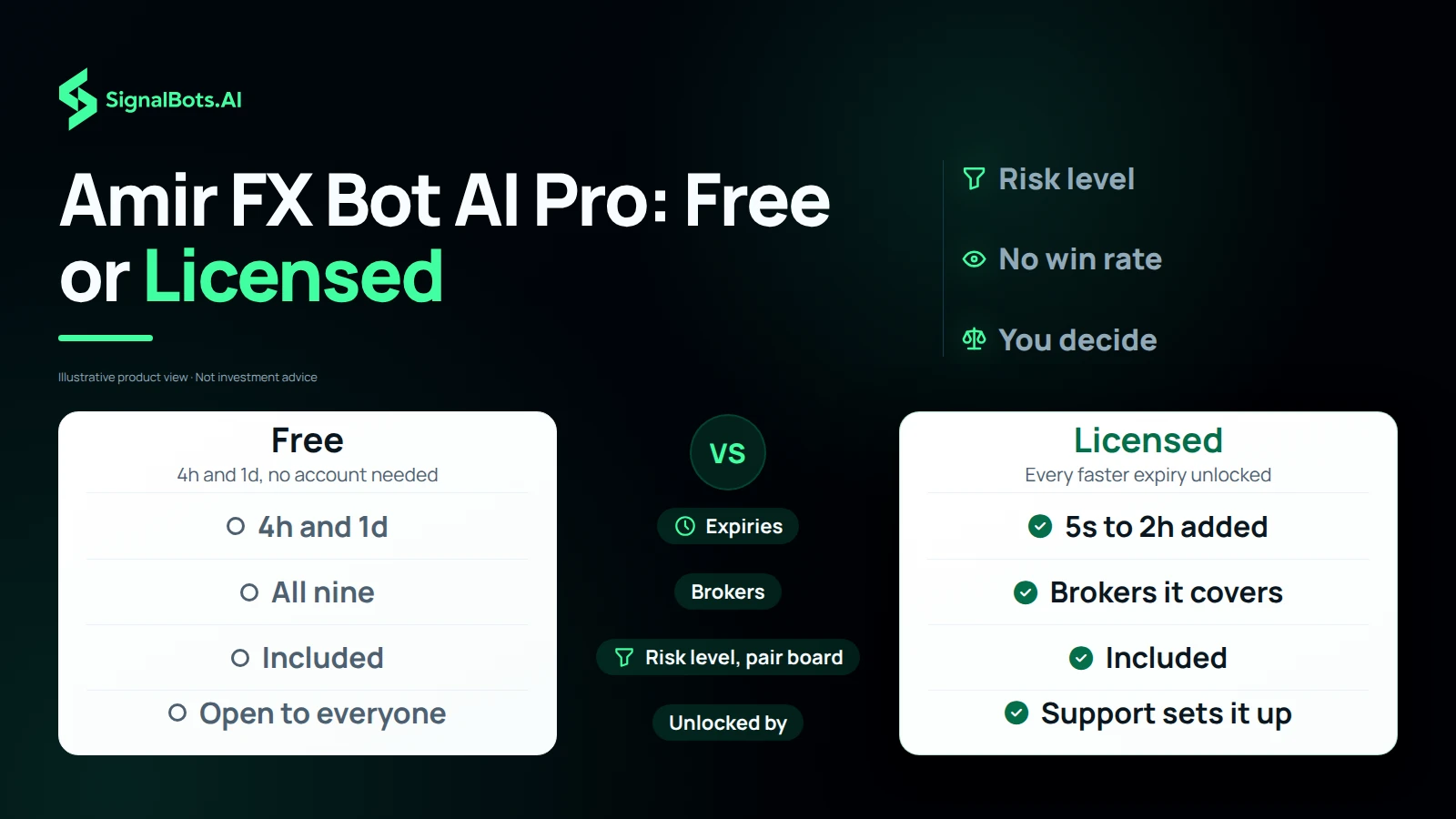
The 4h and 1d expiries are free on every broker, for everyone, with no account. Every faster expiry, from 5 seconds up to 2 hours, needs an Amir FX Bot AI Pro licence for the broker you trade on. The locked chips carry a padlock and open the licence panel instead.
Message our support team from the licence panel. They set the licence up on your SignalBots account, and the fast expiries unlock the next time you open the app while signed in. There is no key to type into the app, and the licence works on your phone and your desktop.
No. Amir FX Bot AI Pro runs right here on this page, in the browser of your phone, tablet or computer. There is nothing to install or keep updated.
No. The app does not see your broker account, so it cannot know how your ticket closed. When the countdown ends it says trade complete and asks you to check your broker's chart. Recent signals lists your own reads in this tab, with no win or loss beside them.
Yes. Short-expiry trading carries a substantial risk of loss and is not suitable for everyone. A read is an educational signal, not financial advice, and no read settles the next trade. Only risk money you can afford to lose, and read our risk warning first.
One tap, one read
Pick OTC or Live market, a broker, a pair and an expiry, then tap Start bot. Amir FX Bot AI Pro reads that market and shows one signal alert: UP, DOWN or NO TRADE, with a strength score. It also tells you when to enter. On an expiry under an hour with less than half the candle left, it says Get ready and counts down to the next candle's open. Otherwise it says Take the trade now and shows the exit time. A dial then runs the trade to Trade complete. The app never scores a trade as a win or a loss. Check the result on your broker's chart.
Risk level
Amir FX Bot AI Pro has a risk level that filters reads by strength. Low acts only on reads of 85% and up. Moderate, the default, acts on 70% and up. High acts on every clear UP or DOWN. A read under your bar is still shown, with its direction and strength. The app then says there is no entry and tells you why. Strength shows how firmly trend, momentum and volatility agree. It is never a chance of winning. So a lower risk level means fewer signals, not safer trades. Pick the level that matches how often you want to act.
Pair board
Not sure which pair to trade? Tap Scan all pairs. Amir FX Bot AI Pro reads every pair in the list for your broker, market and expiry, one after another. On Pocket Option OTC that is 15 pairs. Each tile then shows its own read: an up or down arrow and its strength. The strongest clear read is outlined and labelled strongest. Pairs under your risk level are faded, so you can see what your filter would skip. Tap a tile to select that pair. Then tap Start bot for its signal alert and entry time.

Your broker, your market
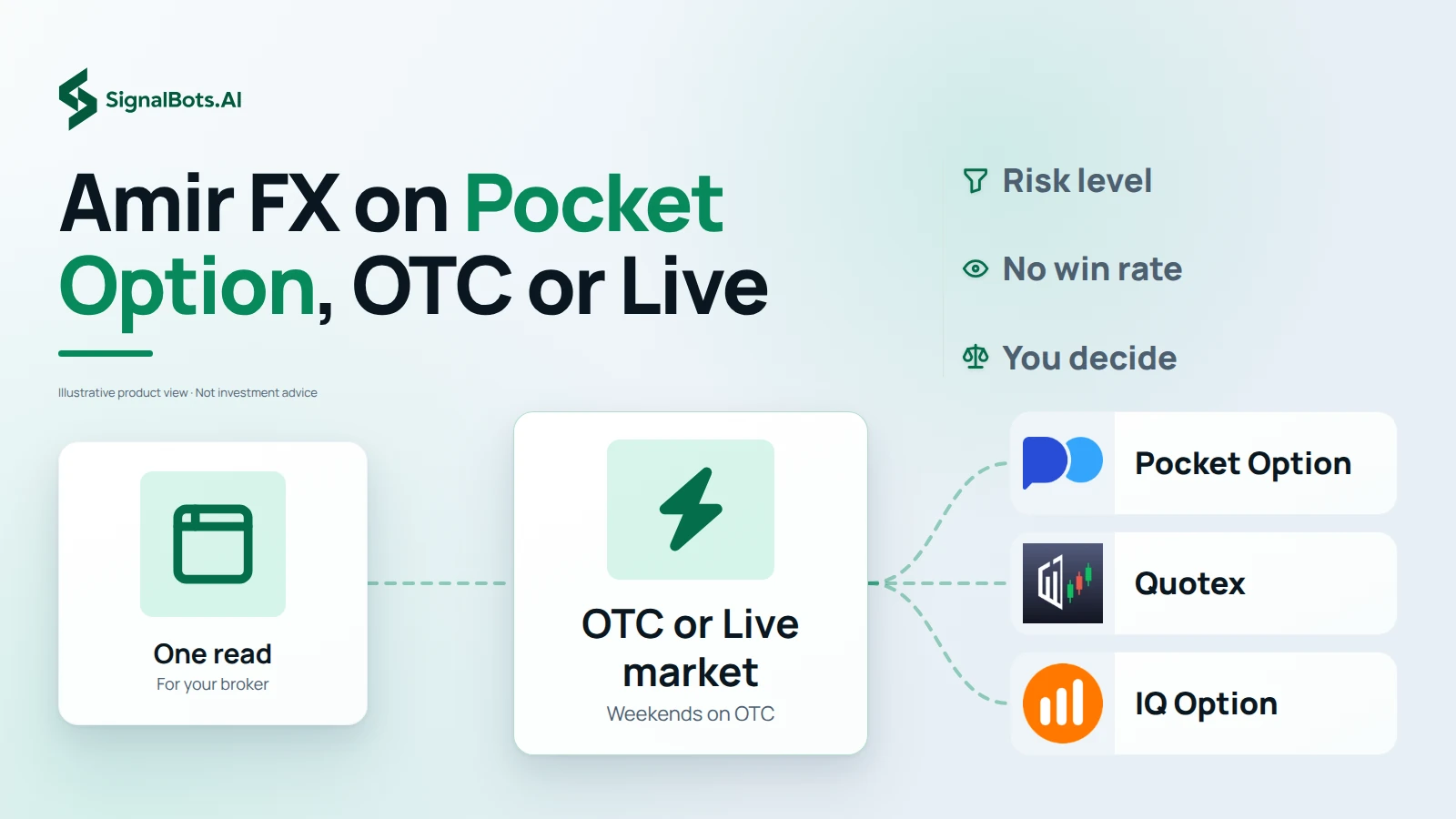
Amir FX Bot AI Pro opens on Pocket Option, the broker it is built around. Its broker list adds Quotex, IQ Option, Olymp Trade, Binomo, Exnova, Bubinga, Deriv and Alpari. Every read is made for the broker you pick. A second choice picks the market. OTC pairs are your broker's own round-the-clock quotes, and they trade at the weekend too. Live market pairs follow forex hours and close from Friday 21:00 to Sunday 21:00 UTC. The app opens on OTC. Pick the broker, market and pair you are logged into and about to trade.
Free or licensed
Amir FX Bot AI Pro gives every visitor the 4h and 1d expiries for free. They work on every broker, on OTC and Live market pairs, with no account. The risk level and the pair board work on them too. A licence unlocks the faster expiries, from 5 seconds up to 2 hours, on the brokers it covers. There is nothing to pay on this page. You message our support team from the licence panel, and they set the licence up on your SignalBots account. The padlocks then disappear from the locked chips. Try the free expiries against your own results first.
Our team sets it up for you in three steps.
Message our support team to get started:
Replies usually arrive within minutes during business hours.