Two different meanings of "compatible." Some brokers (Interactive Brokers, OANDA, Pepperstone, FOREX.com) trade inside TradingView's native panel; every other broker connects only through a webhook bridge that turns an alert into an order.
Native-panel brokers are click-to-trade, not automation-first. They execute what you press on the chart, but they do not natively run your Pine Script strategy as a live bot — that still needs a webhook path.
For MT4/MT5 brokers, the broker barely matters — the bridge does. Pick a broker with tight execution and automation permissions, then let a connector carry the alert to it.
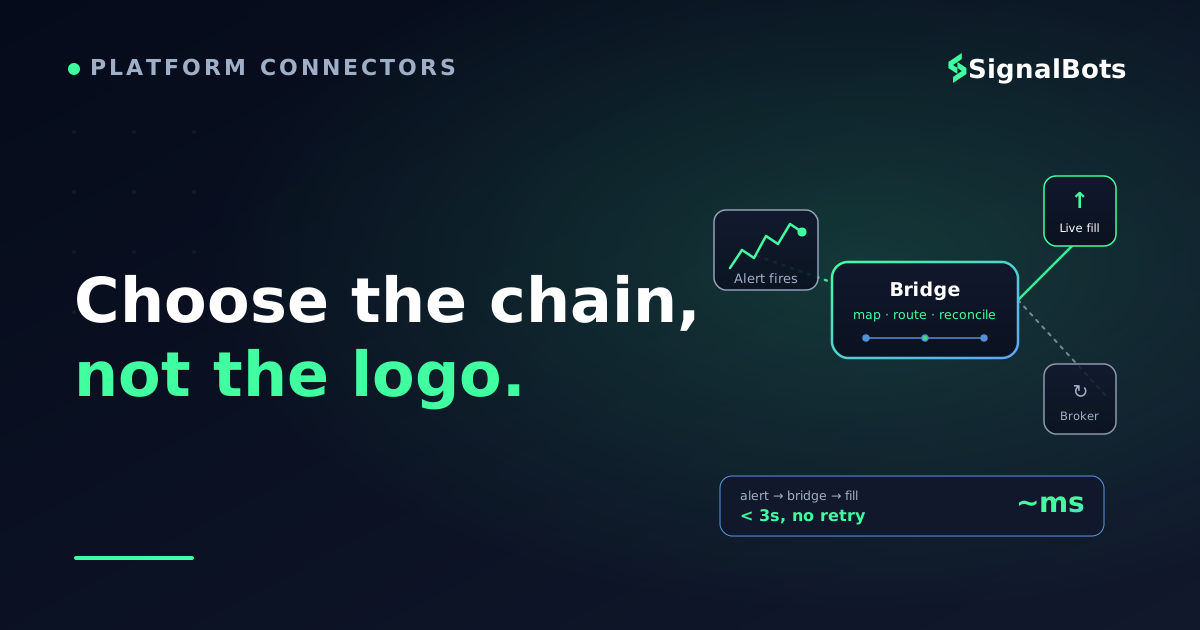
Judge the whole chain, not the logo. Alert-to-fill latency, order-type support, and reconnect behavior decide whether your strategy trades the way you backtested it.
Table of Contents (13 min read)Contents
Compatible Means Two Very Different Things
Before you go shopping for a broker, settle the question that trips up almost everyone: what does "TradingView-compatible" actually mean? The phrase hides two completely different setups, and picking the wrong one wastes weeks.
The first is native integration. A handful of brokers appear inside TradingView's own Trading Panel. You log in once, and you can send market and limit orders straight from the chart — click a level, place the order, done. Interactive Brokers, OANDA, Pepperstone, FOREX.com, Saxo, CMC Markets and a few others live here.
The second is a webhook bridge. Your broker is not in the panel, so instead you use TradingView's alert webhook — the HTTP callback an alert fires when it triggers — to hand the signal off to a piece of software that talks to your broker and places the trade. Every MT4/MT5 broker on earth connects this way, because MetaTrader is not, and never will be, in TradingView's native panel.
Here is the trap: a native-panel broker feels like the obvious "compatible" answer, but it is built for discretionary click-trading, not for running your Pine Script strategy unattended. If your goal is "my alert should become a live order without me watching," the native panel alone will not get you there. That distinction — not any leaderboard — is what decides your broker.
Match the path to the job
What you want to do
Native broker panel
Webhook bridge
Click a chart level to place an order
Yes — built for this
Not the point
Auto-execute a Pine Script strategy
No — not native
Yes — the whole idea
Use an MT4/MT5 broker
Not supported
Yes — any of them
Trade while away from the screen
No
Yes
Broker choice that matters most
The broker itself
The bridge + execution
Pick the column that matches your goal first; the broker shortlist falls out of it.
The Native-Panel Brokers Worth Knowing
If you trade by hand from the chart and just want your broker in the panel, this is your shortlist. None of these is objectively "best" — they win on different markets and account models, so match them to what you trade.
Interactive Brokers — the widest reach by far: US and global stocks, futures, options, FX, bonds. If your strategy spans asset classes, nothing else in the panel comes close. Its broker API is also robust if you later outgrow click-trading.
OANDA — a spot-FX specialist with a clean, well-documented API and no minimum deposit. A natural home for currency-focused chart trading.
Pepperstone — CFD-heavy (FX, indices, commodities, crypto CFDs) with an ECN-style account model, popular with active intraday traders.
Saxo and CMC Markets — broad multi-asset CFD houses with strong instrument coverage; good if breadth of markets matters more than the tightest cost.
Capital.com — a newer CFD broker with a wide symbol list and a modern app, also selectable in the panel.
Notice what this list is not: it is not a ranking, and it is not an automation solution. Every broker here executes the order you press. The moment you want the alert itself to place the trade — no human in the loop — you are back to the webhook path, even if your broker is also in the panel.
Optional
Common mix-up: “My broker is in the panel — isn’t that automated?”
No. Native panel means you can trade from the chart by clicking. Automated means an alert places the trade with no click. TradingView does not natively run your strategy live against a broker; even a panel broker needs a webhook bridge for hands-off execution.
The panel is a convenience for discretionary traders, not a bot engine. If you never plan to leave the screen, the panel is enough — if you do, read on.
The panel executes what you press; it does not press for you.
How a Webhook Turns an Alert Into a Live Order
This is the part that actually delivers the intent — "route my alert to a live trade." Understanding the chain end to end tells you what to look for in a broker, because most of what matters happens between TradingView and the broker, not at the broker.
Here is the round trip. A webhook bot — the always-on listener that receives the alert and places the order — sits in the middle.
Alert to fill, end to end
sequenceDiagram
autonumber
participant TV as TradingView
participant Bot as Webhook Bot
participant Broker as Broker
TV->>Bot: Alert fires (JSON payload)
Note over TV,Bot: POST to https URL, 3s timeout
Bot->>Bot: Validate + map symbol
alt Payload valid
  Bot->>Broker: Place market order
  Broker-->>Bot: Fill confirmed
  Bot-->>TV: Logged as delivered
else Bad or stale payload
  Bot-->>TV: Rejected, no order sent
end
The broker only enters at step 5 — everything that makes or breaks the trade happens before it.
A few mechanics decide whether this chain is trustworthy:
TradingView posts to one HTTPS URL, on ports 80 or 443 only, with a 3-second timeout. If your bridge is slow or down, the alert is simply dropped — there is no retry. So the listener has to be genuinely always-on.
The payload is a JSON message you define in the alert itself — side, symbol, size, order type. TradingView never talks to your broker directly; it only knows how to POST that message.
Never put credentials in the payload. The bridge authenticates to the broker on its own side; the webhook body carries the signal, not your login.
A typical alert payload: the signal and the trade parameters — and never a password. The bridge maps this to a real order.
Want to go one layer deeper on the strategy side? The alert itself is usually generated by a Pine Script or a ready-made TradingView strategy strategy — TradingView's native language for turning indicator logic into buy/sell events — and the strategy's alert() calls are what fire the payload above.
Why the Bridge Matters More Than the Broker
Here is the counterintuitive part, and it is the thesis of this whole page: once you go the webhook route, the broker is almost interchangeable. Any MT4/MT5 broker with automation permissions can receive the trade. What actually determines whether your live results match your backtest is the bridge — how fast and how faithfully it converts the alert into an order.
Think about what can go wrong in the middle:
Latency. Every hop — alert fired, webhook in flight, bridge processing, broker execution — adds milliseconds. On a scalping strategy, a laggy bridge quietly changes your entry price on every trade. This is the execution speed that a backtest never charges you for.
Faithful order translation. Did the bridge send a market order when your strategy wanted a limit? Did it round your size? A bridge that silently "fixes" your intent is worse than one that rejects it.
Reconnect behavior. Brokers drop sessions. A serious bridge reconnects and reconciles; a flaky one misses fills and leaves you flat when you thought you were in.
That is why, for the webhook path, we tell traders to pick a broker with tight, honest execution and clear automation permissions — and then obsess over the connector, not the logo. SignalBots' own MT4/MT5 connector exists precisely to be the reliable middle of this chain: it receives the signal and places the trade on your MetaTrader account with the reconnect-and-reconcile behavior above, so the broker really does become a swappable back end.
The setup that survives live trading
Building the webhook path in the right order
1
Write the alert
In Pine Script, emit an alert() with a JSON message: side, symbol, size, order type.
2
Point it at a listener
Set the alert's webhook URL to your bridge's HTTPS endpoint (port 443, under 3s response).
3
Map symbol + risk
The bridge maps the TradingView symbol to the broker symbol and applies your lot/SL/TP rules.
4
Place on the broker
The bridge authenticates to MT4/MT5 and sends the order — you never expose credentials to TradingView.
5
Confirm + reconcile
On fill, the position is tracked; on a dropped session, the bridge reconnects and re-syncs state.
Get this order right and the broker becomes the least important choice you make.
How to Actually Choose — A Decision Checklist
Cut through the noise with two questions, in order. The answer to the first eliminates half the market; the second narrows the rest.
Question 1 — Do you want to click trades, or automate them?
Click trades from the chart, staying at the screen. → Pick a native-panel broker from the shortlist above, matched to your market (IBKR for breadth, OANDA for FX, Pepperstone for CFDs). You are done.
Let the alert place the trade, hands-off. → You need the webhook path, and the questions below decide it.
Question 2 — For the webhook path, does the chain hold up? Run each broker-plus-bridge candidate through this:
The pre-live gate
Before you trust it with real money
0 / 7
The broker explicitly permits automated / API / EA trading on your account type
The bridge is always-on and answers the webhook in well under 3 seconds
Order types survive the trip: a limit stays a limit, size is not silently rounded
Symbol mapping is correct (TradingView EURUSD maps to the broker's exact symbol)
The bridge reconnects and reconciles after a dropped broker session
You tested the full path on a demo account before going live
You have read the risk warning — backtested results are not future results
★
Checklist complete — you’re cleared to proceed.
Tick every box on a demo account first. A single unchecked item is where live results drift from the backtest.
If a broker-plus-bridge combination clears every item, the broker itself is a detail — which is exactly the point. Choose the chain, not the logo.
For a hands-off setup, that chain is what we build: alerts flowing through the connector into your MetaTrader account, with the same discipline the checklist demands. Whatever you decide, keep /risk-warning in view — automation removes the human error, not the market risk.
FAQ
Does TradingView execute my strategy automatically on its own?
No. TradingView is a charting and alerting platform, not an execution engine. Even for brokers in its native Trading Panel, it does not run your Pine Script strategy as a live bot — the panel lets you click orders. Hands-off execution always requires a webhook bridge that receives the alert and places the trade.
Which brokers connect to TradingView natively?
As of 2026, the native Trading Panel includes Interactive Brokers, OANDA, Pepperstone, FOREX.com, Saxo, CMC Markets and Capital.com, among others. This list changes over time, so confirm on TradingView's own broker page. Every other broker — including all MT4/MT5 brokers — connects through a webhook bridge instead.
Can I use an MT4 or MT5 broker with TradingView?
Yes, but never natively — MetaTrader is not in TradingView's panel. You route TradingView alerts through a connector that places the orders on your MT4/MT5 account. In that setup the broker is largely interchangeable; the connector's speed and reliability are what matter.
What TradingView plan do I need for webhook alerts?
Webhook alerts require a paid TradingView plan and two-factor authentication enabled on your account. TradingView posts the alert to a single HTTPS URL on ports 80 or 443, with a three-second timeout and no retry — so your receiving bridge must be reliably online.
Is a native-panel broker or a webhook bridge "better"?
Neither is universally better — they serve different goals. A native panel is better for discretionary traders who want to click orders from the chart. A webhook bridge is better (and necessary) for anyone automating a strategy or using an MT4/MT5 broker. Match the path to whether a human is in the loop.
Does the choice of broker affect my automated results?
Less than most traders expect, once you are on the webhook path. Assuming honest execution and permission to automate, the biggest driver of live-vs-backtest drift is the bridge: its latency, how faithfully it translates order types, and how it handles reconnects. Pick a solid broker, then focus your attention on the connector.
Sources & Further Reading
Want to go deeper? These independent, authoritative sources shaped this guide — each one is worth reading in full:
The Cross-Market Desk is the SignalBots editorial team for topics that span every market — platform connectors, copy trading, partnership and IB programs, and the general mechanics of trading automation. We research and write the guides that apply no matter what you trade.



Discussions 0
Leave a comment