You bought a Mac for a reason — it is fast, quiet, and it stays out of your way. Then you tried to automate a strategy on it, and every guide pointed you back to Windows. MetaTrader wants an emulator. Your Expert Advisor keeps stalling when the laptop sleeps. And the "best platform for Mac" articles rank brokers by app polish, not by whether a bot can actually run on them.
That mismatch is the whole problem. On macOS, the platform question and the automation question are not the same question — and most roundups only answer the first. This guide answers the second: which setups let you run automated trading reliably on a Mac, and which quietly assume you will keep a Windows box running somewhere.
Our pick for 2026
On a Mac, the real question isn't which app looks best — it's where your automation actually runs when the laptop sleeps.
TV
TradingView + webhook execution— our pick for hands-off Mac automation
Runs in the browser — nothing native to emulate on macOS
Alerts fire from TradingView's cloud, not your laptop
Webhook routes to a broker or copier that stays awake 24/7
Strategy logic in Pine Script, no Windows toolchain
Best for hands-off Mac
Our take
#2MT5 on a Windows VPSBest for EAs
#3cTraderCloud cBots
#4Native MT5 + WineCasual only
Ranked by how each setup runs automation 24/7 on macOS, not by app design.See the full comparison →
The pick that treats your Mac as a screen, not an engine, wins on macOS.
Key Takeaways
macOS has no first-class MetaTrader native path — the official installers run through Wine + Rosetta, so the platform choice is really a choice about where your automation lives.
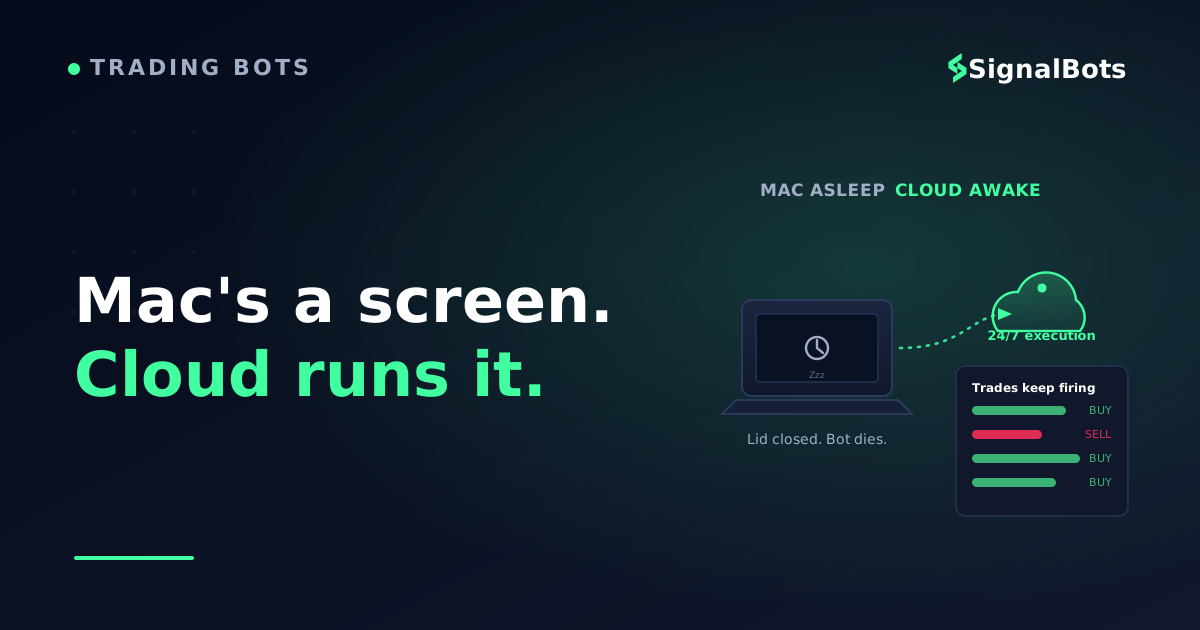
For 24/7 execution, a bot must run somewhere that stays awake when your MacBook is closed — a VPS or a cloud/webhook service — not on the laptop itself.
The most Mac-friendly automation is the kind that treats the Mac as a screen, not an engine: TradingView webhooks, cloud copiers, or a browser extension that clicks the broker's own web platform.
Table of Contents (19 min read)Contents
The real Mac problem: the engine, not the app
Here is the thing every glossy roundup skips. When people say "best platform for Mac," they usually mean which app has the nicest native window. For automation, that is the wrong lens entirely. A trading bot is not a window you look at — it is a process that has to keep running, place orders on time, and survive the moment you close your laptop lid to catch a train.
That single requirement — stay running — reshapes the whole decision. A MacBook is a personal machine. It sleeps, it updates, it loses Wi-Fi in a café, and its battery dies. None of that matters for chart-watching. All of it is fatal for a bot that needs to be awake at 3 a.m. when your signal fires. So the honest question is not "does this platform run on macOS?" It is: where does the automation actually live, and does that place ever go to sleep?
Once you frame it that way, the platforms sort themselves into three buckets: automation that runs on the Mac (fragile), automation that runs near the Mac on a VPS or cloud (solid), and automation that runs without touching the Mac's engine at all (the sweet spot for most Mac traders).
Match yourself first
Which Mac automation setup fits you?
Casual / occasional
Native MT5 + Wine
You automate one simple EA and watch it during the day
You're fine restarting after a sleep or an update
Laptop stays plugged in and awake while it runs
Serious EA trader
MetaTrader on a Windows VPS
You run one or more EAs that must stay live 24/5
You want zero translation layers under MetaTrader
The Mac becomes just a remote screen over RDP
No-code / hands-off
TradingView webhooks + cloud copier
You'd rather not manage a Windows box at all
Your logic lives in Pine Script or a signal feed
Execution runs in the cloud, awake around the clock
Pick the row that matches how you actually trade — the platform follows from there, not the other way around.
Start from how hands-on you want to be; the right Mac setup falls out of that, not out of app design.
MetaTrader on Mac: the Wine trap
MetaTrader 4 and 5 are the default home for algorithmic trading, because that is where Expert Advisors live. The catch on macOS is that MetaQuotes never shipped a truly native, first-class Mac build the way it ships for Windows. What you download for Mac is an installer that quietly bundles Wine — a compatibility layer that translates Windows calls — and on Apple Silicon that Wine layer itself runs through Rosetta 2. So under your charts sit two layers of translation between the platform and your Mac's actual chips.
For clicking around and reading charts, this is fine. It gets thin exactly where automation lives. When you load a custom .dll, run several EAs in parallel, or care about how fast an order leaves the terminal, emulation adds friction and the occasional stall. And none of it solves the sleep problem: an EA running inside Wine on your MacBook stops the instant the lid closes.
This is why "MT5 has a Mac download" is a half-truth for automation. The download works; the 24/7 reliability an expert advisor needs does not come from the download. It comes from where you run it.
The VPS answer for MetaTrader
The clean fix is to stop running MetaTrader on the Mac at all. Rent a Windows VPS — a virtual PC in a datacenter — install MT4 or MT5 there on real x64 Windows with zero translation, and connect from your Mac over remote desktop. Now the Mac is just a screen. Close the lid, get on a flight, and the EA keeps trading from a machine that never sleeps and sits on a fast, stable connection. If MetaTrader-based automation is non-negotiable for you, this is the honest best answer — and a VPS for an EA is the standard way serious algo traders run it, Mac or not.
Two questions, one answer
How should you run automation on a Mac?
Take itProceed with careSkip / stand aside
The first fork is the whole decision: is your logic trapped inside an EA, or free to run anywhere?
Follow the branches — the right Mac setup is decided by two questions, not by app polish.
cTrader: friendlier to Mac, with one automation footnote
cTrader is the platform many Mac traders reach for next, and for good reason: it has a genuinely modern web app and a cleaner cross-platform story than MetaTrader. Its automation lives in cBots (written in C#), and cTrader offers a cloud execution service so a cBot can run without your machine being on.
The footnote matters, though, and it is easy to miss. cBots running in cTrader's cloud environment do not have outbound internet access — which means a cBot in the cloud cannot receive an external TradingView alert webhook or call an outside API. If your automation is self-contained C# logic, the cloud is great. If your automation depends on signals arriving from outside — a webhook, a signal feed, an external model — you are back to running it locally or on a VPS, same as MetaTrader. Know which kind of bot you have before you assume the cloud solves everything.
The Mac-native answer: automate without an engine at all
Here is the setup most Mac traders should reach for first, and the one the roundups never mention because it is not a "platform" in the old sense. Instead of installing a heavy Windows terminal and keeping it alive, you let the automation run in places that are already always-on and already browser-based — so there is nothing native to emulate on macOS.
A webhook to an execution layer. When the alert fires, it POSTs a webhook payload to a service that turns the signal into a real order. That service runs in the cloud, around the clock.
A copier or connector that pushes the resulting trade to your broker account. This is where a Telegram-to-MT5 copier or an MT5 connector fits: the signal originates in the cloud and lands in your account without your Mac being the engine.
There is a fourth, even lighter variant for traders who use a broker's own web platform: a trading browser extension that reads a signal and clicks the broker's web ticket for you, right inside the browser you already use on your Mac. No terminal, no VPS, no emulation — the automation lives in the same tab as your chart. It won't run overnight while the browser is closed, so it suits an active daytime trader rather than a fully unattended bot, but for hands-on Mac trading it is the least-friction route there is.
The common thread across all three: the Mac is a screen, not an engine. That is the whole reason this approach sidesteps every macOS automation headache at once.
The five Mac routes, compared
Setup on Mac
Runs 24/7 when Mac is closed?
Emulation on macOS?
Best for
Watch-out
Native MT5/MT4 + Wine
No — dies when laptop sleeps
Yes — Wine + Rosetta
Casual, supervised EA
Stalls under load; not for live 24/5
MetaTrader on Windows VPS
Yes — datacenter stays awake
None — real x64 Windows
Serious EA / algo traders
Monthly VPS cost + setup
cTrader cBots (cloud)
Yes — cTrader cloud
None — web/native app
Self-contained C# bots
Cloud cBots can't take webhooks
TradingView webhook + copier
Yes — cloud alerts + copier
None — browser-based
No-code, hands-off Mac
Depends on a copier/connector
Browser extension (web broker)
No — needs the tab open
None — runs in the browser
Active daytime traders
Not for overnight, unattended runs
Read the second column first: everything that survives a closed lid runs somewhere other than your Mac.
Which brokers actually fit the Mac-automation traders
Once you have picked where the automation runs, the broker question gets simpler — you just need a broker whose platform matches your chosen engine. A few real, automation-friendly options worth knowing, all verifiable from their own official sites:
IC Markets and Pepperstone-class ECN brokers offer both MT4/MT5 and cTrader, so they fit whether you go the VPS-EA route or the cBot route. If cTrader's cleaner Mac story appeals to you, confirm the broker actually offers cTrader before you commit.
Exness, FP Markets, XM, and HFM run MT4/MT5 and generally permit EAs and VPS hosting — a natural fit for the Windows-VPS answer above.
OANDA and FOREX.com are worth naming for the API-first crowd: they expose trading APIs, so a webhook or a custom cloud script can route orders without any MetaTrader terminal at all — which pairs neatly with the browser-based, engine-free approach.
Notice what none of this depends on: a broker's desktop app looking nice on macOS. For automation, the account model, the platforms it supports, and whether it permits EAs and VPS hosting are what matter — not the window chrome. And whichever broker you pick, the automation still needs a place to live that never sleeps.
Want a ready-made way to route signals into MetaTrader on your chosen broker without building the plumbing yourself? See our MT5 connector setups — the piece that takes a cloud signal and turns it into a live order in your account.
A pre-deploy check before you trust any Mac setup
Before you let automation trade real money from a Mac, walk this list. It is the difference between a bot that quietly works while you sleep and one that misses the signal because your laptop dozed off.
Before you go live
Mac automation pre-deploy checklist
0 / 7
Confirm your automation runs somewhere that stays awake when the Mac is closed (VPS or cloud), not on the laptop itself
If using an EA, verify it's on real Windows (VPS) — not a supervised Wine session — for anything live
For cTrader cloud cBots, confirm your logic needs no external webhook or API (the cloud blocks outbound calls)
Test the full signal path end-to-end on a demo account before going live
Check your broker permits EAs and VPS/automated execution on your account type
Set a clear stop or kill-switch so a runaway bot can't trade unattended past your risk limit
Read the risk disclosure and size positions for the worst run, not the average one
★
Checklist complete — you’re cleared to proceed.
Tick every box on a demo account first — a Mac setup that skips the 'stays awake' test is the one that fails at 3 a.m.
Automated and backtested results are never a promise of future performance — they describe how a rule behaved historically, not what it will earn next. Read our risk warning before committing capital to any automated setup, and size every position for a losing streak you can sit through.
If your automation is built around a signal feed rather than a self-coded strategy, you can skip the platform-plumbing entirely and start from the signals themselves — our forex trading signals feed is designed to route into exactly the cloud-execution setups above.
The takeaway
You came in asking
“which Mac platform is best for automation”
and the real answer is
the one where the Mac is a screen, not the engine.
On a Mac, pick the setup that never sleeps
SB
Cloud signals + MT5 connector
Let the strategy live in the cloud and route straight into your broker account — no Windows terminal to babysit, no Wine layer, nothing that dies when you close the lid. Your Mac stays a Mac.
Locked into a MetaTrader Expert Advisor? Then run it on a Windows VPS and treat your Mac as a remote screen — the honest best answer for EA-bound automation. Start from the forex signals you'll route in.
The Mac-native win: automation that runs in the cloud and lands in your account, awake around the clock.
FAQ
Can you really automate trading on a Mac?
Yes — but the reliable way is to not run the automation on the Mac itself. macOS handles the strategy and the charts fine, but a bot that must trade 24/7 needs to run somewhere that never sleeps: a Windows VPS, a cTrader cloud cBot, or a cloud webhook/copier service. Treat the Mac as your control screen, not the machine doing the trading, and automation on a Mac becomes straightforward.
Does MetaTrader 5 run natively on Apple Silicon?
Not in the truly-native sense. The Mac installer MetaQuotes provides bundles Wine to translate Windows calls, and on Apple Silicon that runs through Rosetta 2 — two translation layers. It works well enough for charting and light, supervised use, but for continuous Expert Advisor hosting the cleaner path is a Windows VPS with no emulation in the way.
What's the best platform for automated trading on a MacBook?
It depends on where your logic lives. If it's a MetaTrader EA, run MetaTrader on a Windows VPS. If it's flexible, a TradingView-webhook-to-cloud-copier setup is the most Mac-friendly because there's nothing to emulate and nothing that dies when the lid closes. cTrader is a strong middle option — just remember its cloud cBots can't receive external webhooks.
Do I need a VPS to automate on a Mac?
Only if your automation is tied to a local terminal like MetaTrader and must run around the clock. A VPS gives you real always-on Windows so your EA survives a closed laptop. If you use a browser-based route — TradingView alerts feeding a cloud execution service — the cloud service already plays the always-on role, so you may not need a separate VPS at all.
Why do EAs stop when I close my MacBook?
Because the Expert Advisor is a process running inside your MetaTrader terminal, and closing the lid sleeps the whole machine — the process included. Your laptop was never designed to be an always-on server. The fix is to move the terminal to a machine that stays awake (a VPS) or to move the logic to a cloud service that runs independently of your Mac.
Is a browser extension enough to automate on a Mac?
For an active daytime trader, often yes. A trading browser extension reads a signal and fills the broker's web ticket inside the tab you already have open — no install, no emulation, pure macOS-friendly. Its limit is that it only works while the browser and tab are open, so it's not the tool for fully unattended, overnight automation; for that, use a cloud or VPS setup.
Sources & Further Reading
Want to go deeper? These independent, authoritative sources shaped this guide — each one is worth reading in full:
The Cross-Market Desk is the SignalBots editorial team for topics that span every market — platform connectors, copy trading, partnership and IB programs, and the general mechanics of trading automation. We research and write the guides that apply no matter what you trade.



Discussions 0
Leave a comment