Judged on automation fit, not headline spread — execution, account model, tester data, VPS.See the full selection checklist →
For a bot, the right broker is a set of technical permissions and infrastructure — not the lowest advertised spread.
Key Takeaways
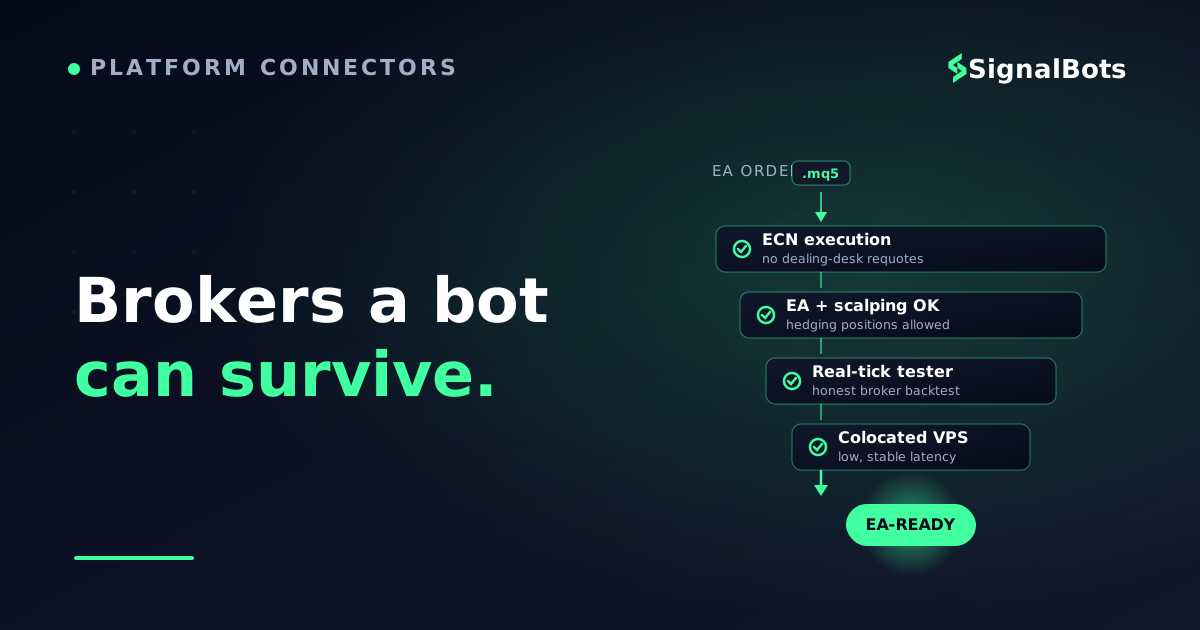
The best MT5 broker for automation is decided by four things a spread table never shows: raw ECN execution, an EA-friendly rulebook (scalping and hedging allowed), a hedging-capable account model, and a colocated low-latency VPS.
MT5's hedging vs netting account choice is a hard fork — an EA that opens opposing positions silently breaks on a netting-only account, so confirm the model before you fund.
Validate a broker with its own real-tick MT5 Strategy Tester data before you go live; a strategy that only backtests on synthetic ticks tells you nothing about that broker's fills.
Latency and slippage, not headline spread, quietly decide whether a scalping EA is profitable — so weigh a broker's server location and free VPS as first-class criteria.
Table of Contents (22 min read)Contents
Why Your EA Cares About the Broker More Than You Do
You can write a flawless Expert Advisor, backtest it into a beautiful equity curve, and still watch it lose money in production — because the broker underneath it was never built for automation. A human trader forgives a slow fill or a two-pip requote a few times a day. An Expert Advisor that fires dozens of orders on the same logic turns each of those tiny frictions into a recurring, compounding cost.
That is the gap this guide fills. Most "best MT5 broker" lists rank for a person clicking a Buy button: tight spreads, a slick app, a welcome bonus. None of that survives contact with a bot. Your EA doesn't read reviews — it reads fill quality, order permissions, and the account's position-accounting model. Get those wrong and no amount of strategy optimization saves you.
So instead of a leaderboard, this is a decision framework for the specific job of running automated strategies on MetaTrader 5. We'll name real brokers that genuinely fit that job, but the point is to teach you why they fit — so you can judge any broker yourself.
The Four Things That Actually Decide It
Strip away the marketing and an MT5 broker's fitness for automation comes down to four technical questions. Everything else — bonuses, education, the mobile app — is noise to a bot.
Execution model. Is it true ECN/STP, routing your order straight to liquidity, or a dealing desk that can requote and delay? A market-maker broker is the opposite trade partner to a scalping EA.
Order permissions. Does the broker explicitly allow EAs, scalping, and hedging? Some quietly restrict high-frequency automation or ban opposite-direction positions.
Infrastructure.Execution speed and a colocated VPS decide whether a millisecond edge stays an edge.
The table below turns those four questions into a scan of the broker archetypes you'll actually meet. It's built around automation fitness, not the spread comparison every other page leads with.
Read left to right the way a bot experiences a broker — fills first, permissions second, account model third. A single red cell can be a dealbreaker for your specific EA.
Hedging vs Netting: The MT5 Trap That Silently Breaks EAs
This is the one MT5-specific decision that catches more automated traders than anything else, so it gets its own section. Unlike MT4 — which only ever hedges — MT5 offers two position-accounting models, and they change how your orders behave at the account level, not the strategy level.
On a hedging account, every position is independent. Your EA can be long and short the same symbol at once — essential for grid systems, hedging bots, and any strategy that layers opposing trades. On a netting account, one symbol has exactly one net position: send a sell into an open buy and it reduces or closes that buy instead of opening a new short. An EA written for hedging, dropped onto a netting account, doesn't error out loudly — it just quietly does the wrong thing.
The silent EA-breaker
MT5 account model — which one your EA needs
Winner
Hedging account
Long and short the same symbol simultaneously
Each trade is its own independent position
Required for grid, martingale and hedging EAs
The default most retail forex EAs assume
Pick this unless your strategy is genuinely one-position-per-symbol.
VS
Netting account
One net position per symbol, ever
An opposite order reduces or closes, never adds
Common on exchange-traded and some stock CFDs
Silently mis-executes a hedging-built EA
Only if your EA is explicitly designed for netting.
Confirm the account model before you fund — an EA built for one model does not behave the same on the other, and MT5 lets you pick the wrong one.
The practical rule: before you deposit a cent, open a demo on that broker's MT5 server and check whether you can select a hedging account. Most retail forex EAs from the MQL5 marketplace assume hedging; if the broker only offers netting, either the EA won't behave or you'll need a version written for netting. This single check prevents a whole category of "my bot is doing something weird" support tickets.
Validate the Broker With Its Own Strategy Tester Data
Here's a mistake even experienced automated traders make: they backtest a strategy once, love the numbers, and assume those numbers transfer to any broker. They don't. Fills, spreads, and slippage are broker-specific, and MT5's built-in Strategy Tester is the tool that tells you the truth — but only if you use its real-tick mode against the broker you'll actually trade on.
MT5's tester is a genuine upgrade over MT4's for exactly this job. It's multi-threaded and multi-symbol, so it uses every CPU core and can validate a basket EA across several instruments in one run. More importantly, its "Every tick based on real ticks" mode replays the actual tick history your broker recorded — no synthetic interpolation. That's the difference between a backtest that flatters you and one that reflects how this broker fills.
Test before you fund
Vetting a broker with the MT5 Strategy Tester before you go live
1
Open a demo on the broker's live server
Use the same server your funded account will use — tick history and spreads are server-specific.
2
Download real-tick history
Let MT5 pull the broker's accumulated ticks so the test replays true fills, not simulated ones.
3
Run 'Every tick based on real ticks'
This is the highest-fidelity mode — it exposes how the broker's spread and gaps hit your EA.
4
Optimize, then forward-test
Use the multi-threaded optimizer to tune, then forward-test on out-of-sample dates to check it holds.
5
Compare demo fills to the report
Run the EA on demo for a week; if live fills drift far from the tester, the broker's execution is the problem.
A strategy that only backtests on synthetic ticks tells you nothing about a specific broker. Real-tick data on that broker's server is the honest test.
If you want to go deeper on reading the resulting report — Sharpe, maximum drawdown, recovery factor and the rest — treat the tester output as a first filter, not a verdict, and always pair a promising backtest with a forward test on the same broker.
Latency and Slippage Quietly Decide the Winner
Two brokers can advertise the same spread and deliver completely different results to your EA, because the number that actually matters for automation isn't spread — it's the round-trip time from your bot's order to the broker's matching engine, and the slippage you eat on the way. For a scalper targeting a few pips, a hundred milliseconds of latency and half a pip of slippage per trade can turn a positive-expectancy system negative.
This is why serious automated traders run their EA on a VPS colocated near the broker's servers rather than on a home laptop. Brokers whose MT5 servers sit in major financial data centers, and who offer a free or low-cost VPS in that same facility, hand your bot a structural latency advantage. It's not glamorous, but it's often the difference between a strategy that works in the tester and one that works with real money.
The calculator below lets you feel the size of the effect. Plug in your strategy's trade frequency and typical slippage to see how much a latency-and-slippage tax costs over a month — the hidden line item no spread table shows you.
Try the numbers
The hidden execution tax on an automated strategy
Estimate what slippage costs your EA per month. This is illustrative — plug in your own numbers to see why execution quality outranks headline spread for a bot.
Trades per day
Avg slippage per trade
Pip value
$
Trading days / month
Slippage cost per day
—
Slippage cost per month
—
Trades taxed per month
—
For a high-frequency EA, execution quality (low latency, low slippage) compounds into real money — which is why it outranks a tenth-of-a-pip spread difference.
The takeaway isn't a specific dollar figure — it's the shape of the curve. The more your bot trades, the more a broker's execution quality dominates its spread. A scalper should weight latency and VPS above almost everything; a swing EA firing one trade a day can care far less. Match the criterion to how your strategy actually behaves.
Naming Real Brokers That Fit the Job
Enough framework — you came for candidates. These are automation-friendly MT5 brokers worth shortlisting, described by what they offer an EA, not by any fabricated rating. Verify every detail on the broker's own site before funding, because account types and permissions change.
IC Markets — a raw-ECN broker whose MT5 servers sit in the Equinix data center in New York, giving colocated VPS users very low latency. It places no restrictions on scalping or hedging, which is why it's a common default for high-frequency EAs.
Pepperstone — ECN execution paired with a fast multi-threaded MT5 optimizer experience; a solid pick when you iterate on strategy parameters a lot and want quick optimization passes.
FP Markets — raw-spread ECN with deep liquidity and hedging accounts, an all-round comfortable host for MT5 automation.
Tickmill — known for VPS partnerships and low-latency execution on its Pro account, oriented toward EAs and scalping.
Exness and Eightcap — broad multi-asset ECN offerings with hedging support, useful when your bot trades across forex, metals and indices from one account.
Notice none of these is recommended on the basis of a spread number or a star rating. They're on the list because they clear the four automation criteria: real execution, EA and scalping permissions, a hedging account model, and low-latency infrastructure. Any broker that clears those four — including SignalBots' own IB partners where they fit your region — is a legitimate candidate; any that fails one is a risk for your specific bot.
One guardrail worth repeating: past performance in a tester or a broker's demo is never a promise of live results. Automated trading carries real risk of loss, and no execution setup removes it. Read our risk warning before committing capital to any EA.
Where SignalBots Fits
Once you've chosen an MT5 broker that respects automation, the next question is what you automate on it. If you're running signals into MT5 rather than a fully self-contained EA, our MT4/MT5 connector bridges an alert source to your broker terminal, so you act on a live, low-latency stream rather than hand-coding every entry. The broker is the venue; the signal engine is what gives your automation an edge to trade in the first place.
For traders who'd rather not run their own MT5 terminal at all, hosted infrastructure can route the same automation logic for you — the broker still matters, but the four criteria above are handled on your behalf. The closing recommendation below points you to both paths.
Run the check
Is this MT5 broker safe for your EA?
Take itProceed with careSkip / stand aside
Walk any MT5 broker down this tree. One hard 'no' on execution or account model is usually a dealbreaker for the way your specific bot trades.
FAQ
Does MT5 support Expert Advisors as well as MT4?
Yes — and for automation MT5 is generally the stronger platform. It runs Expert Advisors written in MQL5, and its Strategy Tester is multi-threaded, multi-symbol, and supports real-tick backtesting, which MT4's single-threaded tester can't match. The main migration cost is that MQL5 EAs are written differently from MQL4, so an MT4 robot isn't automatically an MT5 robot.
What's the difference between a hedging and netting account for a bot?
On a hedging account each position is independent, so your EA can hold long and short the same symbol at once. On a netting account there's one net position per symbol, so an opposite order reduces or closes the existing one instead of opening a new trade. Most retail forex EAs assume hedging; running one on a netting account can make it behave unexpectedly, so confirm the model before funding.
Do I need a VPS to run an MT5 EA?
Not strictly, but for any latency-sensitive or high-frequency strategy it's close to essential. A VPS colocated near the broker's servers keeps your bot online 24/5 and cuts the round-trip time on every order. Many automation-friendly brokers offer a free VPS to active clients in the same data center as their MT5 servers.
Can I trust a broker's demo backtest before going live?
Treat it as a first filter, not a guarantee. Use MT5's "Every tick based on real ticks" mode against the broker's own server so the test reflects that broker's actual fills, then forward-test on out-of-sample dates and finally on a live demo. If live fills drift far from the tester report, the broker's execution — not your strategy — is likely the issue.
Are ECN brokers always better than market makers for automation?
For scalping and high-frequency EAs, generally yes — an ECN routes your order to real liquidity without a dealing desk that can requote or delay it. For low-frequency, longer-hold strategies the difference matters less. The rule of thumb: the more orders your bot fires and the tighter its targets, the more the execution model dominates every other criterion.
The bottom line
You came in worried that
“a broker's tidy spread table would hide the frictions that quietly kill an EA.”
so judge on
execution, account model, real-tick testing and VPS latency instead..
The best MT5 broker for you is the one your bot survives on
SB
Pair a vetted MT5 broker with a real signal edge
A broker is only the venue. Once it clears the four criteria, feed it a low-latency edge — automation-ready signals pushed straight into your MT5 terminal, so the platform stops being the bottleneck.
The Cross-Market Desk is the SignalBots editorial team for topics that span every market — platform connectors, copy trading, partnership and IB programs, and the general mechanics of trading automation. We research and write the guides that apply no matter what you trade.



Discussions 0
Leave a comment