Judged on the four things a robot cares about, not app polish.See the full comparison →
A commercial pick framed for an automated client — the reasons are all things an EA cares about, not a human trader.
You already decided the platform: MetaTrader 4 (MT4) is where your Expert Advisor (EA) lives, and you are not switching. What you actually need is the broker underneath it — the account your bot will trade through thousands of times without you watching. That is a different question from "which MT4 broker is best," because most rankings score the things a human notices (a slick app, a welcome bonus, a friendly help desk) and ignore the four things that decide whether an automated strategy survives.
This page fixes that. We are choosing an MT4 broker for a robot: the execution model it fills your orders under, whether its terms actually permit your EA's style, the all-in cost your bot pays on every round-turn, and how you prove all of it on a demo before a cent is at risk. Named brokers included — but the point is teaching you to judge one yourself, because the best broker for a 40-trade-a-day scalper is the wrong broker for a slow swing grid.
Key Takeaways
The right MT4 broker for automation is the one whose execution model, MQL4 permissions, and all-in round-turn cost suit your EA, not the one with the tightest headline spread.
Prioritise brokers with a raw-spread/ECN account, an explicit policy allowing your strategy type (scalping, hedging, grid), and stable VPS hosting — IC Markets, FP Markets, Exness, XM, HFM, Tickmill and FxPro are strong real candidates that fit different EAs.
The number that quietly decides whether an EA is profitable is cost per round-turn (spread + commission), because a bot pays it on every single trade — model it before you go live.
Never judge a broker from a leaderboard: run your exact EA on that broker's demo, then a small live account, and only then scale.
Table of Contents (23 min read)Contents
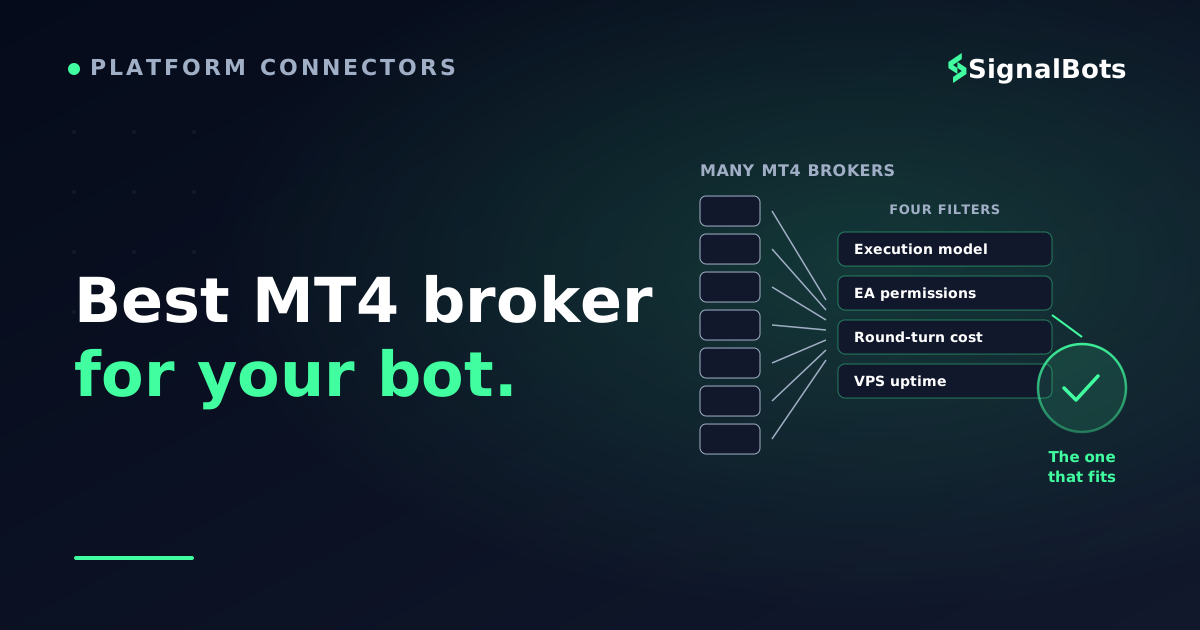
The four things that decide it
Forget star ratings. When your client is a bot, only four broker attributes move the needle — and they are the four almost every consumer-facing "best MT4" list underweights.
Execution model — how your orders actually get filled: straight-through to a liquidity pool, or against the broker's own book. This is the single biggest predictor of whether your backtest survives contact with live spreads.
EA permissions — whether the broker's account terms allow what your EA does. Scalping, hedging, and grid/martingale strategies are explicitly restricted at some brokers, and a restriction you didn't read becomes a closed account.
All-in cost per round-turn — spread plus commission, paid on every trade. A bot amplifies this the way compounding amplifies returns: a fraction of a pip you'd never notice by hand becomes the line between a positive and negative equity curve.
Uptime infrastructure — an EA has to run 24/5 without your laptop being on, which means a VPS, and ideally one the broker hosts close to its own servers to cut latency.
Everything else — education, app design, deposit methods — is real, but it is not what makes or breaks an automated strategy. The rest of this guide is those four, in order.
Execution model: the one that survives your backtest
A broker either routes your order out to a pool of liquidity providers, or it takes the other side of your trade itself. For a discretionary trader placing a few trades a week, the difference is academic. For an EA firing dozens of orders a day around the same signal conditions, it is decisive.
An ECN broker (or a raw-spread STP account) passes your order to a liquidity pool and earns a transparent commission. You get variable spreads that can touch zero on the majors, no dealer sitting between you and the fill, and — critically — no incentive for the broker to widen prices against a winning automated strategy. This is the model most EA developers build and test against, so it is the one where a backtest is most likely to hold up live.
A market-maker broker quotes you a fixed or all-in spread and often fills you internally. Nothing is inherently wrong with that — fills can be fast and spreads predictable — but two things matter for a bot: the all-in spread is usually wider than raw-plus-commission, and some market makers apply execution rules (a delay, a "last look") that can quietly degrade a scalper. If your EA's edge is a fraction of a pip, that degradation eats it.
Execution model, head to head
Which execution model does your EA want?
Winner
ECN / Raw-spread
Variable spread + transparent commission
Order routed to a liquidity pool
Spreads near zero on majors
No dealer incentive against a winning EA
What most EAs are built and backtested on
Default for scalpers, HFT and cost-sensitive bots
VS
Market-maker
Fixed or all-in spread, often filled internally
Predictable pricing, sometimes faster onboarding
Wider effective cost on majors
Possible execution delay / last-look
Fine for slow, wide-target EAs
OK for low-frequency, wide-stop strategies
For a high-frequency or scalping EA, the raw-spread ECN model almost always wins; a slow swing bot can live happily on a market maker.
The practical rule: if your EA trades often or targets small moves, insist on a raw-spread ECN account. If it trades rarely and targets big moves, a market maker's fixed spread can be perfectly fine — and occasionally more predictable to model.
EA permissions: read the terms your backtest can't see
Here is the trap that closes accounts. A broker can support MT4, host EAs, and still forbid the specific thing your EA does. The three most-restricted styles:
Grid / martingale — stacking positions as price moves against you. High-margin, and some brokers restrict it outright.
There is a second, quieter permission your EA needs — not from the broker, but from the platform itself. MT4 will only let an algorithmic-trading permission run if "AutoTrading" is enabled and the EA is allowed to place live orders. That is a client-side toggle, but if a broker's server rejects the order type your EA sends (say, a market order during a news freeze), your bot logs an order rejection and sits on its hands. Both layers have to say yes.
Don't infer permission from silence. "MT4 supported" on a broker's homepage tells you the platform runs, not that your grid EA is welcome on it. The answer lives in the account terms and, when in doubt, a one-line message to support you keep a copy of.
The honest shortlist below marks each broker's stance on the automation-relevant attributes. Treat it as a starting map, not gospel — broker terms change, and the only source of truth for your account is your account's terms.
Automation-relevant attributes only — execution model, permitted EA styles, and VPS. Always confirm the current terms of the specific account you open; broker policies change.
Notice what this table does not have: a "rating out of 10" column. There is no defensible methodology behind such a number for your specific EA — the right broker is a function of your strategy, and the "best fit" column is the only ranking that means anything.
The number that decides profitability: cost per round-turn
Ask a discretionary trader their trading cost and they'll quote the spread. Ask an EA developer and they'll quote the all-in round-turn cost — spread plus commission, in and out — because a bot pays it on every trade, and the count is enormous.
Here is why it matters more for automation than anything else. Suppose your EA's edge is 3 pips of expected profit per trade. On a raw account you might pay 0.1 pips of spread plus roughly 0.6 pips of round-turn commission — about 0.7 pips of cost, leaving 2.3 pips of edge. On an all-in market-maker spread of 1.5 pips you keep only 1.5 pips of edge. Same signal, same strategy — the broker choice alone cut your net edge by a third. Now multiply that by a thousand trades.
That illustration exposes the classic misdirection: a broker advertising "spreads from 0.0 pips" is quoting one small slice of the bar. The commission is the real number, and it hides in a separate line item. When you compare brokers for an EA, always add spread and commission into a single round-turn figure before you decide anything.
Because your EA's break-even depends entirely on this, plug your own numbers into it below. Set your typical spread, the broker's commission, and how many trades your bot fires per day, and watch what the cost does to a month.
Try your own numbers
EA round-turn cost calculator
See what your broker's all-in cost does across a month of automated trading. All values illustrative — use your own broker's figures.
Spread (pips, one way)
Commission (pips, round-turn)
Pip value per lot
$
Lots per trade
Trades per day
Trading days / month
Cost per round-turn
—
Cost per day
—
Cost per month
—
Drag the commission up by half a pip and watch the monthly figure jump — that gap is the entire reason EA traders obsess over round-turn cost.
When you run that with your bot's real trade frequency, the monthly figure is usually sobering — and it is the clearest argument there is for choosing the lowest-cost legitimate execution you can get, rather than the broker with the friendliest sign-up bonus.
Keeping the EA alive: VPS and uptime
An EA on your laptop is an EA that stops the moment your laptop sleeps, drops Wi-Fi, or reboots for an update. For anything you intend to run seriously, a VPS — a virtual server that stays on 24/5 — is not optional infrastructure, it is part of the strategy.
Two things make a broker's VPS story good for automation. First, latency: a VPS colocated near the broker's trade servers shaves the time between your EA's decision and the fill, which directly reduces slippage on fast-moving orders. Second, cost: several brokers give qualifying active traders a free VPS, which removes a real monthly expense from an already cost-sensitive automated account. When two brokers are otherwise close, free colocated VPS is a legitimate tie-breaker.
A note that trips people up: your VPS must be reliable, but so must your strategy's behaviour on it. A bot that keeps firing through a broker outage or a stale price feed can do real damage. Build a hard kill switch into any EA you run unattended — the discipline to stop matters more than the uptime to keep going.
How to actually pick yours
The named shortlist narrows the field; your EA picks the winner. Walk the decision below with your strategy in mind and it collapses to one or two brokers fast.
Decide by strategy, not by ranking
Which MT4 broker fits your EA?
Take itProceed with careSkip / stand aside
Start from what your EA does, not from a leaderboard — the same broker is a great pick for one strategy and a poor one for another.
No tree replaces a live test, though. However good a broker looks on paper, your EA's real behaviour on that broker's feed is the only evidence that counts. Prove it in this order.
The demo-first workflow
Validate a broker before you scale on it
1
Open a demo on the exact account type
Not any demo — the raw/ECN type you'd trade live, so spreads and commission match.
2
Run your real EA, untouched
Same settings you backtested. You're testing the broker's fills, not re-tuning the strategy.
3
Compare live fills to your backtest
Watch slippage, requotes and spread widening. Big gaps mean this broker fights your edge.
4
Go small-live, then scale
Fund a small live account first — demo fills can be kinder than real ones. Scale only once it holds.
A demo confirms the broker permits and fills your EA cleanly; a small live account confirms the fills are real before you size up.
That sequence is the whole game. A broker earns your capital by matching your backtest under live conditions — the leaderboard never gets a vote. If you want to pressure-test the strategy itself under realistic conditions before you commit to any broker, our Strategy Tester glossary entry explains what a clean backtest run should and shouldn't tell you.
Where SignalBots fits
Once your EA and broker are settled, the next question is where the signals come from. If you'd rather not build and maintain the strategy logic yourself, our MT4/MT5 connector route lets SignalBots signals drive an MT-based account — you keep the broker you validated above and let a maintained signal engine handle the entries. For the forex and multi-asset feeds that pair with an MT4 setup, start at our forex trading signals hub, and the connectors overview shows how a signal reaches a live platform. Automated trading carries real risk of loss — our risk warning lays out exactly what that means before you put an EA anywhere near a live account.
FAQ
Which MT4 broker is best for running EAs?
There isn't one universal answer — the best MT4 broker is the one whose execution model, EA permissions and all-in cost fit your strategy. For most automated traders a raw-spread ECN account (IC Markets, FP Markets, Tickmill class) with free VPS is the strongest starting point, because it minimises the round-turn cost your bot pays on every trade. A slow, wide-target EA can run happily on a broader set of brokers.
Do all MT4 brokers allow Expert Advisors?
Supporting MT4 is not the same as allowing your EA. The platform runs EAs universally, but individual brokers restrict specific styles — scalping, hedging, and grid/martingale are the commonly limited ones. Always confirm your strategy type is permitted in the account terms before you fund, not from a homepage claim.
Why does round-turn cost matter more for a bot than for me?
Because a bot pays that cost on every single trade, and it trades far more than you would by hand. A fraction of a pip you'd never notice on ten manual trades a month becomes a serious drag across a thousand automated ones. Add spread and commission into one round-turn figure and model it against your EA's expected edge — the calculator above does exactly that.
Do I really need a VPS to run an MT4 EA?
For anything you intend to run seriously, yes. An EA only trades while MT4 is open and connected, so it has to live on a server that stays on 24/5 rather than your laptop. A VPS colocated near your broker's trade servers also cuts latency, which reduces slippage on fast fills — and several brokers offer a free VPS to active traders.
Can I trust a broker's spot on a "best MT4 brokers" list?
Treat any list — including this one — as a shortlist, not a verdict. Most rankings score human-facing features and can't know what your EA needs. The only trustworthy test is running your exact strategy on that broker's demo, comparing the live fills to your backtest, then going small-live before you scale. If the fills match, the broker earns your capital; if they don't, no leaderboard position saves it.
Sources & Further Reading
Want to go deeper? These independent, authoritative sources shaped this guide — each one is worth reading in full:
The Cross-Market Desk is the SignalBots editorial team for topics that span every market — platform connectors, copy trading, partnership and IB programs, and the general mechanics of trading automation. We research and write the guides that apply no matter what you trade.



Discussions 0
Leave a comment