Judged on demo access, 1-click execution and MT4/MT5 support — not spread alone.See the full beginner comparison →
The broker is the vehicle for the signal — pick one you can practice on and act through cleanly.
Key Takeaways
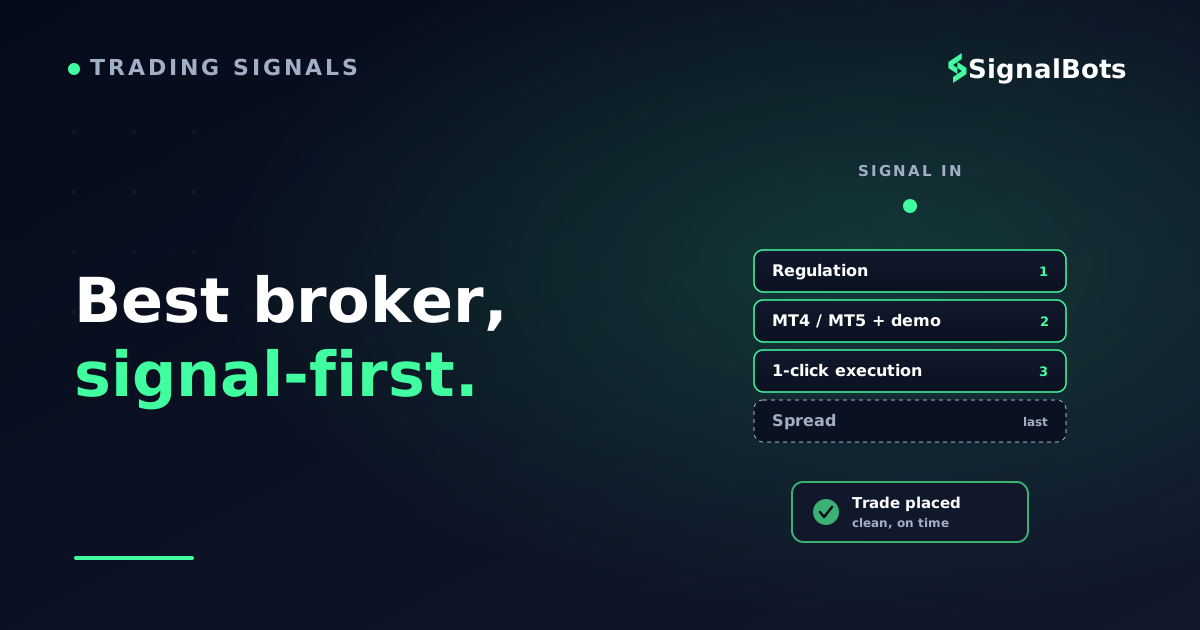
A beginner broker that "pairs with signals" needs three things most lists skip: a demo/real toggle to rehearse the signal risk-free, 1-click (semi-automatic) execution so you act before the setup goes stale, and MT4/MT5 support so a signal-to-broker connector can place the trade for you.
The tightest spread is not the beginner test. A clean order ticket, a real demo account, honest tier-1 regulation, and a low or zero minimum deposit matter far more when you are learning to act on signals.
Strong beginner-friendly, signal-ready names to shortlist include XM, Exness, AvaTrade, FP Markets, Tickmill, and OANDA — all built around MT4/MT5 with free demo accounts and automation support.
Start on demo, prove you can execute a signal without hesitation, then flip to a small live account — the broker is only ever the vehicle for the signal, never the strategy itself.
Table of Contents (22 min read)Contents
Why "beginner-friendly" Isn't The Same As "signal-ready"
You searched for the best forex broker for beginners, but there is a hidden second requirement in your question: you also plan to trade signals. That changes the shortlist. A broker can be gentle for a beginner — clean app, big education library, low deposit — and still be a poor place to act on a signal, because acting on a signal has its own demands the generic lists never test.
A trading signal is a time-sensitive instruction: a pair, a direction, an entry, a stop, a target. To act on it well you need to open the exact trade quickly, at a safe size, without fighting the platform. So the broker that fits you is the one that lets you execute the signal cleanly — not just the one with the prettiest onboarding.
Think of it this way: the signal is the recipe, and the broker is the kitchen. A beautiful kitchen with no working stove will not cook the meal. Below, we judge beginner brokers on whether the stove actually works — whether you can practice the signal, place it in one click, and eventually let a connector place it for you.
The Three Things A Signal-ready Beginner Broker Must Have
Strip away the marketing and a beginner-plus-signals broker comes down to three capabilities. Miss any one and acting on signals gets harder than it should be.
First, a demo/real account toggle — the ability to run the same platform in practice mode with virtual money, then flip to live when you are ready. This is non-negotiable for a beginner: you rehearse each signal on demo until placing it feels automatic, and only then risk real money. A broker without a genuine demo forces you to learn on your live balance, which is the fastest way to quit.
Second, semi-automatic 1-click execution — an order ticket that lets you fire the trade in a single click once the signal arrives, with your size, stop and target pre-set. Signals decay: an entry that was valid two minutes ago may already have moved. A cluttered, multi-step order ticket makes you late; a clean 1-click ticket keeps you on time.
Third, MT4/MT5 support. The MetaTrader platforms are the beginner's friend twice over: they are where most forex education is taught, and they are the standard rails that a signal provider or a signal-to-broker connector plugs into. If your broker runs MT4 or MT5, you can start by clicking trades yourself and later graduate to letting an Expert Advisor place signals automatically — same account, same platform, no migration.
The pairing, step by step
How a signal reaches your beginner broker account
1
A signal is published
You receive a pair, direction, entry, stop and target — e.g. via a Telegram channel or the SignalBots feed.
2
You (or a connector) read it
Early on you read it yourself; later a connector reads it for you on MT4/MT5.
3
You size the trade
Convert the fixed-risk rule into a lot size for your account balance before you click.
4
1-click execution on the broker
Fire the order through a clean MT4/MT5 ticket — or let the Expert Advisor place it for you.
The broker is the last link in the chain — it only has to execute the signal cleanly and let a connector take over later.
Early on you place these trades yourself. Later, an MT4/MT5 signal connector can read the signal and fire the order for you on the same account — so the broker you learn on is the broker you automate on.
The Beginner-friendly, Signal-ready Shortlist
Here are real, current brokers that clear the beginner bar and the signal bar. All are built around MT4/MT5, offer a free demo account, and permit automation — so you can start by hand and connect a signal feed later without switching platforms. This is a shortlist to research, not a ranking you should follow blindly: open a demo on two or three, and keep the one whose order ticket feels most natural in your hands.
XM — a common first broker for good reason: MT4 and MT5, a low minimum deposit, a generous demo, and a large, beginner-pitched education library. Full Expert Advisor support means a signal connector can run on the same account you learned on.
Exness — simple funding, a clean MT4/MT5 setup, and flexible account types. Its straightforward interface suits a beginner who wants to place signals without wading through advanced tooling.
AvaTrade — pairs MT4/MT5 with built-in copy trading (DupliTrade, ZuluTrade), so a beginner can mirror a strategy while learning to place their own signals by hand.
FP Markets — an ECN-style account model on MT4/MT5 with a strong add-on toolbox; a good next step once you have outgrown a pure beginner setup but still want signal automation.
Tickmill — low-friction MT4/MT5 accounts with a clear ticket and honest documentation — an uncomplicated home for someone who mainly wants to execute signals.
OANDA — a long-established, well-regulated broker with MT4 support and VPS hosting for keeping an automated signal EA running around the clock. A dependable, no-drama choice.
Every one of these is a forex/CFD broker — the correct market for forex signals. If a "beginner broker" list ever steers you toward a binary-options broker or a crypto exchange for forex signals, that is a market mismatch: the instruments, execution and risk are different, and the signal will not translate.
All six are forex/CFD brokers on MetaTrader with free demos — so you can practice the signal, then automate it on the same account.
Capabilities above describe what each broker offers (platforms, demo, automation) — always confirm the current details on the broker's own site before you open an account. We do not quote spreads, commissions or ratings as fact, because those change and a headline number rarely tells the beginner story.
The Trap: Tightest Spread ≠ Best Beginner Broker
The single most common beginner mistake is choosing a broker on the advertised spread alone. It feels rational — lower spread, lower cost — but for someone learning to act on signals it is the wrong first filter.
Here is why. A raw-spread account with a tiny quoted spread usually adds a commission and often expects a larger deposit and more platform knowledge to use well. As a beginner acting on a handful of signals a day, the few fractions of a pip you save are dwarfed by the errors you avoid on a clean, simple platform: mis-sizing a trade, missing the entry, or forgetting the stop. Execution mistakes cost far more than spread.
Quick gut-check
Knowledge check
You are a beginner who wants to trade forex signals. Two brokers both offer MT4 and a free demo. Which factor should decide your pick first?
Why
As a beginner acting on signals, your biggest costs are execution mistakes, not spread. A clean 1-click ticket and a genuine demo let you place each signal correctly and rehearse it with no money at risk — that saves far more than a fraction of a pip. High leverage and bonuses tempt beginners into over-sizing, which is exactly the risk a signal-first workflow should avoid.
If your instinct was ‘tightest spread’, this is the beginner trap the rest of this guide is built to fix.
So treat spread as a tie-breaker, not the headline. Filter first on: is there a real demo, is the ticket clean, is it MT4/MT5, and is the broker honestly tier-1 regulated? Then, among the brokers that pass, prefer the cheaper one.
Practice First: Demo Before Real, Every Time
The demo/real toggle is your single most valuable beginner tool, and it earns its own section because so many new traders skip it. On demo you get to make every rookie mistake — wrong lot size, entry chased too late, stop left off — while it costs nothing. By the time you flip to live, placing a signal should feel boring, which is exactly the state you want to be in when real money is on the line.
The rule of thumb: stay on demo until you can take, say, twenty signals in a row and place each one correctly — right pair, right direction, right size, stop and target attached — without hesitating. When execution is automatic, flip to a small live account. Not before.
Sequence it right
Demo account vs live account — which one, when
Winner
Practice on Demo
Virtual money — mistakes cost nothing
Rehearse the full signal: size, entry, stop, target
Learn the order ticket until 1-click is automatic
Test a connector/EA before it touches real funds
Stay here until placing a signal feels boring.
VS
Go Live (small)
Real money — real emotions enter the trade
Only after you execute signals cleanly on demo
Start with a size you can afford to lose while learning
Scale up slowly as your process proves out
Graduate here — small — once execution is second nature.
Demo is not a formality — it is where you turn a signal into a reflex before money is at stake.
Size Every Signal Before You Click
A signal tells you what to trade; it rarely tells you how much. That last step — turning "risk 1% of my account" into an actual lot size on the ticket — is where beginners most often go wrong, usually by trading far too big. Get sizing right and a losing streak is survivable; get it wrong and one bad run ends your account.
The logic is simple: decide the percent of your balance you will risk on the trade, take the stop distance in pips from the signal, and the lot size falls out of those two numbers. Do this before you click — never after. Use the calculator below to feel how account size, risk percent, and stop distance combine.
Do this before every click
Beginner position-size calculator
Turn a signal’s stop distance into a safe lot size. Set your account, the risk you’ll take, and the stop from the signal.
Account balance
$
Risk per trade
Stop distance (from signal)
pips
Pip value per standard lot
$
Cash you’re risking
—
Safe position size
—
A wider stop means a smaller lot for the same risk — the calculator keeps your risk constant no matter what the signal’s stop is.
These are illustrative numbers to build intuition, not a promise about any single trade. A clean beginner broker makes this easy: you compute the lot, type it into a simple ticket, attach the stop and target from the signal, and click once. If you want to move this off paper entirely, a signal-to-broker connector can place the sized trade for you on a supported broker — but learn the sizing by hand first, so you can sanity-check what the connector does. (There's a link to the connectors at the end of this guide.)
How To Actually Choose — In Order
When you sit down to pick, run the filters in this order and you will land on the right broker for a signal-first beginner:
Regulation first. Confirm the broker is genuinely licensed by a tier-1 regulator. This is a hard gate, not a preference — no other feature matters if your funds are not safe.
Platform. It must be MT4 or MT5, so your signals, your education, and any future connector all speak the same language.
Real demo. There must be an unlimited or long-running demo on that same platform, so you can rehearse before risking a cent.
Clean 1-click execution. Open a demo and place a practice trade. If the ticket is fiddly or slow, cross it off — you will be late on signals.
Automation permission. Check that Expert Advisors are allowed, so you can later connect a signal feed without changing broker.
Low entry cost. A low or zero minimum deposit and reasonable all-in cost — as a tie-breaker among the brokers that already passed the steps above.
Notice spread lives at step six, not step one. That single reordering is the difference between a beginner list and a signal-first beginner list.
Once you have chosen, the natural next move is to point a real feed at your fresh demo. Our forex trading signals give you live setups to practice on, and the forex signal tools help you size and manage each one. Start there, on demo, and let the broker prove itself under real signals before you fund it.
FAQ
Do I need a special broker to trade forex signals as a beginner?
No special account type is required, but the broker does need to support the way signals are acted on: a clean order ticket for 1-click execution, a free demo to practice, and MT4/MT5 so a connector can automate later. Most beginner-friendly forex brokers on MetaTrader meet this bar — the shortlist above are examples.
Should I start on a demo or a live account?
Always demo first. Use the demo/real toggle to rehearse each signal with virtual money until placing it — pair, size, stop, target — feels automatic. Only then flip to a small live account. Learning to execute on real money is the most expensive way to learn a cheap lesson.
Is the broker with the lowest spread the best choice for a beginner?
Usually not. For a beginner acting on signals, execution mistakes cost far more than a fraction of a pip. Filter first on demo, clean 1-click execution, MT4/MT5, and honest regulation; treat spread as a tie-breaker among the brokers that already pass.
Can I automate signals on a beginner broker, or is that advanced?
You can grow into it on the same account. Start by clicking signals yourself on MT4/MT5, then, when your process is steady, add an Expert Advisor or a signal-to-broker connector to place trades for you. Because it runs on the same MetaTrader platform, nothing about your broker has to change — see our MT4/MT5 connectors.
What does "1-click execution" mean and why does it matter for signals?
One-click execution means you fire an order from a single click on a pre-set ticket, rather than filling in a multi-step form. Signals are time-sensitive — the entry can move while you fumble — so a clean 1-click ticket keeps you on time and reduces mis-clicks, which matters far more for a beginner than shaving a fraction of a pip off the spread.
Are binary-options or crypto brokers okay for forex signals?
No — match the market. Forex signals are for forex/CFD brokers only; binary-options brokers and crypto exchanges trade different instruments with different execution and risk, so a forex signal will not translate. Every broker on the shortlist above is a forex/CFD broker for exactly this reason.
The one move that matters
You came in asking
“which beginner forex broker is best”
and the real answer is
the one you can practice on and act through cleanly.
Pick the broker you can execute a signal on — then let the signals prove it
SB
Start on demo with SignalBots forex signals
Choose a signal-ready beginner broker from the shortlist, open its free demo, and point real forex signals at it. Rehearse sizing and 1-click execution with no money at risk — then fund a small live account and, when ready, automate on the same MT4/MT5 platform.
The Forex Desk is the SignalBots editorial team responsible for our currency-market coverage. We research and write the guides, explainers and reference articles on how the majors, minors and crosses actually trade — sessions, spreads, swaps and the macro releases that move price.



Discussions 0
Leave a comment