Assessed on execution model, account type and API access — not headline spreads.See how to choose →
For automation, the broker — not the platform — is the variable you're actually choosing.
Key Takeaways
The cTrader app is identical across brokers; the broker's execution model (true ECN routing vs a dealing desk) is what decides how your cBots actually fill.
For automation you're really choosing three things: a raw-spread/ECN account, unrestricted cBot and Open API/FIX access, and a permissive execution policy (scalping allowed, no minimum stop distance).
IC Markets, Pepperstone, FP Markets, FxPro, BlackBull Markets, Eightcap and Tickmill are the cTrader brokers most consistently built around algo-friendly execution.
The same signal engine that feeds a cBot can feed you directly — a broker-agnostic forex signal feed keeps your edge if you ever switch brokers.
Table of Contents (17 min read)Contents
Why the Broker — Not cTrader — Decides Your Results
Here's the thing most "best cTrader broker" lists miss: cTrader is the same application no matter who you open an account with. The same cBot editor, the same cTrader Automate engine, the same charts, the same backtester. When you download cTrader through IC Markets or through FxPro, you are running byte-for-byte the same platform.
So if the platform is identical, what are you actually choosing between? You're choosing the execution plumbing behind it — the account model, the liquidity, the API permissions, and the trading rules the broker enforces on your automated orders. That is where two brokers running "the same" cTrader produce wildly different live results for the exact same bot.
A cBot doesn't hesitate, doesn't second-guess a widened spread, and doesn't wait for a better price the way a human would. It fires the moment its rule triggers. That makes it ruthlessly sensitive to everything the broker controls: how fast the fill comes back, whether the price you got matches the price you asked for, and whether the broker even permits the order in the first place. Pick the wrong broker and your beautifully backtested logic quietly leaks money on every fill.
The Three Things Automation Actually Needs
Strip away the marketing and a cTrader broker built for automation comes down to three concrete requirements. Get these right and almost everything else is preference.
First, a true ECN or raw-spread account. An ECN broker routes your orders to a pool of external liquidity providers and earns a fixed commission instead of marking up the spread. The alternative is a market-maker dealing desk that takes the other side of your trade — a structure whose incentives point the wrong way for a high-frequency bot. For automation you want raw spreads plus a transparent commission, because that's the cost model your backtest can actually predict.
Second, unrestricted programmatic access. cTrader exposes three ways for code to trade, and a broker can quietly limit any of them:
cTrader's automation surfaces
The three ways your code reaches the market on cTrader
1
cTrader Automate (cBots)
C# or Python bots that run inside the cTrader desktop app and place orders through its built-in API. This is where most retail automation lives.
2
cTrader Open API
A server-side API that talks straight to the broker's cTrader servers over Protocol Buffers — for bots that run outside the desktop app.
3
FIX API
The institutional protocol for connecting an external algo engine directly, built for the lowest-latency, highest-frequency strategies.
A broker that only supports cBots but gates the Open API or FIX API limits how far you can scale your automation.
Most retail algo traders live in cTrader Automate, writing cBots in C# (or Python) that run inside the desktop app. But as strategies grow, you may want the Open API to run a bot on a server independent of the desktop, or the FIX API for genuine low-latency execution. Not every broker enables all three, and some gate FIX access behind higher deposit tiers. If you might scale, confirm the broker API tiers before you commit.
Third, a permissive execution policy. This is the quiet dealbreaker. Some brokers impose a minimum distance on stop and limit orders, forbid scalping, or restrict order types — all of which can break a bot that places tight stops or fires many orders per session. The best cTrader brokers for automation explicitly allow scalping and set no minimum distance, so your cBot's logic runs exactly as written.
How the Wrong Broker Quietly Breaks a Good Bot
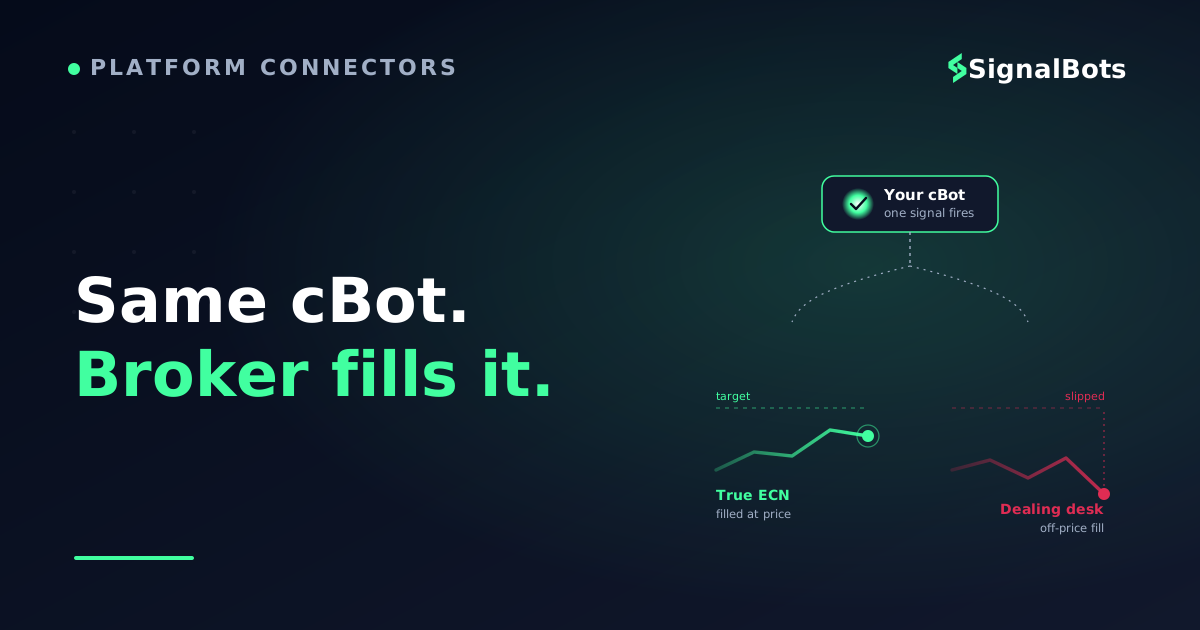
Let's make this concrete, because it's the part traders underestimate until it costs them. Suppose your cBot scalps a 6-pip target with a 4-pip stop — a reward-to-risk profile that needs clean, fast fills to survive. On a true ECN account the order routes to a liquidity provider and comes back near-instantly at the quoted price. On a slow dealing desk, the same order can arrive to a requote or a filled price several ticks off, turning your 4-pip stop into a 6-pip loss.
That difference is slippage, and for a manual swing trader it's noise. For a bot firing dozens of orders a day, it's the difference between a positive and a negative edge. The two execution paths below look identical on the surface — same platform, same cBot — but route your orders through completely different machinery.
ECN vs market-maker
The same cBot on two account models
Winner
True ECN / Raw Account
Orders routed to external liquidity providers
Broker earns a fixed commission, not spread markup
Fills come back near the quoted price
No minimum stop distance; scalping allowed
Your backtested edge survives contact with live fills.
VS
Market-Maker / Dealing Desk
Broker takes the other side of your trade
Cost hidden inside a wider spread
Requotes and off-price fills more likely
May restrict stops, scalping or order frequency
Silent slippage erodes a bot that fires often.
For a high-frequency cBot, the account model is not a detail — it is the edge.
This is also why a bot that looks profitable in the strategy tester can fail live: backtests assume ideal fills, but live results are only as good as the broker delivers. Before you trust any automated result, understand that a backtest is a hypothesis about your logic — not a promise about your broker.
The cTrader Brokers Worth Shortlisting
No single broker is "best" for everyone — the right one depends on whether you optimize for raw cost, API depth, or a bundled VPS. But a handful of forex/CFD brokers have built their cTrader offering specifically around algo-friendly execution. Every fact below is the kind you can verify on each broker's own site; treat any figure a review site quotes about spreads or latency as illustrative, not gospel.
Every one of these runs the identical cTrader app — the differences are all in the execution and API layer behind it.
A few notes on how to read that shortlist. IC Markets is the closest thing to a default for pure execution: a raw ECN account, all three automation surfaces open, and a policy that places no minimum distance on your stops — exactly what a scalping cBot needs. Pepperstone pairs the same raw-ECN model with a strong copy-trading ecosystem, useful if you also run mirror strategies. FP Markets is the low-cost route in, with a full Depth-of-Market view that matters if your bot reads the order book. FxPro and BlackBull Markets stand out for bundling or supporting VPS hosting, so your bot keeps running when your laptop sleeps — and Eightcap and Tickmill round out the list with algo-focused tooling and lean commission structures.
If running a bot on a home machine worries you, note that a VPS for automated trading is the standard fix: a small always-on server that keeps your cBot connected 24/5 regardless of your own internet or power.
A Decision Path You Can Actually Follow
Rather than rank these brokers into a false order — the "best" one genuinely depends on your strategy — here's the decision logic to run for yourself. Start from how your bot trades and let that pick the broker, not the other way around.
Which cTrader broker fits your automation?
Take itProceed with careSkip / stand aside
Let the strategy pick the broker: FIX needs vs cost priority split the field cleanly.
Notice that the tree never asks about spread first. That's deliberate — headline spreads are the most-marketed and least-reliable number in broker comparisons, and for a commission-based ECN account the raw spread plus commission is what actually matters. Anchor on the execution model and API access; let cost be the tie-breaker between two brokers that already clear those bars.
Before You Fund the Account
Whichever broker you land on, run this check before you wire a cent. Every item is something you can confirm from the broker's own account page or by opening a demo — and skipping any of them is how traders end up re-choosing a broker three months in.
Do this before going live
cTrader-for-automation pre-flight check
0 / 7
Confirm the account is true ECN / raw-spread, not a market-maker dealing desk
Verify cBots (cTrader Automate) are enabled on your account tier
Check whether Open API and FIX API access are available and at what deposit tier
Confirm scalping is allowed and there is no minimum stop/limit distance
Test your cBot on a demo account with live spreads before going live
Decide on a VPS — broker-provided or third-party — for always-on running
Read the commission and swap schedule so your backtest cost model is realistic
★
Checklist complete — you’re cleared to proceed.
Tick these off on a demo first; every one is verifiable before you fund.
One last point that outlasts any single broker: your edge should not be hostage to your broker choice. If your automation depends on a signal — an entry trigger, a trend read, a market-structure event — sourcing that signal independently means you can switch brokers without rebuilding your whole system. A broker-agnostic forex signal feed does exactly that: it delivers the trade idea, and your cBot on whichever cTrader broker you chose handles execution. That separation is what lets you shop for the best execution without losing your strategy.
FAQ
Is cTrader better than MetaTrader for automated trading?
Neither is universally better — they suit different workflows. cTrader's automation is written in C# (or Python) and many traders find its Automate environment, Depth-of-Market and native ECN routing cleaner for order-flow-sensitive bots. MetaTrader's MQL ecosystem is larger and older. The more decisive factor is the broker's execution behind whichever platform you pick.
Do all cTrader brokers support cBots and the APIs equally?
No. Every cTrader broker runs the same app, but they differ in which programmatic surfaces they enable. cBots via cTrader Automate are near-universal, but Open API and especially FIX API access can be gated behind account tiers or higher deposits. Always confirm the specific broker API access you need before opening the account.
What account type should I use for a cTrader trading bot?
A raw-spread or true ECN account is almost always the right choice for automation. It routes orders to external liquidity and charges a transparent commission instead of hiding cost in a wider spread, which makes your backtest cost assumptions far more accurate and reduces the chance of requotes on a fast-firing bot.
Do I need a VPS to run a cBot on cTrader?
Not strictly, but it's strongly recommended for any bot meant to run continuously. A VPS keeps cTrader and your cBot online 24/5 regardless of your own machine or internet, which prevents missed entries and half-managed trades. Several cTrader brokers bundle or discount VPS hosting; otherwise a third-party VPS works fine.
Will a bot that backtests well definitely make money live?
No — and treat any tool or broker that implies otherwise as a red flag. A backtest is a hypothesis about your logic under ideal fills; live results depend on real slippage, commission, swaps and the broker's execution. A strong backtested result on a raw ECN broker gives you a better chance, but never a guarantee.
The bottom line
We opened with
“a cBot that backtests beautifully, then bleeds live.”
and it comes down to
a raw-ECN broker with open APIs and no order restrictions..
The platform was never the variable — the broker was.
SB
Keep your edge broker-agnostic
Pick a raw-ECN cTrader broker for execution, then feed your automation from a broker-independent forex signal feed — so switching brokers never means rebuilding your strategy.
The Cross-Market Desk is the SignalBots editorial team for topics that span every market — platform connectors, copy trading, partnership and IB programs, and the general mechanics of trading automation. We research and write the guides that apply no matter what you trade.



Discussions 0
Leave a comment